
A remote campsite can be exactly where you want to be until you need to make contact and your phone shows no signal. Whether you’re hiking beyond the trailhead, camping far from established roads, or exploring unfamiliar terrain, losing cellular coverage can make routine check-ins difficult and an emergency more complicated. A satellite communicator provides another way to stay in touch when conventional mobile networks are unavailable, provided you have a compatible device, an active service plan where required, and a usable connection to the sky.
Choosing the right device takes more than comparing prices or counting features. Some satellite communicators rely heavily on a paired smartphone, while others offer their own screen and physical controls. Messaging capabilities also vary: basic text communication, location sharing, photo messages, voice messages, and emergency SOS are distinct functions, and not every device supports them all. Subscription fees, coverage, battery performance, and ease of use can matter just as much as the hardware itself.
In this guide, we compare five satellite communicators for camping: the Garmin inReach Mini 2, Garmin inReach Messenger Plus, Garmin inReach Mini 3 Plus, ZOLEO Satellite Communicator, and SPOT X with Bluetooth. We’ll examine what distinguishes each model, who is most likely to benefit from its features, and which specifications and service requirements deserve a closer look before you buy. The aim is to help you choose a communicator that fits your trips—not pay for features you don’t need or discover important limitations after leaving cellular coverage.
As an Amazon Associate I earn from qualifying purchases.

Table of Contents
Quick Answer: Which Satellite Communicator Is Best for Camping?
The best satellite communicator for camping depends on how you travel, how you prefer to communicate, and which emergency features you need. Some devices are designed for lightweight backcountry trips, while others offer additional messaging options or a more independent way to communicate away from cellular networks.
Here are the five models compared in this guide:
Garmin inReach Mini 2 — a compact option to consider for hikers and campers who prioritize portability and essential satellite communication.
Garmin inReach Messenger Plus — worth considering if you want more than basic text messaging and need additional communication capabilities.
Garmin inReach Mini 3 Plus — an option to evaluate if you’re looking at a newer compact communicator with expanded features.
ZOLEO Satellite Communicator — a choice for campers interested in satellite messaging integrated with a compatible smartphone.
SPOT X with Bluetooth — an alternative for users who want a satellite communicator with its own screen and keyboard.
Before choosing, compare more than the purchase price. Check the supported messaging features, SOS service, subscription requirements, regional coverage, battery specifications, and whether the device can perform the tasks you need without a paired phone. Satellite communication also depends on suitable conditions and access to the satellite network; carrying a device does not guarantee that every message will be delivered immediately.
In the sections below, we’ll examine each model’s capabilities and limitations to help you choose the best satellite communicator for your camping style and off-grid communication needs.
Why You Can Trust This Guide
Choosing a satellite communicator is a safety-related decision, so our comparison focuses on practical capabilities, limitations, and the details that can affect how a device works on a real camping trip. Rather than treating every feature as equally important, we look at how each communicator fits different travel styles, communication needs, and budgets.
Manufacturer Specifications and Feature Verification
We use manufacturer documentation to check product specifications and distinguish confirmed capabilities from assumptions. This includes messaging options, SOS functionality, battery-life estimates, device dimensions, smartphone requirements, and other features relevant to camping. For example, Garmin’s official documentation distinguishes the inReach Mini 2 from the inReach Messenger Plus, which supports photo and voice messaging through the Garmin Messenger app with an active satellite subscription. Garmin’s official comparison
Practical Differences Matter More Than Marketing Claims
A long feature list does not automatically make a device the right choice. We consider whether a communicator depends on a compatible smartphone for its main messaging functions, how it handles check-ins and emergency alerts, and which capabilities may require an additional service or subscription. ZOLEO, for example, uses a companion app for its broader messaging experience, while its device also provides dedicated check-in and SOS controls. ZOLEO’s official product information
Limitations and Ongoing Costs
We also consider subscription requirements, satellite coverage, battery-life conditions, and the possibility of delayed or unavailable connections. Manufacturer battery estimates depend on usage and environmental conditions, while satellite communication requires a suitable connection to the sky. No device can guarantee that a message will be delivered instantly or that rescue will always be available.
A Clear Basis for Comparison
This guide is a specification-based editorial comparison, not a claim of hands-on testing. Our aim is to explain what the available documentation establishes, identify meaningful differences between the five selected models, and help readers determine which features justify the cost for their particular trips. Product details, service terms, and availability should be checked with the manufacturer or retailer before purchase, as they may change.
How We Evaluate Satellite Communicators
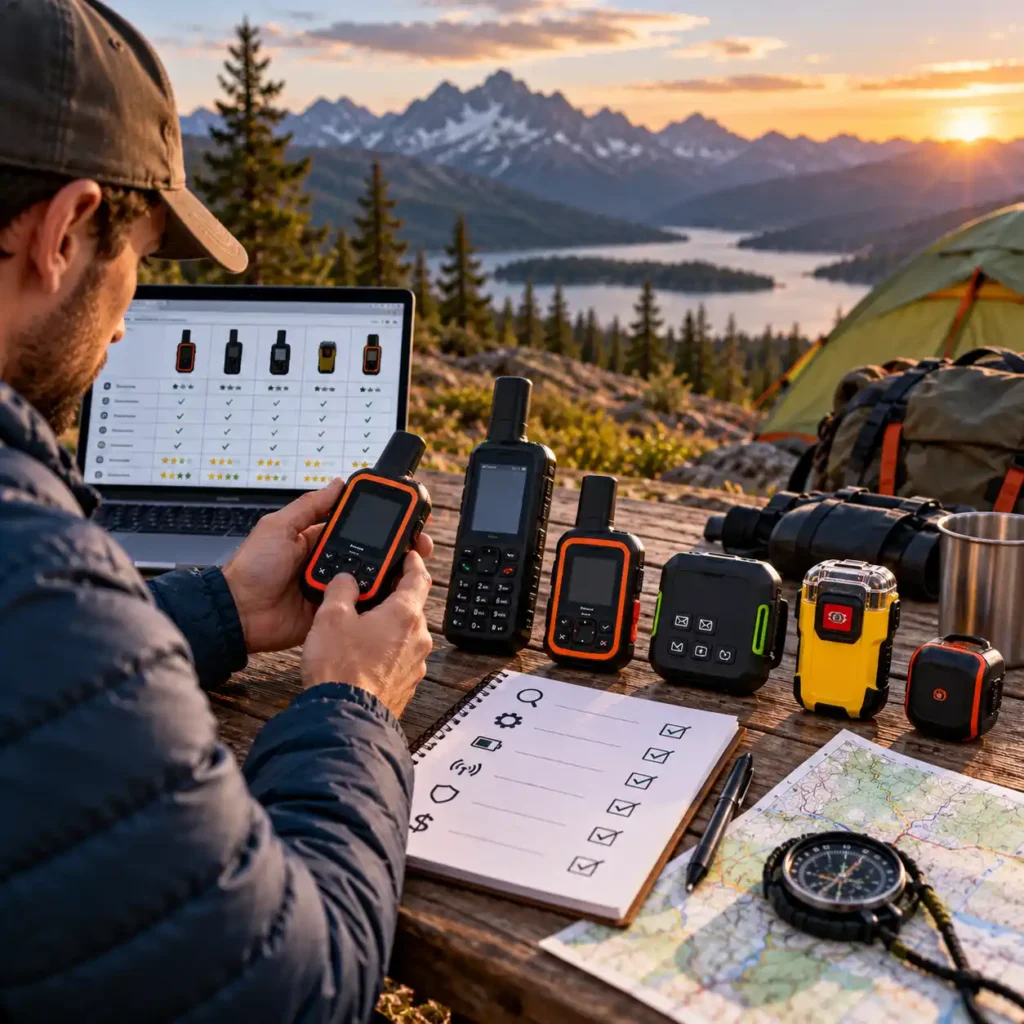
When comparing the best satellite communicators for camping and off-grid emergencies, we focus on the features that make a meaningful difference on the trail. The goal is not to pick the device with the longest feature list, but to identify which model offers the right balance of communication options, emergency capabilities, portability, and ongoing costs for different types of campers.
Communication Features and Smartphone Dependence
We compare the messaging options available on each device, including two-way text messaging, location sharing, check-ins, and any supported photo or voice messaging. We also examine how these features are accessed. Some communicators rely heavily on a paired smartphone and companion app, while others provide a screen or physical controls for operating key functions directly on the device.
Emergency SOS and Service Requirements
SOS functionality is a key consideration for trips beyond cellular coverage. We examine the manufacturer’s description of emergency features, how an SOS alert is initiated, and what service or subscription is required. Buyers should also understand that an SOS function cannot guarantee immediate rescue, and the exact service conditions should be confirmed before a trip.
Battery Life, Size, and Weight
For backpackers, a compact and lightweight device may be more practical than a larger unit with additional controls. Campers on longer trips may place greater importance on battery endurance and charging options. We compare published specifications while recognizing that actual battery life varies with settings, message frequency, tracking activity, and environmental conditions.
Coverage and Trip Compatibility
A communicator is only useful where its satellite service is available and the device can establish a suitable connection. We consider published coverage information and the intended use of each model. Before buying, check that the provider supports your destination and that the device’s communication features meet your needs for that particular trip.
Subscription Costs and Overall Value
The device’s purchase price is only one part of the total cost. We consider whether an active subscription is needed, which features depend on a service plan, and what ongoing charges buyers should investigate. Since plans and prices can change, confirm current terms directly with the provider before making a purchase.
Best Fit for Different Types of Campers
Finally, we consider who is most likely to benefit from each device’s design and feature set. A minimalist backpacker, a camper who regularly travels far beyond cell service, and someone who prefers composing messages on a phone may have different priorities. Our recommendations are intended to help readers narrow the options based on how they actually camp, rather than assuming one model is the best choice for everyone.
These evaluation criteria provide the basis for the product summaries and comparison table that follow. Individual specifications and service details should be verified against current manufacturer documentation before purchase.
Who Should Consider a Satellite Communicator?
A satellite communicator is worth considering if you regularly camp, hike, or travel in places where cellular coverage is unreliable or unavailable. It provides another way to communicate beyond mobile networks, but the right device depends on your destinations, communication needs, and willingness to pay for an ongoing service plan.
Backcountry Campers and Remote Hikers
If your trips take you beyond established campgrounds and reliable phone coverage, a satellite communicator can help you send messages, share your location, and access supported emergency SOS services. For this type of trip, prioritize dependable access to essential functions, manageable battery requirements, and a device you can operate confidently when conditions become stressful.
Solo Campers and Long-Distance Hikers
Traveling alone makes it especially important to have a plan for check-ins and emergencies. A communicator can help you keep designated contacts informed of your progress when cellular service is unavailable. Look closely at how quickly you can send a check-in, how location sharing works, and whether the device’s controls suit your needs.
Campers Exploring Remote Areas by Vehicle
Overlanders, dispersed campers, and people exploring remote roads may spend hours or days outside mobile coverage. A satellite communicator can provide a communication option when a regular phone cannot connect to a cellular network. Consider the type of messaging you need, the destinations you visit, and whether you want a device that works independently or pairs with your smartphone.
Families and Groups Camping Beyond Cell Service
For groups traveling in remote areas, satellite messaging can make it easier to coordinate plans and communicate with people outside the group. However, not every communicator supports the same messaging features, and not every plan includes the same services. Check how contacts are reached, whether messages can be exchanged as needed, and what each person must have to use the system.
Campers Who Want an Additional Emergency Communication Option
Some buyers mainly want a way to contact emergency services when conventional mobile networks are unavailable. In that case, pay particular attention to the device’s SOS procedure, service requirements, coverage, and any instructions supplied by the manufacturer. An SOS feature is not a substitute for carrying appropriate safety equipment, preparing for the route, and knowing how to respond to an emergency.
Who May Not Need One?
If you camp only at established sites with reliable cellular coverage, a satellite communicator may offer limited value for the additional purchase and subscription costs. Before buying, consider how often you actually travel beyond mobile coverage and whether you would use the device’s messaging or emergency features often enough to justify the expense.
The bottom line: a satellite communicator makes the most sense when losing cellular coverage is a realistic part of your trips. Once you know whether you need basic check-ins, two-way messaging, additional communication features, or dedicated on-device controls, it becomes much easier to narrow down the right model.
Quick Summary: Our Top Picks
Choosing the right satellite communicator comes down to how you travel, which communication features you need, and how much you’re prepared to spend on an ongoing service plan. These five models offer different approaches to staying connected beyond cellular coverage.
1. Garmin inReach Mini 2 — Best for Lightweight Backcountry Trips
The Garmin inReach Mini 2 is worth considering if you want a compact communicator with two-way messaging, interactive SOS, and navigation-related features without carrying a larger device. It weighs approximately 3.5 oz (100 g) and supports TracBack routing. Its monochrome screen and button-based controls suit buyers who prioritize a lightweight design over a more modern touchscreen interface.
Best for: Backpackers and campers who prioritize portability and essential satellite communication.
2. Garmin inReach Messenger Plus — Best for Expanded Messaging
The Garmin inReach Messenger Plus adds photo and voice messaging to Garmin’s satellite communication system. These capabilities can be useful when a short text does not convey enough information, although photo messaging requires the Garmin Messenger app on a compatible smartphone. Its feature set makes it worth considering for campers who want more expressive communication options.
Best for: Campers who want text, photo, and voice messaging in one satellite communication system.
3. Garmin inReach Mini 3 Plus — Best for On-Device Messaging Features
The Garmin inReach Mini 3 Plus combines a compact form with a color touchscreen, physical buttons, and support for text, photo, and voice messaging. Garmin also lists interactive SOS and voice messaging directly from the device. Compared with the Mini 2, it offers a more advanced interface and additional communication capabilities, making it a model to consider if those upgrades justify the higher purchase price.
Best for: Buyers who want a compact communicator with a color touchscreen and expanded messaging features.
4. ZOLEO Satellite Communicator — Best for App-Based Messaging
The ZOLEO Satellite Communicator is designed around messaging through a compatible smartphone and the ZOLEO app, with satellite communication available beyond cellular coverage. It is worth considering if you prefer managing messages on your phone rather than composing them on a dedicated device screen. Before buying, check the current service plans, supported features, and how the device behaves when your phone is unavailable.
Best for: Campers who prefer a smartphone-centered messaging experience.
5. SPOT X with Bluetooth — Best for a Built-In Keyboard
The SPOT X with Bluetooth offers a different approach from compact, app-focused communicators: it has its own display and physical QWERTY keyboard. This design may appeal to users who prefer composing messages directly on the device instead of relying on a smartphone for text entry. Check the current SPOT service requirements, coverage, and supported emergency features before deciding whether it fits your trips.
Best for: Campers who prefer a dedicated device with a physical keyboard for messaging.
Which Satellite Communicator Should You Choose?
Choose the Garmin inReach Mini 2 if low weight and essential satellite communication are your main priorities.
Consider the Garmin inReach Messenger Plus if photo and voice messaging are important to you.
Consider the Garmin inReach Mini 3 Plus if you want a color touchscreen and expanded messaging features directly on the device.
Choose the ZOLEO if you prefer a smartphone-centered messaging experience.
Consider the SPOT X with Bluetooth if you want a built-in keyboard for composing messages.
All five options require careful consideration of service requirements and destination coverage. Compare their current subscription costs alongside the hardware price, and confirm the features you need with the manufacturer before purchasing.
Compare the Best Satellite Communicators for Camping
| Satellite Communicator | Best For | Messaging Features | Battery Life | Weight | Smartphone Required |
|---|---|---|---|---|---|
| Garmin inReach Mini 2 | Lightweight backpacking | Two-way text messaging, location sharing | Up to 14 days* | 3.5 oz (100 g) | Recommended for convenient messaging; core functions available on-device |
| Garmin inReach Messenger Plus | Expanded messaging | Text, photo and voice messaging | Up to 28 days* | 4.1 oz (117.2 g) | Required for photo and voice messaging |
| Garmin inReach Mini 3 Plus | Compact communicator with expanded features | Text, photo and voice messaging | Up to 95 hours in performance messaging mode* | 4.42 oz (125.2 g) | Required for photo messaging; voice messaging supported on-device |
| ZOLEO Satellite Communicator | Smartphone-based messaging | Two-way messaging through the ZOLEO app; check-in | 200+ hours* | 5.3 oz (150 g) | Required for full messaging features; SOS and check-in available on-device |
| SPOT X with Bluetooth | Messaging with a physical keyboard | Two-way text messaging, check-in, location tracking | Up to 240 hours* | 7.0 oz (198.4 g) | No; built-in screen and keyboard, with optional Bluetooth app connection |
Satellite communicators aren’t the only way to stay in touch outdoors. For shorter-range communication between campers, vehicles, or members of the same group, our guide to the best walkie talkies for camping compares another practical option, although standard two-way radios cannot replace satellite communication in remote areas beyond their effective range.
If you’re planning an extended off-grid trip, reliable communication is only part of your setup. Our guide to the best portable power stations for camping can help you compare portable charging options for compatible electronics and other camping equipment.
The 5 Best Satellite Communicators for Camping in 2026
1. Garmin inReach Mini 2

Award: Best Lightweight Satellite Communicator
The Garmin inReach Mini 2 is a candidate for campers and backpackers who need satellite communication beyond cellular coverage without adding much weight to their pack. Weighing approximately 3.5 oz (100 g), it combines two-way text messaging, interactive SOS, location sharing, and basic navigation features in a compact device. Its main appeal is the balance between portability and essential communication functions rather than an extensive set of multimedia features.
For remote camping, the Mini 2 offers a way to exchange messages with contacts and communicate with Garmin’s emergency response coordination service when necessary. It uses the Iridium satellite network, and an active inReach subscription is required for satellite messaging and SOS. The device also supports TracBack navigation, which can help users retrace their recorded route if they become disoriented.
The Mini 2 is not the newest or most feature-rich communicator in this comparison. It has a small monochrome display and does not offer the photo and voice messaging capabilities found on some newer devices. For buyers who prioritize low weight, straightforward operation, and essential satellite communication, however, those trade-offs may be acceptable. The key question is whether its feature set matches your trips or whether paying more for a model with expanded messaging would provide meaningful benefits.
Overview
Garmin designed the inReach Mini 2 as a compact satellite communicator for outdoor activities where conventional mobile networks may be unavailable. The device uses the Iridium satellite network to send and receive messages, share location information, and initiate an interactive SOS alert. Satellite communication requires an active service subscription and suitable access to the sky.
The Mini 2 can operate as a standalone device for essential functions, while pairing it with a compatible smartphone and Garmin’s apps makes message composition and trip planning more convenient. Garmin Explore supports mapping and route planning, while the companion messaging experience helps users manage communications. Smartphone pairing is useful, but the device is not simply a Bluetooth accessory that becomes useless when a phone is unavailable.
For campers, the buying decision comes down to whether a lightweight unit with text-based communication and navigation features is sufficient. Buyers who want photo messaging, voice messages, or a more advanced display should compare the Mini 2 with the Garmin inReach Messenger Plus and Garmin inReach Mini 3 Plus before choosing.
Key Features
Two-way satellite text messaging
The Mini 2 can send and receive text messages beyond cellular coverage through the Iridium satellite network. An active subscription is required, and messages depend on suitable satellite access. This feature is useful for routine check-ins, sharing updates with contacts, and communicating changes to a trip plan when a conventional phone connection is unavailable.
Interactive SOS with Garmin Response
The device has a dedicated SOS button protected by a cover. When activated during a genuine emergency, it sends an alert to Garmin’s emergency response coordination center, allowing the response team to communicate with the user and coordinate with appropriate emergency responders. An active satellite subscription and a suitable satellite connection are required. SOS is an emergency communication service, not a guarantee of immediate rescue.
Compact, lightweight construction
At approximately 3.5 oz (100 g), the Mini 2 adds relatively little weight to a backpack. Its compact dimensions make it easier to carry on long hiking days or keep accessible in a pack or pocket. For buyers who count every ounce, this is one of the model’s clearest advantages over larger communicators with built-in keyboards or more extensive interfaces.
TracBack navigation and digital compass
TracBack can guide users along their recorded track toward the point where they started. The device also includes a digital compass, which can provide heading information when stationary. These features can support basic route awareness, but they do not replace proper navigation skills, suitable maps, or preparation for remote travel.
Location sharing and tracking
The Mini 2 supports location sharing through Garmin’s compatible services, including MapShare, and can send location information to selected contacts. Tracking settings affect how frequently location updates are sent and have a direct impact on battery life. Users should configure tracking and sharing before departure rather than assume that every location feature is enabled by default.
Flexible battery-life modes
Garmin specifies up to 14 days of battery life in the default tracking configuration, with a 10-minute tracking send interval and standard activity recording under a full view of the sky. Garmin also lists up to 30 days when using a 30-minute tracking interval with standard activity recording under specified conditions. Actual endurance varies with satellite visibility, tracking configuration, messaging activity, and environmental conditions.
Technical Specifications
The following specifications are based on Garmin’s published product information and owner documentation. Battery-life figures are conditional manufacturer estimates rather than guaranteed results in every camping environment.
| Specification | Details |
|---|---|
| Brand | Garmin |
| Product | inReach Mini 2 |
| Device type | Compact satellite communicator with GPS |
| Satellite network | Iridium |
| Messaging | Two-way text messaging |
| Emergency feature | Interactive SOS through Garmin Response |
| Navigation | TracBack, digital compass, GPS-based location features |
| Location sharing | Supported through Garmin inReach services |
| Weight | 3.5 oz (100 g) |
| Dimensions | 2.04 × 3.90 × 1.03 in (5.17 × 9.90 × 2.61 cm) |
| Display | 0.9 × 0.9 in (23 × 23 mm), monochrome |
| Display resolution | 176 × 176 pixels |
| Battery | Built-in rechargeable lithium-ion, 1,250 mAh |
| Battery life | Up to 14 days at a 10-minute tracking interval with standard recording and full sky view |
| Extended battery mode | Up to 30 days at a 30-minute tracking interval with standard recording and full sky view |
| Water rating | IPX7 |
| Wireless connectivity | Bluetooth Low Energy and ANT+ |
| Smartphone compatibility | Compatible smartphone supports additional messaging and trip-planning workflows |
| Subscription | Active inReach satellite service required for satellite messaging and SOS |
| Product link | View the Garmin inReach Mini 2 on Amazon |
Important specification note: Garmin’s published battery figures depend on tracking interval, recording configuration, and satellite visibility. Do not treat the maximum 30-day figure as the expected runtime when using the default 10-minute tracking interval. Before a long trip, check the current owner’s manual, charge the device, test its functions outdoors, and configure tracking settings to suit the planned journey.
What Makes the Garmin inReach Mini 2 Worth Considering for Camping?
A practical choice for weight-conscious backpackers
The Mini 2’s low weight is its strongest buying argument. Campers who already carry a phone, navigation equipment, water, food, and overnight gear may prefer a dedicated communicator that adds little bulk. Its compact design also makes it easier to keep the device accessible rather than buried at the bottom of a backpack.
Essential communication without a larger interface
The Mini 2 focuses on text messaging, SOS, location sharing, and basic navigation. For buyers who do not need photo or voice messaging, this may be a sensible feature set rather than a limitation. The device can handle essential communication without requiring the user to purchase a larger communicator solely for multimedia capabilities they may rarely use.
Useful navigation features in one compact device
TracBack and the digital compass add value beyond messaging. They can help users maintain route awareness and retrace a recorded track when necessary. These functions are particularly relevant for hikers and dispersed campers who travel away from established roads, although they should be used alongside sound navigation planning rather than as a substitute for it.
A dedicated emergency communication option
An interactive SOS service can be an important part of a remote-trip safety plan when cellular coverage is unavailable. The Mini 2 allows users to contact Garmin Response through the satellite network, provided they have an active subscription and suitable satellite access. Buyers should review the service requirements and practise normal device operation before relying on it in the field.
A clear alternative to more expensive feature-rich models
Not every camper needs photo messaging, voice messages, or an advanced display. The Mini 2 is worth comparing with newer communicators to determine whether the additional features justify their price. If your priority is lightweight satellite text communication, the Mini 2 may be a better fit than paying for capabilities you do not intend to use.
Limitations to Consider
No photo or voice messaging
The Mini 2 is built around text-based communication and does not provide the photo and voice messaging capabilities offered by certain newer inReach devices. Buyers who want to share images or send voice messages should compare the Messenger Plus and Mini 3 Plus before purchasing.
Small monochrome display
The compact screen is functional but less convenient for composing and reviewing messages than a larger interface. Pairing a compatible smartphone can improve message entry, but that adds another device to charge and manage. If you prefer a larger display or a built-in keyboard, consider whether a different communicator better suits your workflow.
Ongoing subscription costs
The hardware purchase price is only part of the total cost. Satellite messaging and SOS require an active inReach subscription, and plan features and prices can change. Check Garmin’s current plans and terms before buying, particularly if you only take occasional trips and want to understand the cost of maintaining service between outings.
Battery life depends on configuration
The advertised maximum runtime is not a universal guarantee. Frequent tracking updates, reduced satellite visibility, and other usage conditions can shorten battery life. Plan charging and tracking settings around the trip rather than relying on the maximum figure alone.
Satellite access is not guaranteed in every situation
A satellite communicator needs a suitable connection to the satellite network. Terrain, buildings, dense obstructions, and other conditions may interfere with access or delay communications. Users should follow Garmin’s instructions for device placement and understand that carrying a communicator does not guarantee that every message will be delivered immediately.
Not a replacement for comprehensive navigation or emergency preparation
TracBack and the digital compass are useful supporting features, but the Mini 2 does not eliminate the need for route planning, suitable maps, weather awareness, and appropriate emergency equipment. Buyers should understand how to use the device before entering remote terrain.
Who Should Consider This Communicator?
The Garmin inReach Mini 2 is worth considering if you regularly backpack, hike, or camp beyond cellular coverage and want a lightweight device for satellite text messaging, location sharing, and emergency SOS. It is particularly relevant to users who value low pack weight and basic navigation features more than multimedia messaging or a large screen.
It may also suit campers who want a dedicated communicator that can perform essential functions without depending entirely on a smartphone. Pairing a phone can make messaging and trip planning more convenient, but the Mini 2’s main appeal is that it remains a compact, purpose-built device for outdoor communication.
The Mini 2 may be less suitable if you specifically want photo and voice messaging, prefer composing messages on a built-in keyboard, or expect a large modern display. In those cases, compare the other models in this guide and weigh their additional capabilities against their cost, size, and service requirements.
What to Verify Before Buying
Before placing an order, check these details against Garmin’s current documentation and the exact product listing:
Confirm that the listing is for the Garmin inReach Mini 2, not the original inReach Mini or another inReach model.
Review the current inReach subscription plans and the requirements for messaging and SOS service.
Check the battery-life conditions and choose tracking settings appropriate for your trip length.
Confirm compatibility with your smartphone if you plan to use Garmin’s apps for message entry, mapping, or trip planning.
Review the device’s water rating, operating-temperature range, charging requirements, and included accessories.
Confirm that satellite service is available and legally permitted in your intended destination.
Test the device outdoors and follow Garmin’s setup instructions before relying on it during a remote trip.
Our assessment: The Garmin inReach Mini 2 is a strong candidate for campers who prioritize low weight, essential satellite messaging, and emergency communication over advanced multimedia features. Its compact design and navigation tools make it worth considering for backcountry trips, but buyers should compare subscription costs and feature limitations with newer alternatives before deciding.
2. Garmin inReach Messenger Plus
Award: Best Satellite Communicator for Photo and Voice Messaging

The Garmin inReach Messenger Plus is designed for campers and outdoor travelers who want to stay connected beyond cellular coverage. It supports two-way text messaging and adds photo and voice messaging through the Garmin Messenger app on a compatible smartphone. Interactive SOS provides an additional way to request help during emergencies in remote areas.
Unlike a conventional satellite phone, the Messenger Plus is built primarily for messaging rather than voice calls. It uses the Iridium satellite network, while a compatible smartphone provides the interface for its advanced messaging features. This combination may appeal to campers who want to share richer updates with family or friends while traveling off-grid.
The main trade-offs are the need for an active satellite subscription and the smartphone requirement for photo and voice messaging. Buyers should also consider whether they need a separate GPS navigator, since the Messenger Plus is focused on communication rather than detailed onboard navigation.
Best for: Campers, backpackers, and overland travelers who want two-way satellite messaging with photo and voice options, plus an SOS function for emergencies.
Overview
The inReach Messenger Plus is a satellite communicator for people who need more than basic text messaging when traveling beyond cellular coverage. Through the Garmin Messenger app on a compatible smartphone, users can send and receive text, photo, and voice messages when the device has a suitable satellite connection and the required service is active.
The device connects to the Iridium satellite network, allowing communication in many remote areas without conventional mobile service. Its interactive SOS function lets users contact Garmin’s emergency response coordination service when they need assistance. Successful communication depends on proper setup, satellite visibility, and an eligible active subscription.
The Messenger Plus prioritizes staying in touch over advanced navigation. It may suit campers who already use offline maps on a smartphone or carry a separate GPS device and want a dedicated communicator for routine check-ins and emergency messaging.
Key Features
Text, Photo, and Voice Messaging
The Messenger Plus supports two-way satellite text messaging and adds photo and voice messaging through the Garmin Messenger app on a compatible smartphone. These options provide more ways to share updates from a remote campsite or trail than short text messages alone. Availability depends on device setup, service-plan conditions, app compatibility, and satellite connectivity.
Iridium Satellite Connectivity
The device uses the Iridium satellite network to support communication beyond ordinary cellular coverage. This can be useful for backcountry camping, remote hiking, and overland travel. A relatively unobstructed view of the sky generally improves the likelihood of establishing a satellite connection, although message delivery cannot be guaranteed in every location or situation.
Interactive SOS
The Messenger Plus includes an interactive SOS function for emergencies. Users can initiate an alert and communicate with Garmin’s emergency response coordination service, subject to the applicable service requirements. Before relying on SOS in the field, learn how the feature works, check the subscription conditions, and include the device in your emergency plan.
Garmin Messenger App Integration
A compatible smartphone and the Garmin Messenger app are needed for the device’s photo and voice messaging features. Buyers should check phone compatibility before purchasing and plan to keep the phone charged and protected during a trip. The smartphone remains an important part of the communication setup when using these advanced features.
Long Battery Life in Supported Modes
Garmin rates the inReach Messenger Plus for up to 600 hours (25 days) in Low Power messaging mode when sending a text message or location every 10 minutes under specified conditions. In Performance messaging mode, the stated battery life for the same sending interval is up to 110 hours. With messages or locations sent every 2 minutes, the estimates decrease to up to 120 hours in Low Power mode and up to 70 hours in Performance mode. Actual battery life depends on device settings, messaging frequency, and satellite visibility; obstructions and tree cover can reduce runtime.
Compact, Outdoor-Ready Design
The Messenger Plus weighs approximately 4.1 oz (117.2 g) and has an IPX7 water-resistance rating. Its compact design makes it practical to carry with other essential outdoor equipment. Water resistance does not make the device indestructible, so follow the manufacturer’s handling and care instructions.
Technical Specifications
| Specification | Details |
|---|---|
| Product type | Satellite communicator |
| Satellite network | Iridium |
| Messaging | Two-way text messaging, plus photo and voice messaging through the Garmin Messenger app on a compatible smartphone |
| Emergency feature | Interactive SOS |
| Display | 1.08-inch monochrome MIP display, 160 × 68 pixels |
| Battery | Rechargeable lithium-ion |
| Battery life | Up to 600 hours (25 days) in Low Power messaging mode, or up to 110 hours in Performance messaging mode, with a message or location sent every 10 minutes under specified conditions |
| Dimensions | 3.1 × 2.5 × 0.9 in |
| Weight | 4.1 oz (117.2 g) |
| Water resistance | IPX7 |
| Wireless connection | Bluetooth |
| Charging connector | USB-C |
| Smartphone compatibility | Compatible smartphones using the Garmin Messenger app |
| Service requirement | Active satellite subscription required for satellite messaging and SOS |
Specification note: Battery-life figures are manufacturer estimates, not guaranteed operating times. Results depend on the selected messaging mode, settings, satellite visibility, and usage. Photo and voice messaging require a compatible smartphone and the Garmin Messenger app. Satellite messaging and SOS require an eligible active subscription. Check Garmin’s current specifications and service terms before purchasing.
What Makes Garmin inReach Messenger Plus Worth Considering for Camping?
More Expressive Communication Than Text Alone
Photo and voice messaging distinguish the Messenger Plus from satellite communicators focused mainly on short text messages. These features can be useful when a written update does not fully convey a situation, such as sharing a view from camp or sending a spoken message to family.
A Communication-Focused Device for Remote Travel
The Messenger Plus is designed around staying in contact rather than providing a full navigation interface. Campers who already use offline maps on their smartphone or carry a separate GPS device may appreciate this focused approach, particularly if advanced onboard navigation is not a priority.
Long Stated Runtime for Extended Trips
Garmin’s published battery estimates make the Messenger Plus worth considering for trips where charging opportunities are limited. However, Low Power and Performance modes represent different operating conditions. Choose a device based on realistic messaging needs and expected usage rather than the highest stated battery figure alone.
Emergency Communication in the Same Device
Interactive SOS brings emergency communication into the same unit used for everyday messaging. This can simplify the equipment carried on a trip, but the communicator does not replace appropriate navigation tools, route planning, or other safety equipment.
Limitations to Consider
Advanced messaging depends on a smartphone. Photo and voice messaging use the Garmin Messenger app on a compatible phone. The phone’s battery, condition, and compatibility therefore matter when using these features.
Satellite service costs extra. The hardware price is only part of the total cost. Review available subscription plans, message allowances, and any additional charges before choosing a service.
It is not a dedicated GPS navigator. Buyers who need detailed onboard maps, route planning, or a full navigation interface should compare the Messenger Plus with a dedicated handheld GPS device.
Battery life varies by operating mode. The maximum Low Power estimate should not be treated as guaranteed runtime during frequent messaging or more demanding use.
Satellite communication can be affected by obstructions. Dense tree cover, steep terrain, buildings, and other obstacles can make it harder to establish a connection or deliver a message.
It does not replace a complete emergency plan. Users should learn the SOS procedure, share their itinerary with a trusted contact, and carry equipment appropriate for their route and conditions.
Pros
Supports two-way satellite text messaging.
Adds photo and voice messaging through a compatible smartphone and the Garmin Messenger app.
Includes interactive SOS for emergency communication.
Uses the Iridium satellite network to communicate beyond cellular coverage.
Offers long manufacturer-stated battery life in supported messaging modes.
Has a compact, lightweight design suited to camping and backcountry travel.
Carries an IPX7 water-resistance rating.
Cons
Photo and voice messaging depend on a compatible smartphone and app.
Requires an active satellite subscription for satellite messaging and SOS.
Does not offer the full navigation capabilities of a dedicated handheld GPS.
Actual battery life depends on settings, operating mode, and usage.
Terrain and other obstructions can affect satellite message delivery.
Total ownership cost includes the service plan, not just the device.
Who Should Consider the Garmin inReach Messenger Plus?
The Messenger Plus is worth considering for campers, backpackers, overlanders, and outdoor travelers who want more than basic satellite text messaging. Its photo and voice messaging features may be especially useful for people who regularly share updates with family or friends while traveling outside cellular coverage.
It may also suit users who already carry a compatible smartphone and prefer managing advanced communication through an app. However, buyers who need standalone navigation, detailed onboard mapping, or advanced messaging without a smartphone should compare alternatives before deciding.
What to Verify Before Buying
Confirm that the listing is specifically for the Garmin inReach Messenger Plus, not the standard inReach Messenger or another model.
Check the current device price and the total cost of the satellite subscription.
Review the plan’s message allowances and the conditions for photo and voice messaging.
Confirm that your smartphone is compatible with the Garmin Messenger app.
Compare Low Power and Performance battery estimates with your expected usage.
Review the SOS service requirements and learn how emergency communication works before your trip.
Decide whether you also need a separate GPS navigator or an offline navigation solution.
Our assessment: The Garmin inReach Messenger Plus is a strong option for campers who want satellite communication with more expressive messaging features. Photo and voice messages distinguish it from simpler communicators, while interactive SOS adds an important emergency function. Its main trade-offs are the ongoing subscription cost and reliance on a compatible smartphone for advanced messaging. Choose it if communication is your priority and you expect to use those additional features.
Related Guide
Planning trips beyond cellular coverage? Our guide to the best handheld GPS for hiking and camping compares dedicated navigation devices for exploring remote trails and backcountry campsites.
3. Garmin inReach Mini 3 Plus
Award: Best Compact Satellite Communicator with Advanced Messaging

The Garmin inReach Mini 3 Plus is designed for campers who want more capable communication in a compact satellite device. It combines two-way satellite messaging and interactive SOS with a 1.9-inch color touchscreen, physical buttons, a built-in speaker and microphone, and support for voice messaging directly from the device. Photo messaging is also available through the Garmin Messenger app on a compatible smartphone.
Compared with the inReach Mini 2, the Mini 3 Plus offers a more advanced interface and additional ways to communicate. Compared with the Messenger Plus, it adds a color touchscreen and supports voice messaging directly on the device rather than relying on the phone app for that function. These differences make it a candidate for campers who want a compact communicator with more flexible controls and richer messaging.
The main trade-off is cost and battery endurance. Garmin lists a suggested retail price of $499.99, while battery life varies substantially with the messaging mode and tracking settings. Buyers should decide whether the improved screen and additional communication features justify the premium over simpler alternatives.
Overview
Garmin introduced the inReach Mini 3 Plus for outdoor users who need communication beyond cellular coverage but still want a compact device. It uses the Iridium satellite network and supports two-way text messaging, interactive SOS, location sharing, and voice messaging directly from the device. Photo sharing requires the Garmin Messenger app on a compatible smartphone.
The color touchscreen makes messages and device information easier to navigate than on the monochrome Mini 2. Physical buttons provide an additional way to operate the device, while the built-in microphone and speaker support voice messaging. Garmin also lists multi-band frequency support for improved positioning accuracy and a Safety Siren feature intended to help attract attention locally.
For camping, the Mini 3 Plus is worth considering if you expect to use its expanded communication features regularly. The color display and on-device voice messaging offer practical advantages, but they do not automatically make it the best value for every camper. Someone who mainly sends occasional text messages may be better served by a less expensive communicator, while buyers who want a compact device with a more modern interface may find the upgrades worthwhile.
Key Features
1.9-inch color touchscreen with physical buttons
The Mini 3 Plus has a sunlight-readable, transflective color memory-in-pixel display measuring 1.9 inches diagonally, with a resolution of 306 × 230 pixels. The touchscreen provides a more modern interface than the Mini 2, while physical buttons offer another control method. This hybrid design can be useful when navigating menus, reviewing messages, and accessing functions outdoors.
Voice messaging directly from the device
Unlike the Mini 2, the Mini 3 Plus supports recording and sending voice messages directly from the device. Its built-in microphone and speaker also support voice-message playback and transcription features described by Garmin. This can be convenient when typing a message is awkward or when a spoken explanation is more useful than a short text. Availability and transmission depend on the required service and satellite connection.
Photo messaging through Garmin Messenger
The Mini 3 Plus supports photo sharing with the Garmin Messenger app on a compatible smartphone. This allows campers to send images from remote locations and receive photos from other Garmin Messenger users, subject to supported service conditions. A compatible phone is still needed for the photo-messaging workflow, so buyers should not assume that every media feature operates entirely on the device.
Interactive SOS with Garmin Response
The device supports interactive SOS, allowing users to contact Garmin’s emergency response coordination center when an emergency occurs. The response team can communicate with the user and coordinate with relevant emergency services. An active inReach subscription and suitable satellite access are required; SOS functionality does not guarantee an immediate rescue.
Multi-band positioning and navigation features
Garmin lists multi-band frequency support, point-to-point navigation, activity recording, a digital compass, and TracBack. These features can help users follow a course, record a trip, and retrace a route. They are useful additions for backcountry camping, although they do not replace route preparation, appropriate maps, or navigation skills.
IP67 water resistance and rugged construction
The Mini 3 Plus has an IP67 water rating and a design tested to MIL-STD-810 standards for specified thermal, shock, and water-related conditions. Garmin notes that the MIL-STD-810 testing applies to the bare device. These ratings provide useful information about durability, but they do not mean the communicator is indestructible or suitable for every possible exposure.
Technical Specifications
The following details are based on Garmin’s published product information and owner documentation. Battery-life figures are conditional estimates and vary with settings and operating conditions.
| Specification | Details |
|---|---|
| Brand | Garmin |
| Product | inReach Mini 3 Plus |
| Device type | Compact satellite communicator |
| Satellite network | Iridium |
| Messaging | Two-way text messaging |
| Voice messaging | Supported directly on the device |
| Photo messaging | Supported through Garmin Messenger on a compatible smartphone |
| Emergency feature | Interactive SOS through Garmin Response |
| Navigation | Point-to-point navigation, TracBack, digital compass, activity recording |
| Positioning | Multi-band frequency support |
| Display | 1.9-inch color touchscreen |
| Display resolution | 306 × 230 pixels |
| Physical controls | Touchscreen and buttons |
| Weight | 4.42 oz (125.2 g) |
| Dimensions | 2.16 × 3.85 × 1.05 in (5.50 × 9.80 × 2.67 cm) |
| Battery type | Built-in rechargeable lithium-ion |
| Battery life, low-power messaging | Up to 350 hours with a 10-minute tracking send interval and standard activity recording under a full sky view |
| Battery life, Performance messaging | Up to 95 hours with a 10-minute tracking send interval under a full sky view |
| Water rating | IP67 |
| Durability standard | MIL-STD-810 thermal, shock, and water testing; bare device only |
| Charging interface | USB-C |
| Smartphone compatibility | Garmin Messenger and Garmin Explore apps |
| Subscription | Active inReach satellite service required |
| Suggested retail price | $499.99 USD at launch; verify current price |
| Product link | View the Garmin inReach Mini 3 Plus on Amazon |
Important specification note: Garmin’s published battery-life figures vary by messaging mode, tracking interval, activity-recording settings, and satellite visibility. The 95-hour Performance-mode estimate should not be treated as the expected runtime in every situation. Confirm current specifications and service requirements before purchase, particularly if you plan to rely on the device for extended trips.
What Makes the Garmin inReach Mini 3 Plus Worth Considering for Camping?
A more capable interface in a compact device
The color touchscreen is a meaningful difference for buyers who find the Mini 2’s small monochrome display limiting. It provides a more modern way to navigate menus and review information without moving to a much larger communication device. Physical buttons remain available, giving users another way to interact with the communicator.
Voice messaging without relying entirely on a phone
The ability to record and send voice messages directly from the Mini 3 Plus is one of its clearest advantages. It can be more convenient than typing when wearing gloves, taking a break on the trail, or trying to explain a situation quickly. This is particularly relevant to campers who expect to exchange more than occasional check-in messages.
Useful navigation features for remote trips
The Mini 3 Plus combines satellite communication with navigation and activity-recording tools. TracBack can help users retrace a recorded route, while multi-band positioning is designed to improve location accuracy. These functions may appeal to campers who want communication and navigation features in one compact unit rather than carrying separate devices for every task.
A more rugged specification than the Mini 2
The IP67 water rating and stated MIL-STD-810 testing distinguish the Mini 3 Plus from the Mini 2’s IPX7 rating. For buyers comparing devices for challenging outdoor use, these specifications are worth considering. They should still be interpreted within the manufacturer’s stated test conditions, rather than as a guarantee against all damage.
Worth considering for campers who will use the extra features
The Mini 3 Plus is most compelling when its color screen, on-device voice messaging, and additional navigation functions solve real problems for the user. If those capabilities are central to your camping style, the higher price may be easier to justify. If you only need basic text messages and emergency SOS, a simpler communicator may provide better overall value.
Limitations to Consider
Higher purchase price
With a launch suggested retail price of $499.99, the Mini 3 Plus is a premium compact communicator. Its additional features may be worthwhile, but buyers should compare the current price with the Mini 2 and Messenger Plus before committing.
Battery endurance depends on messaging mode
Garmin lists up to 350 hours in low-power messaging mode and up to 95 hours in Performance messaging mode under specified conditions. Those figures are substantially different, so the selected mode matters when planning longer trips. Frequent tracking, detailed activity recording, and limited satellite visibility can reduce endurance.
Photo messaging still requires a compatible smartphone
Although voice messaging is supported directly on the device, photo messaging uses the Garmin Messenger app on a compatible smartphone. Buyers who want a completely phone-independent workflow for every message type should understand this distinction before purchasing.
Additional features may be unnecessary for basic check-ins
The color touchscreen, voice messaging, and enhanced navigation features are useful only if you intend to use them. Campers who rarely send anything beyond short text updates may not gain enough from these additions to justify the premium price.
Satellite communication has inherent limitations
The device needs suitable access to the satellite network. Terrain, obstructions, and other conditions can affect communication, and message delivery is not guaranteed to be immediate. Users should test the device, understand its service requirements, and prepare for their route before relying on satellite communication in an emergency.
Pros
Color touchscreen: Provides a more modern and readable interface than the Mini 2’s monochrome display.
On-device voice messaging: Lets users record and send voice messages without using the phone app for that specific function.
Photo sharing: Supports photo messaging through the Garmin Messenger app on a compatible smartphone.
Navigation features: Includes TracBack, point-to-point navigation, activity recording, and multi-band positioning support.
Ruggedness specifications: IP67 water rating and stated MIL-STD-810 testing for the bare device.
Compact form: Combines expanded communication features with a device weighing approximately 4.42 oz (125.2 g).
Cons
Premium price: Costs more than simpler satellite communicators, so the added features need to justify the difference.
Phone required for photo messaging: A compatible smartphone and Garmin Messenger app are needed for the photo-sharing workflow.
Variable battery life: Performance mode has a lower published maximum runtime than low-power messaging mode.
Subscription required: Satellite messaging and SOS depend on an active inReach service plan.
Not necessary for every camper: Buyers who mainly need occasional text check-ins may not benefit enough from the expanded interface and media features.
Who Should Consider This Communicator?
The Garmin inReach Mini 3 Plus is worth considering if you regularly camp or hike beyond cellular coverage and want a compact satellite communicator with a color touchscreen, voice messaging directly from the device, and additional navigation functions. It is especially relevant to users who expect to communicate more frequently or want to share more information than a short text can convey.
It may also suit campers who prefer a modern interface but do not want to carry a larger communicator with a built-in keyboard. The combination of physical buttons, touchscreen controls, and navigation features provides flexibility for different outdoor situations.
The Mini 3 Plus is less compelling if your primary requirement is basic text messaging and SOS at the lowest possible cost. In that case, compare it carefully with the inReach Mini 2 or Messenger Plus and decide whether the extra display, voice messaging, and navigation capabilities are worth the difference.
What to Verify Before Buying
Before placing an order, check these details against Garmin’s current documentation and the exact product listing:
Confirm that the product is the Garmin inReach Mini 3 Plus, not the standard inReach Mini 3.
Check the current price and verify that the Amazon listing corresponds to the intended model.
Review current inReach subscription plans and the service requirements for messaging and SOS.
Confirm smartphone compatibility if you intend to use photo messaging through Garmin Messenger.
Choose the correct battery mode and tracking interval for your planned trip length.
Review the IP67 rating, charging requirements, included accessories, and operating instructions.
Confirm satellite-service availability and applicable regulations in your destination.
Set up and test the device before relying on it during a remote trip.
Our assessment: The Garmin inReach Mini 3 Plus is a strong candidate for campers who want a compact satellite communicator with a modern color interface and more flexible messaging than a basic text-focused device. Its strongest differentiators are on-device voice messaging, photo sharing through a compatible smartphone, and enhanced navigation features. The premium price makes most sense for buyers who will regularly use those capabilities rather than simply carry the device for occasional emergency check-ins.
Related Guide
Planning longer off-grid trips where charging opportunities are limited? Our guide to the best solar chargers for car camping compares portable panels that can help keep compatible phones and other camping electronics powered away from established campsites.
4. ZOLEO Satellite Communicator
Award: Best Satellite Communicator for Everyday Off-Grid Messaging

The ZOLEO Satellite Communicator is designed for campers who want to send and receive messages beyond cellular coverage without investing in a handheld GPS navigator. Paired with a compatible smartphone and the ZOLEO app, it supports two-way SMS, email, app-to-app messaging, weather forecasts, check-ins, and emergency SOS.
Rather than providing a full messaging interface on the device itself, ZOLEO uses your smartphone as the main communication interface. The communicator connects through Bluetooth and uses the Iridium satellite network when cellular service and Wi-Fi are unavailable. This makes it a practical option for campers who want to keep using a familiar messaging workflow while traveling through remote areas.
Overview
ZOLEO focuses on reliable off-grid communication rather than navigation features. Its dedicated hardware connects with the ZOLEO app to route messages through available cellular, Wi-Fi, or satellite networks. When satellite coverage is needed, the device supports two-way communication and emergency SOS functionality.
The communicator also provides a dedicated ZOLEO SMS number and email address. This can help friends and family reach you through familiar channels, even when your regular phone number has no cellular service. Satellite messaging and SOS require an active service plan.
Key Features
Two-way messaging beyond cellular coverage
Send and receive SMS and email through the ZOLEO app when connected to the communicator and the satellite network. This is useful for sharing updates with family, coordinating a camping group, or communicating changes to your itinerary.
Dedicated SOS capability
ZOLEO provides an SOS function for emergencies, with alerts handled by Global Rescue. An active subscription is required, and users should configure emergency contacts and understand the SOS procedure before heading into remote terrain.
Automatic use of available networks
The ZOLEO app can use cellular data or Wi-Fi when available and switch to satellite communication when needed. This can help avoid unnecessary satellite message use while you are still within ordinary network coverage.
Check-in and location-sharing options
Check-in messages make it easier to let designated contacts know that you are safe. Additional location-sharing features may depend on the service options enabled on your account.
Weather information through the app
The ZOLEO app supports weather forecasts, giving campers another way to check conditions when planning or adjusting an off-grid trip. Review the available forecast features and service requirements before purchase.
Rugged, water-resistant construction
The manufacturer’s specifications for the ZOLEO 1000 list an IP68 rating and MIL-STD-810G shock testing. This is useful for outdoor use, although the rating should not be treated as a guarantee against every type of impact or damage.
Technical Specifications
| Specification | Details |
|---|---|
| Product type | Smartphone-connected satellite communicator |
| Satellite network | Iridium |
| Messaging | Two-way SMS, email, and app-to-app messaging through the ZOLEO app |
| Emergency feature | SOS with Global Rescue |
| Navigation systems | GPS and GLONASS |
| Battery | Rechargeable 1,430 mAh lithium-ion |
| Standby battery life | Approximately 200+ hours under the manufacturer’s stated message-check conditions |
| Dimensions | 3.58 × 2.60 × 1.06 in |
| Weight | 5.3 oz (150 g) |
| Water and dust protection | IP68, specified for immersion up to 1.5 m for 30 minutes |
| Wireless connection | Bluetooth Low Energy 4.1 |
| Charging connector | Micro-USB Type-B on the ZOLEO 1000 specification |
| Smartphone compatibility | Compatible iOS and Android devices; verify current app requirements |
| Service requirement | Active ZOLEO subscription for satellite messaging and SOS |
Important specification note: These specifications follow the manufacturer’s ZOLEO 1000 documentation. Confirm the exact hardware revision and charging connector for the Amazon listing before ordering, as product revisions may differ. Battery life is a manufacturer estimate under stated standby conditions, not a guarantee of runtime during continuous messaging or SOS use.
What Makes ZOLEO Worth Considering for Camping?
A familiar messaging experience
If you already rely on your smartphone for texts and email, ZOLEO offers a straightforward way to extend communication beyond cellular coverage. You can compose and manage messages in the app rather than learning a separate device interface.
Communication is the main priority
Some satellite devices combine messaging with extensive mapping and navigation features. ZOLEO keeps its emphasis on messaging, check-ins, and emergency communication. That can make it a sensible choice if you already carry a map, compass, or dedicated GPS unit.
Useful for planned trips and regular check-ins
Campers who share their itinerary with family or friends may value the ability to send updates from areas without mobile service. It can also help groups communicate when members travel separately, provided everyone understands the device’s coverage and service limitations.
A practical alternative to a navigation-focused device
ZOLEO may suit buyers who want satellite communication without paying for advanced navigation features they do not need. The trade-off is that the smartphone remains central to the full messaging experience.
Limitations to Consider
A compatible smartphone is central to the experience. The app provides the main interface for SMS, email, weather, and other messaging functions. Keep your phone charged and protected.
A subscription is required. Calculate the device price together with activation fees, monthly service, included message allowances, and any additional charges.
It is not a full navigation device. Do not buy it expecting the mapping, route planning, and standalone navigation interface found on dedicated GPS units.
Satellite communication needs a clear view of the sky. Dense tree cover, steep terrain, buildings, and other obstructions can delay or prevent message delivery.
Charging hardware may differ by revision. Verify the connector shown in the exact listing rather than assuming every ZOLEO version uses the same port.
Pros
Supports two-way satellite messaging through a smartphone app.
Can send SMS and email when cellular coverage is unavailable.
Includes dedicated SOS and check-in functionality.
Uses the Iridium satellite network.
Supports weather information through the app.
Provides a focused communication option for campers who do not need advanced GPS navigation.
Cons
Depends on a compatible smartphone for the full messaging experience.
Requires an active service subscription for satellite communication and SOS.
Does not replace a dedicated GPS navigator or offline mapping system.
Message delivery depends on satellite visibility and environmental conditions.
Buyers need to check the exact model revision and charging connector before purchasing.
Who Should Consider This Communicator?
ZOLEO is worth considering for campers, backpackers, road-trippers, and other outdoor travelers who mainly want to exchange messages and maintain emergency communication outside cellular coverage. It is particularly relevant if you prefer using a smartphone app and already have a separate navigation solution.
It is less suitable for someone who wants a standalone device with a built-in messaging keyboard, detailed mapping, or advanced route-navigation tools.
What to Verify Before Buying
Confirm that the Amazon listing is for the intended ZOLEO Satellite Communicator model.
Compare the upfront device price with the ongoing subscription cost and message allowance.
Check current iOS or Android compatibility for the ZOLEO app.
Verify the charging connector and included accessories for the specific hardware revision.
Review SOS setup requirements, emergency contact settings, and the service terms for your region.
Make sure your intended routes offer suitable sky visibility for satellite communication.
Our assessment: ZOLEO is a strong option for campers who prioritize straightforward two-way messaging, check-ins, and SOS over advanced navigation. Its biggest advantage is the familiar smartphone-based messaging workflow; its main trade-offs are the subscription requirement and reliance on a compatible phone for the full feature set.
Related Guide
For more ways to improve communication, power, and convenience at camp, explore our guide to must-have camping gadgets and electronics.
5. SPOT X with Bluetooth
Award: Best Standalone Satellite Communicator with a Physical Keyboard

The SPOT X with Bluetooth is designed for campers and outdoor travelers who need two-way messaging and emergency communication beyond cellular coverage. Unlike communicators that rely heavily on a smartphone app, SPOT X has its own backlit display and illuminated QWERTY keyboard, allowing users to compose and read messages directly on the device. It can also connect to a compatible smartphone through Bluetooth and the SPOT X app.
The device supports two-way satellite messaging, GPS tracking, check-in messages, and SOS communication with a 24/7 emergency response coordination service. Its built-in compass and programmable waypoints provide basic navigation assistance, although SPOT X does not replace a dedicated GPS navigator with detailed maps.
One important consideration is the service subscription. The device needs an active SPOT service plan to use its satellite communication features, so buyers should compare the hardware cost with the ongoing service charges before committing.
Best for: Campers and outdoor travelers who prefer typing messages on a dedicated physical keyboard, want two-way satellite messaging and SOS, and value tracking features without needing a full navigation system.
Overview
SPOT X is a two-way satellite messenger built around a standalone communication interface. Its integrated screen and keyboard let users exchange messages without having to compose every message on a smartphone. The Bluetooth connection adds another way to access supported features through the SPOT X app.
The device supports customizable tracking intervals, check-in messages, and interactive communication with the emergency response service after an SOS alert. Its rechargeable battery is rated for up to 240 hours—approximately 10 days—in continuous tracking mode with a 10-minute interval under the manufacturer’s stated test conditions.
For campers who want direct device controls and a dedicated messaging interface, SPOT X offers a different approach from compact smartphone-dependent communicators. However, its larger body and lack of detailed onboard mapping are worth considering before purchase.
Key Features
Built-in QWERTY keyboard
The illuminated physical keyboard is one of SPOT X’s main distinguishing features. It allows users to type messages directly on the communicator instead of depending on a phone’s touchscreen. This can be useful when you want a dedicated communication device, although typing on a compact keyboard will not feel as fast as using a full-size smartphone.
Two-way satellite messaging
SPOT X can exchange messages with mobile phone numbers and email addresses through satellite connectivity. This allows campers to send itinerary updates, communicate delays, or let contacts know that plans have changed when conventional mobile service is unavailable. Successful delivery depends on satellite visibility and an active service plan.
Interactive SOS communication
The SOS function connects users with a 24/7 emergency response coordination service. The device supports two-way messaging about the nature of an emergency, allowing users to provide additional information and receive updates. Learn the SOS procedure and review the applicable service requirements before relying on it during a trip.
GPS tracking with selectable intervals
Users can select tracking intervals of 2.5, 5, 10, 30, or 60 minutes. More frequent tracking can provide more regular location updates, but it may affect battery runtime and message usage. Choose an interval that matches the length, terrain, and communication needs of the trip.
Check-in messages and location updates
A dedicated check-in function makes it easier to tell designated contacts that you are safe. Combined with tracking, it can help family or friends follow a trip and understand whether an expected update has arrived.
Bluetooth and smartphone app integration
SPOT X can connect to a compatible smartphone through Bluetooth and the SPOT X app. This gives users an alternative interface for supported messaging and device-management functions. The standalone keyboard remains useful when you prefer to operate the communicator directly.
Rugged design with basic navigation aids
The device has an IP67 rating for dust and water protection, with manufacturer documentation specifying submersion up to 1 meter for 30 minutes. It also includes a built-in compass and programmable waypoints. These features are useful supplementary tools, but they should not be confused with detailed mapping or full route-navigation capabilities.
Technical Specifications
| Specification | Details |
|---|---|
| Product type | Two-way satellite messenger |
| Satellite service | SPOT satellite network; check current coverage for your destination |
| Messaging | Two-way messaging with mobile phone numbers and email addresses |
| Emergency feature | SOS with two-way messaging through a 24/7 response coordination service |
| Display | 2.7-inch backlit display |
| Keyboard | Illuminated physical QWERTY keyboard |
| Tracking intervals | 2.5, 5, 10, 30, or 60 minutes |
| Battery | Rechargeable lithium-polymer battery |
| Battery life | Up to 240 hours (10 days) in continuous 10-minute tracking mode under stated test conditions |
| Dimensions | 6.54 × 2.9 × 0.94 in (16.61 × 7.37 × 2.39 cm) |
| Weight | 7.0 oz (198.4 g) |
| Water and dust protection | IP67; tested for submersion up to 1 m for 30 minutes |
| Impact resistance | MIL-STD-810G shock testing, as specified by the manufacturer |
| Wireless connection | Bluetooth; range up to 30 ft under stated conditions |
| Charging connector | Micro-USB |
| Navigation aids | Built-in compass and programmable waypoints |
| Service requirement | Active SPOT service subscription required for satellite features |
Important specification note: Battery life is a manufacturer estimate based on a full charge, a 10-minute tracking interval, a clear view of the sky, and an operating temperature of approximately 77°F (25°C). More frequent tracking, difficult conditions, and actual usage can reduce runtime. Confirm service availability and subscription terms for your destination before purchasing.
What Makes SPOT X Worth Considering for Camping?
A standalone messaging interface
The integrated keyboard is a practical advantage for users who prefer not to rely on a smartphone to compose every message. You can keep the communicator ready as a dedicated safety and communication device, while Bluetooth provides an additional option when a phone is available.
Useful tracking options for remote itineraries
The selectable tracking intervals make SPOT X adaptable to different trip styles. A camper on a long backcountry route may prefer more frequent location updates, while someone on a less demanding journey may choose a longer interval to reduce tracking frequency. The right setting depends on the level of visibility you want to provide to contacts and how you manage battery life.
Two-way SOS communication
SPOT X supports more than simply transmitting an emergency alert. Its messaging capability lets users exchange information with the response coordination service after activating SOS. This can be valuable when explaining the nature of an emergency, although it does not guarantee a particular response time or outcome.
A dedicated device for communication and check-ins
SPOT X combines routine messaging, tracking, check-ins, and SOS in one unit. For campers who want those functions in a single device with physical controls, this can simplify their communication setup. Its compass and programmable waypoints provide supplementary orientation tools, while detailed navigation still requires a separate solution if your route demands it.
Limitations to Consider
A subscription is required. Satellite messaging, tracking, and SOS depend on an active service plan. Compare current plan prices and included services before buying.
The device is larger than some compact communicators. At approximately 7 oz and 6.54 inches tall, it takes up more space than pocket-sized alternatives.
The keyboard is compact. Physical keys provide a dedicated interface, but entering long messages may be slower than typing on a smartphone.
It does not provide detailed onboard maps. The built-in compass and waypoints are useful aids, but SPOT X should not replace a dedicated GPS navigator where detailed maps and route guidance are needed.
Battery estimates depend on tracking settings. The 10-day figure applies to specified test conditions and a 10-minute tracking interval, not every pattern of use.
Satellite connectivity has environmental limits. Terrain, dense vegetation, buildings, and other obstructions can interfere with message delivery and location updates.
Coverage and service terms need checking. Confirm that the service is supported for the regions where you plan to camp and understand the SOS procedures before departure.
Pros
Integrated backlit display and illuminated QWERTY keyboard.
Two-way satellite messaging with mobile phone numbers and email addresses.
SOS capability with two-way emergency communication.
Selectable GPS tracking intervals from 2.5 to 60 minutes.
Check-in functionality for routine safety updates.
Built-in compass and programmable waypoints.
Bluetooth connectivity through the SPOT X app.
IP67 dust and water protection.
Cons
Requires an active service subscription.
Larger and heavier than some compact satellite communicators.
Small physical keyboard may be slower for lengthy messages.
Does not include detailed onboard mapping.
Actual battery life varies with tracking frequency and operating conditions.
Satellite message delivery depends on coverage and a suitable view of the sky.
Who Should Consider the SPOT X with Bluetooth?
SPOT X is worth considering for campers, hikers, overlanders, and other outdoor travelers who want two-way satellite messaging through a standalone device. Its physical keyboard makes it especially relevant for people who prefer dedicated controls, while tracking, check-in, and SOS features support communication during remote trips.
It may be less suitable for buyers who prioritize the smallest possible device, advanced navigation, or a messaging experience centered entirely on a smartphone. If you mainly want occasional emergency communication and do not expect to use regular messaging or tracking, compare the ongoing service cost with simpler alternatives before deciding.
What to Verify Before Buying
Confirm that the listing is for the SPOT X with Bluetooth and matches ASIN B07DYC1PGR.
Review current SPOT service plans, message allowances, tracking options, and renewal terms.
Check satellite coverage for the countries and regions where you plan to use the device.
Confirm that the package includes the expected charging cable and accessories.
Consider whether the physical keyboard, screen size, and overall dimensions suit your needs.
Review the SOS activation procedure and understand how emergency-response communication works.
Decide whether the built-in compass and waypoints are sufficient for your trips or whether you also need a dedicated GPS navigator.
Consider your preferred tracking interval and how it may affect battery runtime.
Our assessment: The SPOT X with Bluetooth stands out for its standalone messaging interface, physical QWERTY keyboard, selectable tracking intervals, and two-way SOS communication. It is a sensible choice for campers who want a dedicated satellite messenger rather than a device built primarily around a smartphone app. Its main trade-offs are size, the absence of detailed onboard maps, and the ongoing cost of service. Choose it if direct device-based messaging and regular tracking are important to your trips.
Related Guide
A satellite communicator is only one part of a well-prepared camping setup. Our guide to how to pack a car for camping explains how to organize navigation gear, charging accessories, first-aid supplies, lighting, and other essentials so that important equipment stays accessible when you need it. That is especially useful for campers who carry emergency communication equipment and want to avoid burying it under the rest of their cargo. A more organized vehicle also makes it easier to check your safety gear before leaving home and locate it quickly after arriving at camp.
How to Choose a Satellite Communicator for Camping
Choosing a satellite communicator for camping starts with understanding what you need to do when cellular service disappears. Some campers mainly want to send occasional check-in messages, while others need regular two-way communication, location tracking, or a way to contact emergency responders. The right device should match your trip length, environment, communication habits, and budget for an ongoing service plan.
1. Decide Which Messaging Features You Need
Not all satellite communicators offer the same communication options. Basic messaging may be enough to tell family that you have reached camp safely, while more advanced devices support ongoing conversations, location sharing, and, on selected models, photo or voice messages.
Consider how you expect to use the device:
Occasional check-ins: Look for a straightforward way to send preset messages or short updates.
Regular two-way messaging: Choose a device that supports incoming and outgoing messages, so you can receive replies as well as send them.
Photo and voice messages: Check whether the model supports these features and whether they require a compatible smartphone and app.
Group or family communication: Review how the device handles contacts, message delivery, and location sharing.
Remember that satellite messaging usually requires an active subscription. Check the plan’s included features and message allowances before buying.
2. Understand the SOS Function
An SOS feature can be an important part of a camping safety plan, especially when traveling far from roads, towns, and reliable mobile coverage. However, SOS services differ between devices, so do not assume that every communicator provides the same emergency-response process.
Before choosing a model, find out whether SOS supports two-way communication, which organization coordinates emergency alerts, and what subscription or activation requirements apply. Learn how to trigger an alert and what information the response service may need.
A satellite communicator is not a guarantee of immediate rescue. Response times and available assistance depend on the location, conditions, and circumstances of the emergency. Carry appropriate navigation and safety equipment, tell someone your itinerary, and understand the limits of the device before setting out.
3. Choose Between Smartphone-Based and Standalone Operation
Some satellite communicators rely on a compatible smartphone for composing messages and accessing advanced features. Others include a screen and physical keyboard that allow you to send and read messages directly on the device.
A smartphone-connected communicator may suit you if you prefer a familiar messaging interface and want to keep the hardware compact. However, you must also manage your phone’s battery, protect it from weather, and confirm that the required app is compatible with your device.
A standalone communicator can be useful if you want to type messages directly on dedicated hardware. Consider the screen size, keyboard usability, overall weight, and whether the device can perform the functions you need without a phone.
Neither approach is automatically better. Choose based on how you prefer to communicate and how much you want to depend on your smartphone during a trip.
4. Check Battery Life Against Your Trip Length
Manufacturer battery-life estimates can be useful for comparing devices, but they depend on operating mode and test conditions. Frequent messaging, regular tracking, poor satellite visibility, and low temperatures can affect real-world runtime.
For a weekend at an established campsite, charging opportunities may make battery capacity less critical. On a multi-day backpacking trip, a remote overland route, or an expedition with limited access to power, battery life becomes a more important selection factor.
Compare battery estimates using similar settings wherever possible. Check whether the quoted figure assumes low-power operation, a particular tracking interval, or limited message activity. If your trip will last several days without charging, plan a realistic power reserve rather than relying on the maximum advertised runtime.
5. Consider Tracking and Navigation Requirements
Location tracking can help designated contacts follow your progress and may be useful when a group is spread across a large area. Some communicators let you select tracking intervals, while others offer more limited location-sharing options.
Think about whether you need occasional location updates or frequent tracking throughout the day. More frequent updates may affect battery consumption and subscription usage, depending on the device and plan.
Also distinguish satellite communication from GPS navigation. A communicator may use satellite positioning to determine or share your location without providing detailed onboard maps or turn-by-turn directions. If you need route planning, topographic maps, or navigation without a cellular connection, check whether the communicator offers those functions or whether you should carry a separate GPS device and offline maps.
6. Check Satellite Coverage and Environmental Limitations
Satellite communicators are designed to work beyond cellular coverage, but they still need suitable access to their satellite network. Dense forests, steep-sided valleys, cliffs, and other obstructions can delay or prevent a message from being transmitted.
Before purchasing, check the provider’s coverage information for the countries and regions where you intend to travel. Do not assume that a device’s advertised global capability means that every service, subscription, or emergency-response arrangement is available everywhere.
If you regularly camp beneath dense tree cover or travel through mountainous terrain, consider how often you can reach a clearing or open area to send a message. A clear view of the sky generally improves the chances of a successful connection.
7. Calculate the Total Cost of Ownership
The purchase price is only one part of the cost of a satellite communicator. Many devices require a paid service plan for satellite messaging, tracking, and SOS functionality. Depending on the provider, the plan may include a limited number of messages, different tracking options, or additional charges for certain features.
Before committing, compare:
The upfront device price.
Monthly or annual subscription charges.
Included messages and tracking services.
Activation fees, seasonal suspension rules, or cancellation conditions.
Additional charges for features not included in the selected plan.
If you camp only a few times a year, pay particular attention to whether a provider offers a suitable seasonal or flexible plan. Read the current terms carefully; do not assume that a subscription can be paused or cancelled without cost.
8. Match the Device to Your Camping Style
The best choice depends on where you go, how long you stay, and how you travel. A device that is ideal for occasional campsite check-ins may not be the best fit for remote backpacking or extended overland travel.
Weekend and family camping: Prioritize simple check-ins, easy setup, and a service plan that suits occasional use.
Backpacking and remote hiking: Focus on dependable two-way messaging, SOS functionality, weight, battery life, and tracking options.
Extended off-grid trips: Give greater weight to battery performance, charging arrangements, subscription limits, and the ability to communicate without cellular coverage.
Overlanding and remote road trips: Consider regular location updates, two-way messaging, vehicle-based charging options, and coverage along the planned route.
Travel where a smartphone may be inconvenient: Look closely at devices with a usable standalone interface, and verify which functions remain available without a phone.
The goal is not to buy the device with the longest feature list. It is to choose a communicator whose messaging, emergency functions, battery performance, and service costs fit the trips you actually take.
Satellite Communicator Subscription Costs: What to Know
Buying a satellite communicator is only the first part of the cost. Most devices in this guide also require an active service subscription to send satellite messages, share location updates, or use SOS features. The total cost depends on how often you camp, how many messages you send, which features you use, and whether your chosen plan fits your travel schedule.
Before comparing devices by price, look at the cost of using them over an entire camping season or year. A model with a lower purchase price may not be the least expensive option if its service plan charges extra for the features you need.
What Does a Satellite Communicator Subscription Cover?
Subscription plans vary by manufacturer and device, but they generally determine which satellite services you can access and how much usage is included. Depending on the plan, these may include:
Two-way messaging: Sending and receiving messages through the satellite network.
SOS communication: Access to the device’s emergency alert and response coordination service.
Location tracking: Sending location points to contacts or a tracking page.
Check-in messages: Sending routine safety updates to designated contacts.
Weather information: Requesting forecasts through supported devices and services.
Photo and voice messages: Available on selected devices and plans, sometimes with separate usage limits or additional charges.
Do not assume that every feature is included in every subscription. For example, a plan may include SOS but charge separately for ordinary satellite messages or tracking points. Review the current plan details for the exact device you intend to buy.
Monthly Plans, Annual Costs, and Seasonal Use
The right billing arrangement depends on how frequently you travel beyond cellular coverage. Someone who camps throughout the year may prefer a plan that supports regular messaging and tracking, while an occasional camper may want to minimize costs during months when the device is not being used.
Before signing up, check whether the provider offers monthly billing, annual commitments, seasonal suspension, or cancellation options. These policies differ between manufacturers and may change over time. Do not assume that a plan can be paused without charges or that every feature remains available while service is suspended.
It is also worth checking whether activation fees apply. A plan with a seemingly low monthly price may cost more than expected once activation, message allowances, and occasional-use charges are included.
Compare the Subscription Models of the Communicators in This Guide
The five devices do not all follow the same approach to communication or service. Use the following points to identify what you should check before purchasing.
Garmin inReach Mini 2
The Mini 2 supports satellite messaging, tracking, and SOS through Garmin’s inReach service. Compare the included message allowance, tracking options, and the cost of keeping the service active between trips. If you use the device only a few times a year, suspension rules and activation requirements may influence the total cost.
Garmin inReach Messenger Plus
The Messenger Plus supports text, photo, and voice messaging, but these features may have different usage allowances or charges depending on the plan. Check how many photo and voice messages are included and what happens if you exceed the allowance. This matters particularly if you expect to send media regularly rather than occasional text updates.
Garmin inReach Mini 3 Plus
The Mini 3 Plus also supports advanced messaging features alongside SOS and tracking. Compare the available subscription tiers against your expected use instead of automatically selecting the most comprehensive plan. Consider whether you need frequent tracking, photo and voice messages, or only occasional communication and emergency access.
ZOLEO Satellite Communicator
ZOLEO plans combine satellite messaging with check-in and SOS services, but the number of included satellite messages varies by tier. Check the allowance, the price of additional messages, and the conditions for changing, suspending, or cancelling the service. If you primarily send short updates during occasional trips, the plan’s included message count may be more important than its headline price.
SPOT X with Bluetooth
Before activating SPOT X, review the current service plans and determine how messaging, tracking, check-ins, and SOS are covered. Pay attention to tracking frequency and any limits or additional charges associated with your expected usage. Confirm the terms that apply to the exact device and region where you intend to use it.
How to Estimate Your Real Cost
A simple way to compare satellite communicators is to calculate the likely cost over the period you expect to own and use the device.
Include these items in your estimate:
Initial purchase price: The amount paid for the communicator.
Activation and setup fees: Any one-time charges required to start service.
Subscription payments: The monthly or annual cost for the plan you select.
Additional usage: Charges for messages, tracking points, weather requests, or other features not included in the plan.
Off-season costs: Any charges that continue when you are not camping, plus any fees or restrictions associated with suspending service.
For example, a camper who takes several short trips each year should compare the cost of the subscription during those trips with the cost of keeping service active year-round. Someone who regularly travels through remote areas may get more value from a plan with larger messaging allowances and tracking included.
Use the provider’s current pricing and terms to complete the calculation. Prices, plan names, message allowances, and suspension policies can change, so an older comparison may no longer reflect the cost of using a device today.
Is the Cheapest Subscription the Best Choice?
Not necessarily. A low-cost plan may be sufficient if you mainly need occasional check-ins and emergency communication, but it may become less economical if you regularly send messages or track your location. A higher-tier plan may offer better value for frequent use, particularly when it includes features that would otherwise incur additional charges.
The most important point is to compare plans based on the way you will actually use the communicator. Do not pay for extensive messaging or tracking allowances you are unlikely to need, but do not choose a plan so restrictive that you avoid using important safety features to save money.
Also, never assume that SOS access is identical across devices or plans. Confirm the emergency service included with your subscription, the activation requirements, and the applicable terms before relying on it during a trip.
Subscription Checklist Before You Buy
Before placing an order, confirm the following:
Which subscription is required for the exact device.
Whether SOS is included and how emergency response is coordinated.
How many satellite messages are included in the plan.
Whether tracking and weather requests are included or charged separately.
Whether photo and voice messages have separate limits.
What activation fees, additional usage charges, or taxes may apply.
Whether you can suspend, change, or cancel the plan between trips.
Whether the service and emergency features are supported in your intended destination.
Bottom line: Compare the purchase price and service costs together. The best-value satellite communicator is the one that provides the messaging, tracking, and emergency functions you need at a sustainable cost for your actual camping habits—not simply the device with the lowest upfront price.
Satellite Communicators vs. Satellite Phones vs. Personal Locator Beacons
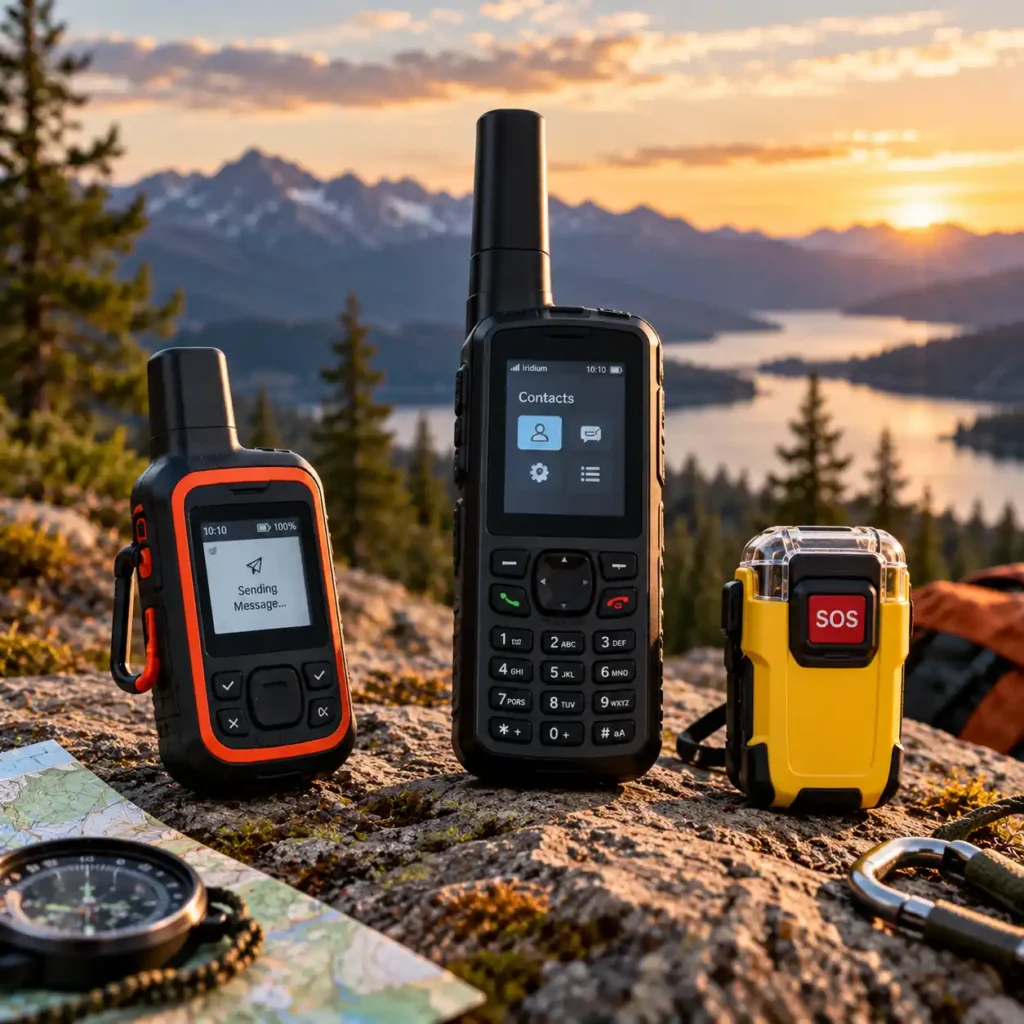
When planning a camping trip beyond cellular coverage, you have several options for staying connected or calling for help. Satellite communicators, satellite phones, and personal locator beacons (PLBs) all use satellite-based technology, but they serve different purposes. Choosing the right type depends on whether you need routine messaging, voice calls, or a dedicated emergency distress signal.
Understanding these differences can help you avoid paying for features you do not need—or relying on a device that cannot perform the function you expect in an emergency.
Satellite Communicators: Best for Two-Way Messaging
Satellite communicators are designed to keep you in contact when ordinary mobile networks are unavailable. Depending on the model, they can support two-way text messaging, check-ins, location sharing, tracking, weather information, and SOS alerts. Some also support photo and voice messages through a compatible smartphone.
Their main advantage is that communication is not limited to emergencies. You can update family members, coordinate meeting points, report a change in your itinerary, or exchange information with an emergency response service after sending an SOS alert.
The main trade-off is the ongoing service cost. Most dedicated satellite messengers require an active subscription, and advanced features may have separate allowances or conditions. Battery life, satellite coverage, and the need for an unobstructed view of the sky also matter.
Best for: Backpackers, campers, and overlanders who regularly travel beyond cellular coverage and want routine two-way communication as well as emergency messaging.
Satellite Phones: Best for Voice Calls
Satellite phones are designed primarily for voice communication through satellite networks. Rather than relying on a text-based messaging workflow, they allow users to make and receive calls in supported coverage areas. Depending on the model and service, some satellite phones also support text messaging or other data features.
Voice calls can be valuable when a conversation is more practical than exchanging multiple messages. For example, expedition teams may need to discuss a changing situation, coordinate logistics, or communicate with people who are not using the same messaging application.
However, satellite phones can cost more to purchase and operate, and service charges vary by provider, plan, destination, and usage. They also require suitable satellite connectivity; buildings, steep terrain, and other obstructions can interfere with service. A satellite phone should not automatically be assumed to provide the same tracking or interactive SOS features as a dedicated satellite communicator.
Best for: Expedition teams, remote workers, and travelers who need voice calls from areas without reliable cellular service.
Personal Locator Beacons (PLBs): Best for Emergency-Only Signaling
A personal locator beacon is a dedicated emergency device intended to alert search-and-rescue authorities when someone is in serious danger. Many PLBs transmit a distress signal over the international 406 MHz Cospas-Sarsat system, allowing the alert to be relayed to the appropriate rescue coordination authorities. Models equipped with satellite positioning can include location information in the distress signal.
Unlike most commercial satellite communicators, a conventional PLB does not provide routine two-way messaging. Its purpose is to send an emergency alert, not to exchange everyday updates or maintain conversations. Many PLBs do not require a recurring commercial satellite subscription, although buyers should confirm the requirements for their specific device and country.
PLBs are particularly relevant to people who want a dedicated emergency beacon without paying for regular satellite messaging. Registration requirements vary by country; for example, U.S.-coded 406 MHz beacons must be registered with NOAA. Owners should also understand battery replacement intervals, self-test procedures, and the manufacturer’s instructions for activating the beacon.
Best for: Hikers, climbers, and other outdoor travelers who primarily want a dedicated distress beacon for life-threatening emergencies rather than routine communication.
Key Differences at a Glance
| Feature | Satellite Communicator | Satellite Phone | Personal Locator Beacon (PLB) |
|---|---|---|---|
| Primary purpose | Messaging, tracking, and SOS | Voice calls | Emergency distress alert |
| Routine two-way messaging | Yes, depending on model and plan | Varies by phone and service | No, for conventional PLBs |
| Voice calls | Generally not the primary function; selected models offer voice messaging | Yes, where service is available | No |
| Location tracking | Available on selected models | Varies by device and service | Transmits distress location when supported; not routine tracking |
| Emergency signaling | Available on many models | Depends on device and service | Core function |
| Recurring service fee | Usually required | Usually required | Generally no commercial messaging subscription required |
| Battery management | Rechargeable; runtime depends on use | Rechargeable; runtime depends on use | Typically a long-life battery with manufacturer-defined replacement intervals |
| Best use | Regular contact and emergency messaging | Voice communication in remote areas | Emergency-only signaling |
Features and service requirements vary by device, provider, and country. Check the exact product specifications before purchasing.
Which Type Is Best for Camping?
For most campers who want to send messages, share their location, and have an SOS option when cellular coverage disappears, a satellite communicator is the most versatile of these three categories. It supports routine communication as well as emergency messaging, which is useful on multi-day trips where plans may change.
A satellite phone makes more sense when voice calls are a priority. If you need to speak directly with a team, service provider, or support contact in a remote area, a satellite phone may better match your requirements.
A PLB is worth considering when your primary concern is being able to send a distress alert in a life-threatening emergency and you do not need regular messaging. Its more limited functionality can be an advantage if you want a dedicated emergency device without an ongoing commercial messaging subscription.
For particularly remote or demanding trips, some travelers may choose to carry both a satellite communicator and a PLB. The communicator supports everyday messaging and provides a way to exchange information during an emergency, while the PLB provides a separate distress-signaling option. Whether this additional redundancy is worthwhile depends on the terrain, trip duration, available support, and consequences of equipment failure.
Bottom line: Choose a satellite communicator for routine off-grid messaging and SOS, a satellite phone when voice calls are essential, or a PLB when emergency distress signaling is your main priority. Whichever option you choose, learn how it works, check coverage and service requirements, and carry suitable navigation and safety equipment for your trip.
Do Satellite Communicators Work Without Cell Service?
Yes. Satellite communicators are designed to send messages and SOS alerts beyond the reach of ordinary cellular networks. Instead of connecting to a nearby cell tower, they transmit information through a compatible satellite network. This makes them useful for camping, backpacking, and overlanding in remote areas where mobile service is unavailable.
However, being outside cellular coverage does not guarantee that every message will be delivered immediately. The device needs an active service plan where required, sufficient battery power, and a suitable connection to its satellite network. Terrain and surrounding obstacles can affect how quickly it connects.
How Satellite Communication Works
A satellite communicator uses a satellite network to transmit messages, location updates, and, on supported devices, emergency alerts. The recipient may receive a message through a mobile phone, email, or a compatible application, depending on the device and service.
With Garmin inReach devices, for example, GPS satellites help determine the device’s location, while the Iridium satellite network carries messages. These are separate functions: determining your coordinates does not automatically mean that a message has been transmitted successfully.
Some communicators work with a smartphone app, while others have a built-in screen and keyboard. A smartphone-connected model may use cellular data or Wi-Fi when those connections are available, then switch to satellite communication when necessary. The exact process depends on the product.
Do You Need Cellular Service, Mobile Data, or a SIM Card?
For satellite messaging itself, a working cellular connection and mobile data are generally not required. The communicator uses its supported satellite service instead. However, many devices require an active satellite subscription, and smartphone-connected models may still need a compatible phone and app to access their features.
Before leaving home, check that your device has been activated, its service plan is current, and any required app setup has been completed. Download offline maps and other trip information in advance if you expect to lose internet access.
Do not assume that every feature will work independently of a phone. Some devices can send messages directly from their own screen, while others depend on a smartphone for composing messages, sharing photos, or accessing certain settings.
Why a Clear View of the Sky Matters
Satellite communicators need a suitable path to the satellites they use. A wide, unobstructed view of the sky generally improves the chances of connecting and transmitting messages. Garmin advises users to move to a more open location if terrain or other obstacles interfere with reception.
Certain environments can make communication more difficult:
Dense forests: Heavy foliage can weaken or obstruct the satellite signal.
Deep valleys and narrow canyons: Surrounding slopes can restrict the device’s view of the sky.
Cliffs and mountainous terrain: High ground around your position may delay or prevent a connection.
Buildings and vehicles: Walls, roofs, and other solid structures can interfere with transmission. If reception is poor indoors or inside a vehicle, move outside to a more open location.
Other sources of interference: Garmin notes that electromagnetic interference from some equipment can affect satellite reception.
Cloud cover alone is not generally the same kind of obstacle as a mountain or building. Garmin states that clouds do not affect communication between its inReach devices and Iridium satellites. Physical obstructions and the available view of the sky are usually more important considerations.
How Long Does It Take to Send a Satellite Message?
Satellite messages are not always delivered as quickly as ordinary mobile texts. Under ideal conditions, Garmin says an inReach message may send in around 30 seconds to one minute, but it can take five minutes or longer depending on the surroundings and connection conditions.
If a message appears to be pending, do not immediately assume the device has failed. Check its connection status and follow the manufacturer’s instructions. If it is safe to do so, move to a more open location and keep the device oriented as recommended by the manufacturer.
Receiving a reply may also take time. Some devices check for incoming messages at intervals or after certain actions, so delivery is not necessarily instantaneous. The precise behavior varies by model and service.
Can GPS Work Without Mobile Coverage?
Yes. GPS positioning does not depend on a mobile data connection. A compatible GPS receiver can determine its position from satellite signals even when there is no cellular service. The U.S. government’s GPS guidance explains that GPS provides positioning, navigation, and timing services independently of cellular networks.
However, GPS positioning and satellite messaging are different capabilities. A device may be able to determine its location while being unable to transmit that location to another person because its communication link is obstructed or unavailable.
This distinction matters when choosing outdoor equipment. If you need both route navigation and the ability to communicate from remote areas, check whether your chosen communicator provides the navigation features you need or whether you should also carry a dedicated GPS device or offline maps.
What to Do If Your Message Will Not Send
If a satellite communicator struggles to connect, use this practical checklist:
Check the device status. Make sure it is powered on, sufficiently charged, and activated for satellite service.
Move to a more open location if safe. Leave dense tree cover, move away from buildings, or try a more open part of a valley.
Orient the device correctly. Follow the manufacturer’s instructions for positioning the communicator toward the sky.
Allow time for transmission. Satellite connections and message delivery can take longer than mobile messaging.
Check service and settings. Confirm that the subscription is active and the device is configured correctly.
Follow the device’s emergency instructions. If you need urgent help, use the designated SOS procedure and follow the manufacturer’s guidance. Do not delay an emergency alert merely to troubleshoot routine messaging.
These steps can improve the chance of establishing a connection, but they cannot guarantee successful delivery in every environment.
What This Means for Camping
A satellite communicator can provide an important communication option when cellular coverage disappears, but it should not be treated as an infallible connection. Before your trip, activate and test the device, understand its subscription and SOS requirements, and learn how to check its status. During the trip, send important updates from locations with a clear view of the sky whenever possible.
For remote or challenging routes, combine satellite communication with appropriate navigation tools, a charged power source, a shared itinerary, and a realistic emergency plan.
Bottom line: Satellite communicators can work without cell service because they use satellite networks rather than nearby cell towers. Their effectiveness still depends on the device, service plan, battery, satellite visibility, and environment. Knowing these limitations before you leave is an essential part of using one safely.
How to Use a Satellite Communicator Safely on a Camping Trip
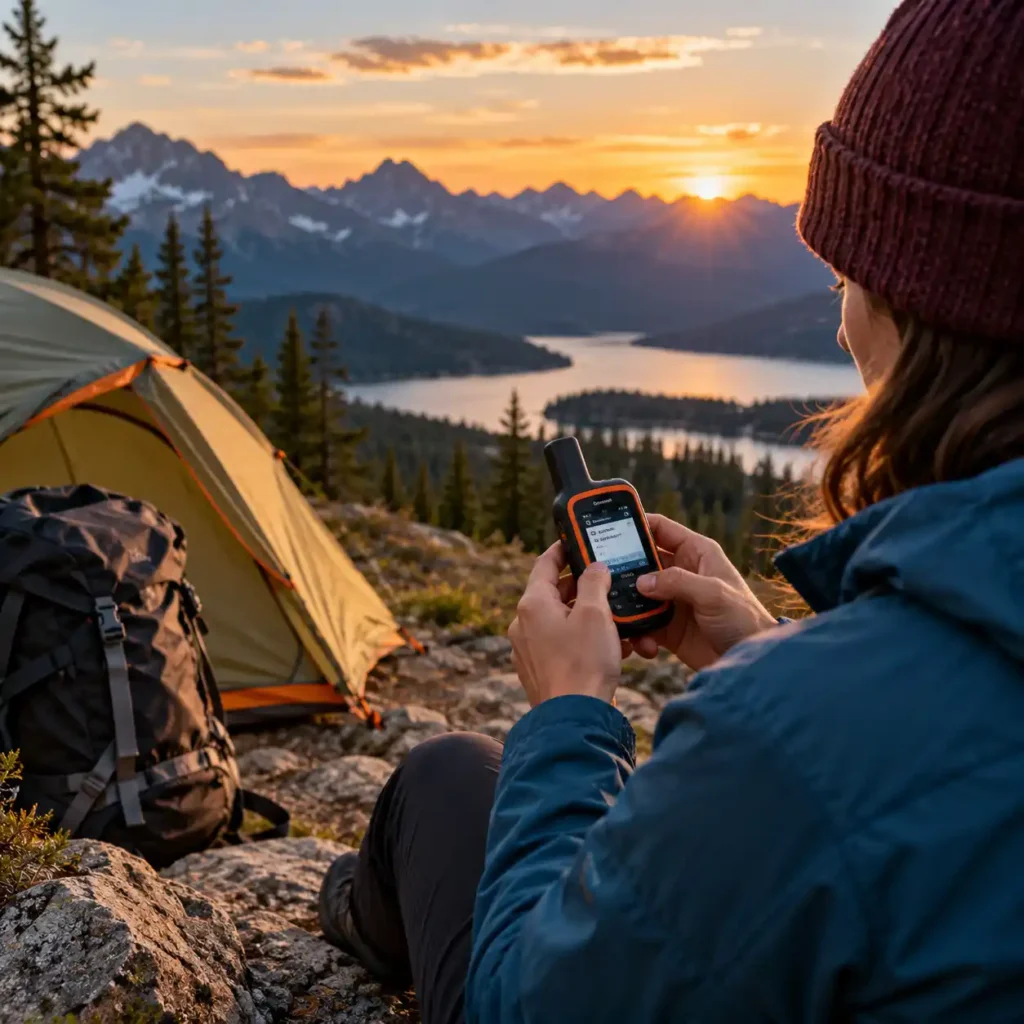
A satellite communicator can help you stay in contact when cellular coverage is unavailable, but owning one is not enough. You need to activate it correctly, understand its emergency features, and know how to use it when conditions are difficult. A few preparation steps at home can reduce confusion when you are tired, dealing with bad weather, or trying to communicate from a remote location.
1. Activate and Test the Device Before Leaving
Do not wait until you reach a remote campsite to discover that your device is not activated or that its subscription has expired. Complete the manufacturer’s setup process at home, install any required smartphone app, pair the device if necessary, and confirm that the service plan is active.
Perform a test message outdoors with a clear view of the sky, following the manufacturer’s instructions. Confirm that the message is sent successfully and that you understand how to check the device’s connection status. Garmin, for example, recommends testing an inReach communicator before using it on a trip.
Familiarize yourself with the device’s main controls, including how to send a check-in, compose a message, view incoming replies, and activate SOS. If the manufacturer offers an approved SOS test procedure, follow it rather than triggering a real emergency alert as an experiment.
2. Set Up Emergency Contacts and Share Your Itinerary
Before leaving, tell a trusted person where you are going, when you expect to return, and what they should do if you miss an agreed check-in. Share a realistic route and any planned changes to your itinerary when possible.
Configure emergency contacts and other relevant account details supported by your device or service. Keep the information accurate, and make sure your trusted contact understands the difference between an overdue check-in and a confirmed emergency.
A useful trip plan includes:
Your planned route and main destinations.
Your departure and expected return times.
The number of people in your group.
Planned check-in times or milestones.
A clear instruction on when the contact should seek further assistance if you cannot be reached.
A communicator can help others receive your updates, but it does not replace a clear trip plan or a trusted person who knows when to act.
3. Learn the SOS Procedure Before You Need It
Read the device manual and understand exactly how SOS is activated. Depending on the model, this may involve opening a protective cover, pressing and holding a dedicated button, or using an app. Know how the device indicates that an alert has been sent and acknowledged.
On supported Garmin inReach devices, an active subscription is required for SOS. The device needs access to satellites to determine its location and transmit the alert. Garmin advises keeping the device in a location with a clear view of the sky during an SOS.
Use SOS only for a genuine emergency, and follow the response service’s instructions once contact is established. Provide clear information about the situation, your condition, the number of people involved, and any immediate hazards. Keep the communicator available so you can receive and answer follow-up messages when possible.
Do not assume that activating SOS guarantees immediate rescue. The response depends on the location, circumstances, communication conditions, and availability of local responders.
4. Carry the Device Where It Can Communicate
A satellite communicator cannot reliably send messages if it is buried deep inside a backpack, covered by equipment, or used where the surrounding terrain blocks the satellite view. Keep it accessible and follow the manufacturer’s recommended orientation when sending a message or SOS alert.
In areas with poor reception, such as narrow canyons or dense forests, you may need to move to a more open location if doing so is safe. Garmin notes that a limited view of the sky can interfere with both location acquisition and satellite communication.
Do not put yourself at additional risk just to improve reception. If you are injured, exposed to dangerous weather, or near unstable terrain, prioritize immediate safety and use the device from your safest available position.
5. Manage Battery Life and Charging
Check the battery before every trip and charge the communicator fully. If your model depends on a smartphone for messaging, charge the phone as well and protect it from moisture, cold, and impact.
For multi-day trips, estimate your expected usage rather than relying only on the maximum battery-life figure in the product specifications. Frequent messages, regular tracking, and environmental conditions can reduce runtime.
Consider these precautions:
Carry a suitable power bank or charging source for longer trips.
Pack the correct charging cable and check that it works.
Use tracking intervals that match your needs and the device’s battery capacity.
Turn off nonessential functions when appropriate, following the manufacturer’s guidance.
Keep the device and charging accessories protected from water and physical damage.
Never let battery conservation become a reason to postpone a necessary SOS alert.
6. Send Clear, Useful Messages
When sending a routine update, keep it concise and specific. Tell your contacts where you are, whether your plan has changed, and when you expect to check in again. If you are delayed, communicate that change as soon as conditions allow.
For example, a useful update might confirm that your group has reached the planned campsite, explain that poor weather has delayed the next leg, and give a revised check-in time. This provides more practical information than a message that simply says everything is fine.
Remember that satellite messages may take longer to send or receive than ordinary texts. Check the delivery status shown by your device, and do not assume that a message has reached its recipient until the device or service confirms delivery.
7. Prepare for Limited or Delayed Satellite Reception
Satellite communication depends on suitable access to the satellite network. Heavy tree cover, steep terrain, buildings, and other obstructions can delay transmission or prevent a connection.
Before your trip, learn how your model indicates signal strength, pending messages, and successful delivery. If a routine message will not send, follow the manufacturer’s troubleshooting guidance and try a safer, more open location if practical.
Do not rely on one successful test at home as proof that the device will work equally well in every environment. Conditions in a deep valley, dense forest, or remote mountain area may be very different.
8. Keep Navigation and Emergency Equipment Separate in Your Plan
A satellite communicator is primarily a communication tool. Some models include basic navigation functions, but not every device provides detailed maps, route guidance, or all the information needed to navigate safely.
Carry appropriate navigation equipment for your trip, such as a map and compass, a GPS navigator, or offline maps on a protected phone. Know how to use your chosen tools before setting off, and do not assume that sending an SOS or sharing your coordinates will automatically solve a navigation problem.
Depending on the terrain and remoteness of the route, additional safety equipment may be appropriate. The right kit depends on the trip, weather, group experience, and consequences of becoming stranded or injured.
Pre-Trip Safety Checklist
Before you leave, confirm each of the following:
The device is activated and the subscription is current.
A test message has been sent successfully outdoors.
You know how to send messages, check delivery, and activate SOS.
Emergency contacts and account details are up to date.
A trusted person has your itinerary and expected return time.
The communicator and any paired smartphone are fully charged.
Charging cables and backup power are packed if needed.
The device is accessible and protected from the elements.
You have suitable navigation equipment and understand how to use it.
You have checked relevant coverage, service requirements, and local restrictions.
Bottom line: The safest way to use a satellite communicator is to prepare before the trip, practice its basic functions, keep it charged and accessible, and understand the limits of satellite reception. Treat it as one part of a wider safety plan—not as a substitute for navigation skills, preparation, or sound decisions in the outdoors.
Frequently Asked Questions About Satellite Communicators for Camping
Do satellite communicators work without cell service?
Yes. Dedicated satellite communicators send messages through satellite networks when cellular service is unavailable. They still need a suitable view of the sky, and some models require a paired smartphone for convenient two-way messaging.
Do you need a subscription to use a satellite communicator?
Most satellite communicators require an active service plan for satellite messaging and SOS functions. Some basic features, such as saving waypoints or recording a track, may work without a subscription, depending on the device. Check the manufacturer’s current plans and activation requirements before buying.
Can a satellite communicator call emergency services?
Satellite communicators generally send an SOS alert to a dedicated emergency response coordination center rather than making a regular phone call to 911 or another emergency number. Depending on the device and service, responders can exchange messages with you, assess the situation, and coordinate assistance. An active subscription is required for SOS on most satellite messengers.
Do satellite communicators work under trees or in deep valleys?
They can have difficulty sending messages when dense tree cover, steep canyon walls, or other obstacles block the view of the sky. If a message does not send, move to a more open location when it is safe to do so, position the device with its antenna facing the sky, and allow time for it to connect. Never assume an SOS or message has been delivered until the device confirms transmission.
Can you use a satellite communicator without a smartphone?
That depends on the model. Devices with a screen and physical controls can support some messaging functions without a phone, while app-dependent models may require a paired smartphone for regular two-way messages and other features. Some devices retain access to basic check-in and SOS functions when used without the app, but capabilities vary by manufacturer.
Can a satellite communicator make phone calls?
Most compact satellite communicators are designed for text messaging, location sharing, tracking, and SOS alerts rather than voice calls. If you need to speak directly with someone over a satellite connection, check whether you need a dedicated satellite phone instead.
Is a satellite communicator better than a personal locator beacon (PLB)?
A satellite communicator is generally more suitable if you want two-way messaging, trip updates, location sharing, and an SOS function. A personal locator beacon is designed primarily for emergency alerts and typically does not require a recurring subscription. The better choice depends on whether you need everyday communication in remote areas or emergency-only signaling.
Are satellite communicators reliable enough for backcountry emergencies?
A satellite communicator can provide an important safety link when cellular service is unavailable, but it is not a guarantee of immediate rescue. Performance depends on satellite visibility, device condition, battery charge, service activation, and the circumstances of the emergency. Test the device before your trip, keep it charged, learn how SOS works, and carry it where you can reach it quickly.
Final Verdict: Which Satellite Communicator Should You Choose?
The best satellite communicator for camping depends on how you travel, how much communication you need, and which safety features matter most. There is no single model that fits every camper, but choosing the right device becomes easier when you match its capabilities to your typical trips.
Garmin inReach Mini 2: A strong option for campers and hikers who want a compact device for essential two-way messaging, location sharing, and SOS support.
Garmin inReach Messenger Plus: Worth considering if you want richer communication features, including photo and voice messaging, alongside satellite messaging and emergency support.
Garmin inReach Mini 3 Plus: A compelling choice for those looking for a newer, feature-rich Garmin communicator in a compact format.
ZOLEO Satellite Communicator: Best suited to campers who prefer app-based messaging with a familiar smartphone experience and a dedicated satellite connection beyond cellular coverage.
SPOT X with Bluetooth: An alternative for campers who want a standalone device with a physical keyboard for two-way satellite messaging and emergency communication.
Before making your final decision, compare current subscription costs, battery performance, messaging capabilities, device controls, and coverage in the regions where you plan to camp. Also check whether the functions you need work without a paired smartphone and whether the service plan includes the SOS and messaging features you expect.
Whichever model you choose, set it up before leaving home, test its basic functions, keep it charged, and learn how to send an SOS alert. A satellite communicator is most useful when you understand its limitations and can access it quickly in an emergency.
For remote camping, the right device is not necessarily the one with the most features. It is the one that suits your trips, fits your budget, and gives you a dependable way to communicate when mobile coverage is unavailable.
Sources
The following official resources were consulted to verify product features, technical specifications, subscription requirements, and satellite communication capabilities.
Garmin inReach Mini 2 and inReach Device Support — Official product information and support documentation covering messaging, SOS, navigation, and subscription requirements.
Garmin inReach Messenger Plus — Official product specifications for satellite messaging, photo and voice messaging, and emergency communication features.
Garmin inReach Device Comparison — Manufacturer documentation comparing supported features across inReach models.
ZOLEO Satellite Communicator — Official product information covering two-way messaging, SOS, location sharing, connectivity, and technical specifications.
SPOT X Satellite Messenger — Official product information and support documentation covering satellite messaging and emergency communication features.
Product specifications, subscription plans, and service availability can change. Readers should consult the relevant manufacturer’s official website before purchasing a device or activating a service plan.
About the Author
The Camp Comfort Guide editorial team researches camping equipment, outdoor technology, and practical safety gear to help readers make informed decisions before heading outdoors. Our guides focus on comparing product features, reviewing manufacturer specifications, identifying practical limitations, and explaining which equipment may suit different camping needs. We aim to provide clear, useful information so campers can choose gear that fits their trips, priorities, and budgets.