
Choosing one of the best RV backup camera systems can make backing a travel trailer into a campsite, lining up a hitch, or maneuvering a large RV in a tight space much easier. The right setup helps you see areas that mirrors may not fully cover, but image quality, signal reliability, and compatibility matter just as much as the price.
Not every camera system works with every RV. Some trailers come pre-wired for a specific camera, while others need additional wiring or a different mounting solution. Wireless range claims also deserve a closer look: the distance advertised by a manufacturer may not reflect performance around a long trailer, metal surfaces, or other potential sources of interference.
In this guide, we compare five RV backup camera systems for different budgets and setups, looking at their key features, installation requirements, limitations, and suitability for different types of recreational vehicles. If you’re planning a wider vehicle-based camping build, our guide to building a vehicle camping setup can help you plan the rest of your gear around your vehicle and travel style.
As an Amazon Associate I earn from qualifying purchases.
Table of Contents
Why We Can Trust This Guide
Choosing an RV backup camera involves more than comparing screen sizes or advertised wireless ranges. A system must suit the trailer, provide a useful view behind the vehicle, and work with the available mounting and power arrangements. A feature-rich kit is not necessarily the best choice if it is difficult to install or incompatible with your RV.
This guide focuses on practical differences that matter to RV owners and campers. We compare the five selected systems by examining their stated features, camera configuration, monitor size, installation requirements, compatibility information, and intended use. Manufacturer documentation and product specifications are important reference points, while advertised wireless range and image resolution are treated as specifications rather than guarantees of real-world performance.
We also distinguish between systems designed primarily for reversing and those that may be used for broader rear-view monitoring. These functions overlap, but they are not identical: a camera’s usefulness depends on its field of view, display behavior, signal stability, and the way it is installed.
Our goal is to help readers identify the most suitable option for their vehicle and camping setup—not to declare one system universally superior. Before purchasing, confirm the exact model, included components, RV-prep compatibility, and current specifications on the manufacturer’s documentation and product listing.
How We Evaluate and Test RV Backup Camera Systems
An RV backup camera system must do more than display a picture behind a vehicle. It needs to provide a useful viewing angle, maintain a dependable connection where applicable, fit the RV’s installation requirements, and offer the features needed for the way the owner travels. A system that works well on a short travel trailer may not be the best choice for a long fifth wheel or a motorhome that needs several camera views.
To compare the five systems in this guide, we examine their published specifications, manufacturer information, installation requirements, and intended use. We focus on differences that can influence a purchasing decision rather than ranking products by screen size, resolution, or advertised range alone.
Image Quality, Viewing Angle, and Night Vision
The monitor and camera work together, so neither should be assessed in isolation. We look at the stated display size and resolution, camera resolution where confirmed, viewing angle, and available low-light or night-vision features.
A wider viewing angle can help reveal more of the area behind an RV, but it may also make distant objects appear smaller. Image resolution is another useful specification, although a higher number does not automatically guarantee better visibility at night or in poor weather.
We also distinguish between a manufacturer’s stated night-vision capability and independently verified image performance. Buyers should consider how the camera is positioned, how much light is available, and whether the monitor is easy to see from the driver’s seat.
Wireless Range and Signal Reliability
Wireless transmission distance is particularly important for long travel trailers and fifth wheels. We record advertised range figures when they are available and identify the conditions or qualifications stated by the manufacturer.
However, a maximum open-field range should not be treated as a guarantee of reliable performance on an RV. Trailer construction, metal surfaces, the distance between the camera and monitor, interference, and antenna placement can all affect signal quality.
For this reason, we consider the advertised range alongside the system’s intended application and installation requirements. We do not convert manufacturer range claims into measured results or assume that every wireless kit will perform equally well on every trailer.
Camera Count and Viewing Modes
A basic rear camera may provide enough visibility for reversing into a campsite or lining up a hitch. Larger RVs may benefit from additional cameras that show other areas around the vehicle.
We check how many cameras are included, how many the monitor supports, and whether the system offers features such as split-screen viewing or sequential camera views. These capabilities are not interchangeable: support for four cameras, for example, does not necessarily mean that four cameras are included in the box or can all be displayed simultaneously.
Where the product documentation does not clearly establish a feature, we avoid presenting it as confirmed. Buyers should verify the included components and any additional hardware required before ordering.
Wired vs. Wireless Installation
Installation can determine whether a camera system is practical for a particular RV. Wired systems may require routing cables between the camera, power source, and monitor, while wireless systems can reduce the need for a long video cable without eliminating all wiring or power connections.
We review the stated installation method, camera power requirements, mounting arrangement, and any available information about compatibility with pre-wired RVs. A wireless camera still needs an appropriate power source, and a system advertised as easy to install may still require vehicle-specific work.
If an RV has factory camera preparation, compatibility should be confirmed for the exact camera system and connection type. A familiar brand name or similar-looking mounting bracket alone is not enough to establish compatibility.
Recording, Monitoring, and Everyday Usability
Some systems include DVR recording or support multiple camera views, while others focus on providing a straightforward rear image. We identify these differences because they affect how the system can be used during travel and at the campsite.
We also consider the monitor’s size and layout, the availability of split-screen viewing, and whether the stated features suit reversing, hitch alignment, or ongoing rear-view observation. A backup camera and an observation camera may serve related purposes, but they should not automatically be treated as identical.
Recording capabilities also need careful checking. Buyers should confirm whether storage media is included, whether recording is automatic or requires setup, and which functions are available with the supplied equipment.
Value for Different RV Setups
We assess each system in relation to the job it is intended to do. A pre-wired travel trailer may benefit from a compatible wireless kit that simplifies installation. A long trailer may require particular attention to signal range. An owner who wants views from several positions may place more value on multi-camera support than on the largest monitor.
Our comparison therefore considers the combination of features, installation needs, compatibility, and intended use—not just the lowest listed price. We also distinguish between features included in the standard kit and capabilities that may require extra cameras or accessories.
Testing Transparency and Source Verification
This guide is a specification-based comparison, not a report of hands-on road tests. We do not claim to have independently measured wireless range, tested signal dropouts on a moving vehicle, or compared night-vision performance under controlled conditions.
We use available manufacturer information and product documentation to assess the systems’ stated capabilities. Where a specification or compatibility claim cannot be confidently confirmed, it should be treated as unverified rather than presented as a proven advantage.
Before purchasing, check the exact model number, included components, current listing details, and compatibility requirements. This is particularly important for RV camera systems, where similar product names can refer to different configurations.
The purpose of this evaluation is to help readers understand which features matter for their setup, what the available specifications can—and cannot—tell them, and which details they should confirm before buying.
Quick Answer: Which RV Backup Camera Is Best?
The best RV backup camera system depends on your trailer length, existing camera preparation, installation preferences, and whether you need one rear camera or multiple viewing angles. These five systems serve different priorities, from a touchscreen wireless system to a wired installation and expandable multi-camera kits.
Best for Furrion-compatible RVs: Furrion Vision S+ 7-inch (FOS7HTASF). This wireless system features a 7-inch touchscreen monitor, a 1080p sharkfin camera with a 140-degree viewing angle, infrared night vision, motion detection, and recording support with a separately purchased SD card. The manufacturer specifies a range of up to 492 feet in open areas and up to 100 feet at high speeds. Confirm compatibility with your RV’s exact camera-prep system before buying.
Best for a wired installation: Rear View Safety RVS-770613-NM-01. Consider this system if you prefer a physical video connection rather than wireless transmission. Its 7-inch monitor, 130-degree camera viewing angle, infrared night vision, and 66-foot cable make installation planning important. Because this is an older model and availability may be limited, verify the exact model, kit contents, and current stock before purchasing.
Best for long-range wireless requirements: Yakry Y27-N. This system features a 7-inch monitor, a dual-antenna wireless connection, recording capability, and support for up to four camera channels. Yakry advertises a range of up to 825 feet in open areas and up to 320 feet on vehicles. These manufacturer-stated figures do not guarantee reliable reception on every RV.
Best for built-in DVR recording: Haloview MC7108. Its 7-inch monitor, 720p camera, built-in DVR, and support for up to four wireless camera inputs make it worth considering for owners who prioritize recording and expandable viewing. The manufacturer specifies a maximum range of up to 984 feet under line-of-sight conditions. A compatible microSD/TF card is required for recording and is not included in the documented package.
Best two-camera kit: AMTIFO A9-N. This wireless system includes two cameras and a 7-inch monitor with split-screen viewing and recording support. It also offers accessories for compatible Furrion-prewired RVs. Published resolution specifications are inconsistent, so confirm the native camera resolution and exact package contents before purchasing.
Our recommendation: Start with compatibility and installation requirements, then compare image quality, camera configuration, recording features, and wireless performance. A wireless system is not automatically better than a wired one, and the longest advertised range does not guarantee the most reliable image on your RV. Confirm the exact model, included components, and current specifications before buying.
Who Should Consider an RV Backup Camera System?
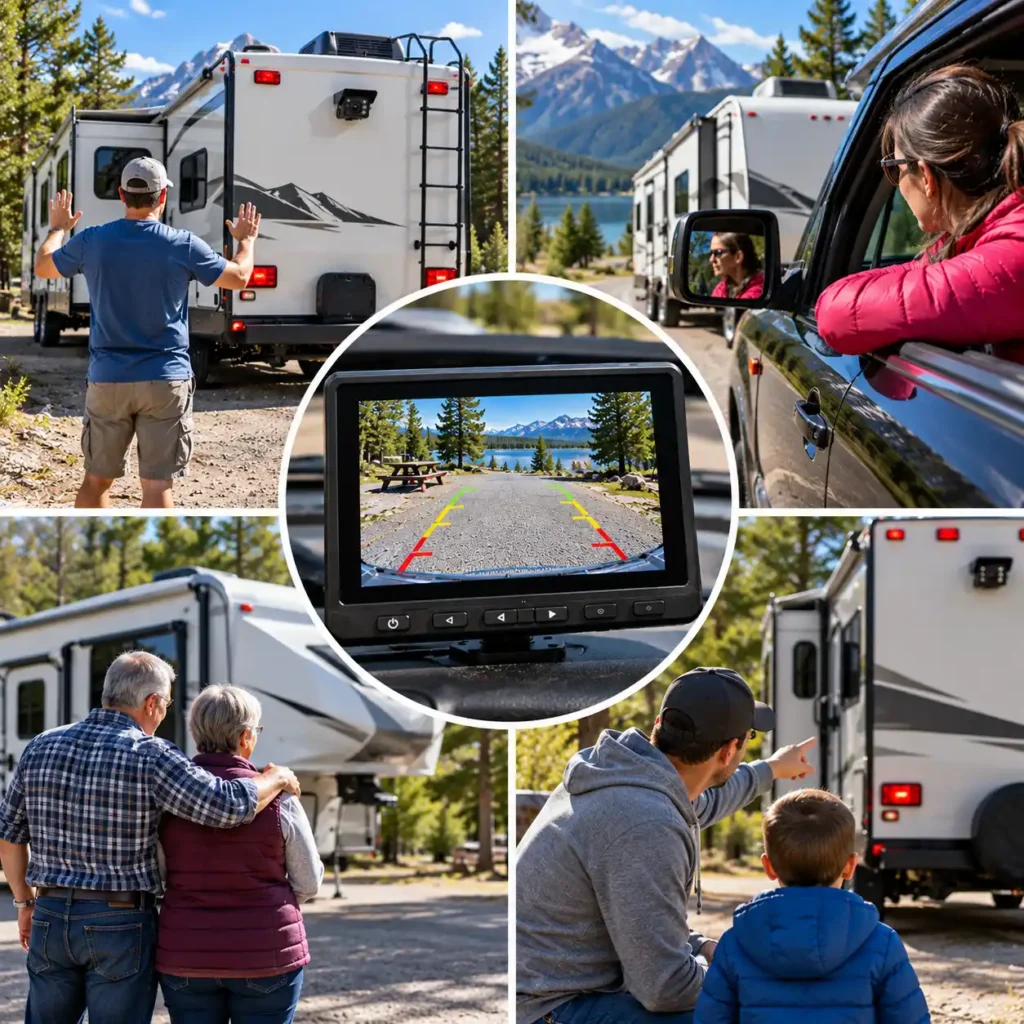
An RV backup camera system is worth considering if your motorhome, travel trailer, or fifth wheel makes it difficult to see what is happening behind you. A suitable camera can improve rear visibility when reversing into a campsite, positioning a trailer near a hitch, or maneuvering in a confined parking area. The right setup depends on your vehicle, how you travel, and whether you need a reversing aid or a rear-view image while driving.
Not every RV owner needs the same type of system. Consider the following situations before deciding which features are worth paying for.
Owners of Long Travel Trailers and Fifth Wheels
Long trailers create a greater distance between the driver and the rear of the rig, making it harder to judge obstacles and available space while reversing. A rear camera can provide a more direct view of the area behind the trailer, particularly when backing into a narrow campsite or maneuvering around trees, neighboring vehicles, and campground facilities.
For these RVs, wireless transmission range, camera mounting position, and compatibility with the trailer’s existing camera preparation deserve particular attention. A manufacturer’s advertised range should not be treated as a guarantee that the signal will remain reliable on every long or metal-bodied trailer.
Motorhome Owners With Limited Rear Visibility
Motorhomes can have substantial blind areas behind the vehicle, depending on their design, rear window arrangement, and driving position. A backup camera may help the driver assess the space immediately behind the vehicle when parking or reversing.
Owners should consider monitor placement, screen readability, and the camera’s field of view alongside image resolution. A wider viewing angle can show more surrounding space, but it does not necessarily make distances easier to judge. Mirrors, direct visual checks, and assistance from a spotter when needed remain important.
Campers Who Frequently Visit Tight or Unfamiliar Campsites
If you regularly camp in wooded areas, crowded campgrounds, or sites with narrow access roads, a rear camera can make low-speed maneuvering easier to manage. It may help you monitor the space behind the RV while approaching a parking position or aligning the vehicle with a campsite entrance.
The most useful system is not necessarily the one with the highest resolution or longest advertised range. For occasional reversing, a straightforward system with a suitable viewing angle and a readable monitor may be sufficient. If you also want to monitor traffic behind a trailer while travelling, make sure the system supports that intended use rather than assuming every backup camera is designed for continuous observation.
Owners Who Need More Than One Camera View
A single rear camera may not provide all the views needed for a large motorhome or trailer. Some owners may benefit from additional cameras positioned to monitor the sides, hitch area, or other relevant areas around the vehicle.
Before choosing a multi-camera system, distinguish between the number of cameras included in the package and the maximum number supported by the monitor. A system advertised as supporting four cameras does not necessarily include four cameras or display all four views simultaneously. Check the supplied equipment, available viewing modes, and any additional accessories required.
Owners of RVs With Factory Camera Preparation
If your RV already has a factory-installed camera mount or camera-preparation wiring, check compatibility before purchasing a complete aftermarket kit. Existing preparation may simplify installation, but it does not automatically make every camera compatible.
Identify the preparation system, connector, mounting arrangement, and any existing monitor or camera model. Then confirm that the replacement system supports that exact configuration. Choosing a compatible kit may avoid unnecessary mounting changes or additional installation work.
Campers Replacing an Unreliable or Outdated System
An existing camera system may have an unclear image, an unsuitable monitor, limited camera support, or connection problems. Replacing it can make sense when the system no longer meets your needs, but first identify the source of the problem.
A poor image may result from a dirty lens, damaged wiring, an unsuitable camera angle, or a display issue rather than the camera itself. Wireless dropouts may also require checking the power supply, antenna placement, mounting position, and manufacturer troubleshooting instructions. Confirming the cause can prevent you from buying a replacement that does not solve the underlying issue.
Who May Not Need a New RV Backup Camera?
If your RV already has a compatible, functioning camera that provides sufficient visibility for your usual trips, a new system may offer little practical benefit. You may need only to clean the lens, adjust the camera angle, repair a connection, or replace a faulty component.
Likewise, occasional campers with adequate rear visibility may not need an advanced multi-camera kit. Choose additional features only when they address a genuine requirement, such as a second viewing angle, a compatible replacement for factory equipment, or a monitor suitable for your intended use.
The bottom line: Consider an RV backup camera system if your current rear visibility is inadequate or your existing equipment no longer meets your needs. Match the system to your RV’s camera preparation, installation constraints, and intended use before comparing optional features. A camera is a visibility aid, not a substitute for mirrors, careful maneuvering, or a spotter when one is needed.
Quick Summary: Our Top Picks
Choosing the right RV backup camera system comes down to your trailer length, existing camera preparation, installation preferences, and whether you need a single rear view or multiple camera angles. These five systems offer different approaches to reversing and rear-view monitoring, from established wired equipment to expandable wireless kits.
1. Furrion Vision S+ 7-inch — Best for Furrion-Compatible RVs
The Furrion Vision S+ 7-inch system is worth considering if your RV has compatible Furrion camera preparation and you want a wireless observation system. It features a 7-inch touchscreen monitor, a 1080p camera with a 140-degree viewing angle, infrared night vision, motion detection, and recording support with a separately purchased SD card. The manufacturer specifies a wireless range of up to 492 feet in open areas and up to 100 feet at high speeds. Actual performance depends on the installation and surrounding conditions. Confirm compatibility with your RV’s exact camera-prep system before purchasing.
Best for: RV owners who want a wireless observation system with a dedicated touchscreen monitor and compatible Furrion camera preparation.
2. Rear View Safety RVS-770613 — Best for a Wired Installation
The Rear View Safety RVS-770613 is a wired backup camera system built around a 7-inch monitor and a rear camera with a 130-degree viewing angle. Its infrared night vision, weather-resistant camera housing, and included extension cable make it a potential option for owners who prefer a physical video connection rather than wireless transmission. Because this is an older model and availability may be limited, verify the exact model number, cable length, condition, and included components before ordering.
Best for: RV owners who prefer a wired camera connection and can confirm that the correct kit is available.
3. Yakry Y27-N — Best for Long-Range Wireless Requirements
The Yakry Y27-N combines a 7-inch 1080p monitor with a wireless rear camera, dual-antenna design, recording capability, and support for up to four cameras. Yakry advertises a transmission range of up to 825 feet in open areas and up to 320 feet on vehicles. These are manufacturer-stated figures, not independently verified performance results, and actual reception depends on the vehicle, installation, and surrounding conditions. The supplied Furrion-compatible mounting accessories may also be useful for certain pre-wired RVs, subject to compatibility checks.
Best for: Owners of longer trailers who want an expandable wireless system with recording capability.
4. Haloview MC7108 — Best for Wireless DVR Recording
The Haloview MC7108 is a wireless camera system worth considering if you want rear-view monitoring with recording and the option to add cameras. Its documented system specifications include a 7-inch monitor, 720p video, four-channel support, split-screen viewing, and DVR recording. Haloview documentation lists a maximum transmission distance of up to 984 feet in line-of-sight conditions. That figure represents an idealized operating condition rather than a guaranteed range behind a long trailer.
Best for: RV owners who prioritize wireless monitoring, recording, and the flexibility to add camera views.
5. AMTIFO A9-N Two-Camera System — Best for a Two-Camera Kit
The AMTIFO A9-N includes two 1080p cameras and a 7-inch monitor with split-screen viewing. Its wireless design, infrared night vision, recording features, and support for up to four camera channels make it a useful candidate for owners who want more than one view without purchasing a second complete system. The manufacturer also lists compatibility with certain Furrion-prewired RVs, but the mounting hardware and electrical connections should be checked against the specific trailer before purchase.
Best for: RV owners who want two camera views in one expandable wireless system.
Before buying, verify the current product listing, exact model number, included cameras, mounting compatibility, and power requirements. For wireless systems, compare advertised range figures carefully and remember that open-area specifications do not guarantee the same performance on your RV. No backup camera eliminates every blind spot, so continue using mirrors, checking your surroundings, and asking a spotter for help when necessary.
Comparison Table: Best RV Backup Camera Systems for Camping
| Camera System | Best For | Cameras and Recording | Installation & Compatibility | Advertised Range | Main Trade-Off |
|---|---|---|---|---|---|
| Furrion Vision S+ 7-inch (FOS7HTASF) | RVs with compatible Furrion Vision S+ camera preparation | One 1080p sharkfin camera included; supports up to four compatible camera inputs. Recording requires a separately purchased SD card. | Wireless video with a 7-inch touchscreen monitor; camera and monitor require power. Vision S+ components are not compatible with earlier Vision S systems. | Up to 492 ft in open areas and up to 100 ft at high speeds, according to the manufacturer. | SD card sold separately; verify compatibility with the RV’s exact camera-prep system. |
| Rear View Safety RVS-770613-NM-01 | Owners who prefer a wired camera connection | One camera in the standard kit; supports connections for up to two additional compatible cameras. Recording is not confirmed as a standard feature. | Wired system with a 66-ft camera cable. Plan the cable route and verify the exact kit before purchase. | Not applicable to the wired video connection. | Older model; current availability and camera resolution require verification. |
| Yakry Y27-N | Longer RVs needing wireless monitoring and expandability | One camera in the selected kit; supports up to four camera channels. Recording requires a compatible SD card. | Wireless video; includes a Furrion bracket and pigtail wire for compatible prewired RVs. Confirm mounting and wiring compatibility. | Up to 825 ft in open areas and up to 320 ft on vehicles, according to the manufacturer. | Actual signal performance varies with trailer construction, interference, and antenna placement. |
| Haloview MC7108 | RV owners who prioritize built-in DVR recording | Typically supplied with one camera and one monitor; supports up to four wireless camera inputs. Recording requires a compatible microSD/TF card. | Wireless video; camera and monitor require power. Verify additional-camera compatibility before expanding the system. | Up to 984 ft under line-of-sight conditions, according to the manufacturer. | 720p video; a compatible memory card is not included in the documented package. |
| AMTIFO A9-N Two-Camera System | Owners who want two camera views from the start | Two cameras included; supports split-screen viewing and recording. Confirm storage requirements and additional-camera compatibility. | Wireless video; includes mounting accessories for compatible Furrion-prewired RVs. Both cameras require suitable power connections. | Verify the current listing for a confirmed range figure. | Published resolution specifications are inconsistent; confirm the exact camera output before purchase. |
Comparison note: Wireless ranges are manufacturer-stated figures, not guarantees of reliable performance on every RV. Camera count, recording features, mounting compatibility, and included accessories can vary by product configuration. Confirm the exact model, package contents, and current specifications before purchasing.
The 5 Best RV Backup Camera Systems for Camping in 2026
Choosing the right RV backup camera system can make reversing, navigating tight campsites, and monitoring traffic behind your trailer easier. We compare five options based on camera quality, wireless range, monitor size, installation requirements, compatibility, and practical features to help you find the right system for your RV and camping setup.
1. Furrion Vision S+ 7-inch (FOS7HTASF)
Award: Best for Furrion-Compatible RVs
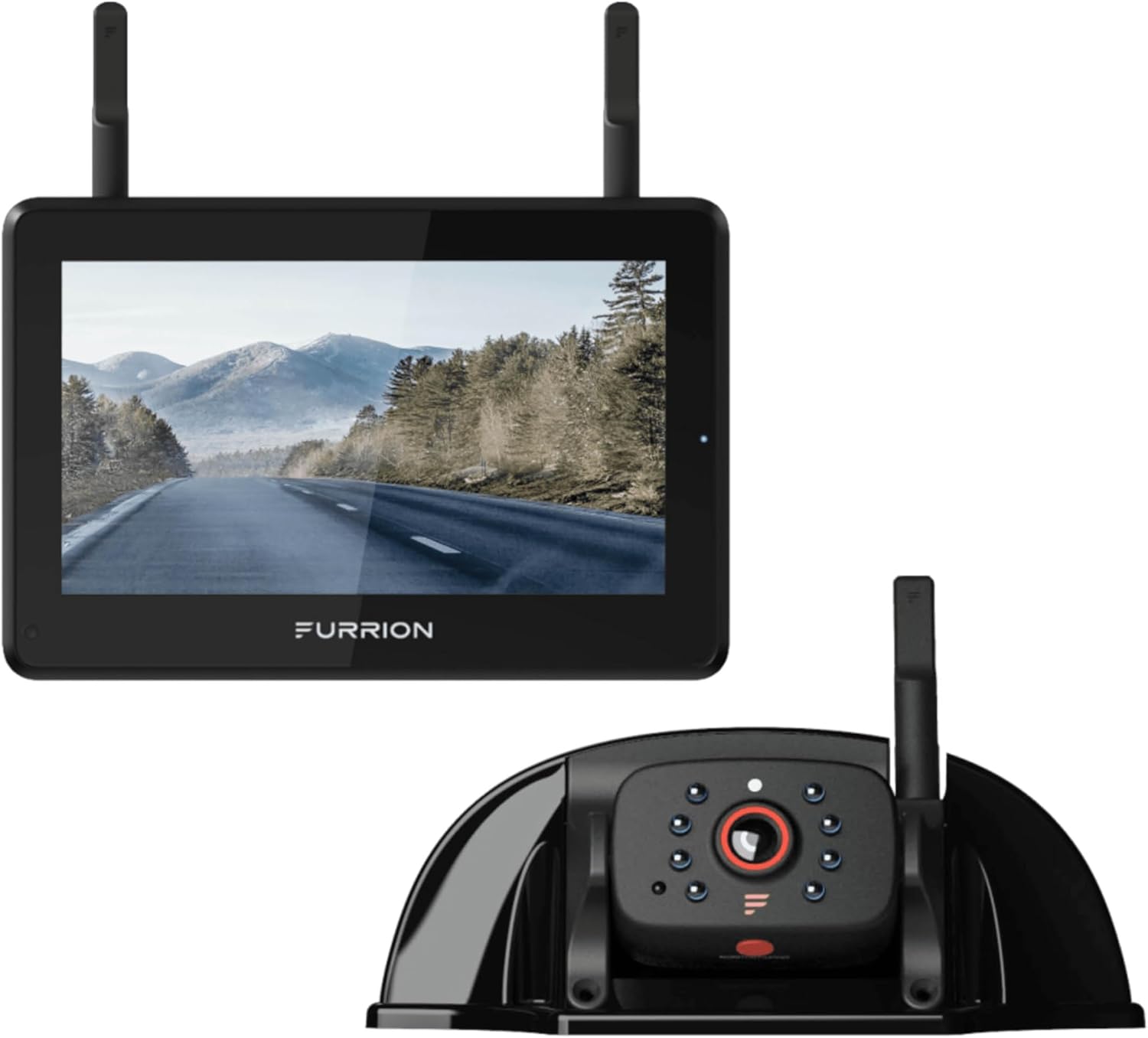
The Furrion Vision S+ 7-inch is a wireless RV observation and backup camera system designed for owners who want a dedicated touchscreen monitor, clear rear-camera video, and the option to expand their setup. The single-camera kit includes a 7-inch monitor and a 1080p sharkfin camera with a 140-degree viewing angle, infrared night vision, and motion-detection functionality.
Its main advantage is the combination of live rear-view monitoring, parking assistance, and recording capability in one system. The monitor supports up to four compatible cameras, making it possible to expand coverage when additional views are needed. Before purchasing, verify that your RV’s existing camera preparation is compatible with the Vision S+ generation. Vision S+ components are not interchangeable with earlier Vision S, Vision 1, or Vision 2 systems.
Overview
The Furrion Vision S+ uses a proprietary 2.4 GHz digital wireless connection to transmit video from the camera to the monitor. It is intended to help drivers see the area behind an RV when reversing, aligning a trailer, or maneuvering into a campsite. The camera can also be used for monitoring while parked, with motion detection capable of waking the display.
The included 7-inch touchscreen monitor provides access to camera views and system controls. It can be mounted using the supplied windshield mount or interior table stand. The system also supports recording to a compatible SD card, which is sold separately.
Although the wireless design avoids the need for a long video cable between the camera and monitor, installation is not entirely wireless: the camera and monitor still need suitable power connections. RVs with compatible factory camera preparation may require less additional mounting work, but compatibility must be verified for the exact system generation and connector arrangement.
Key Features
7-inch touchscreen monitor
The 7-inch touchscreen provides a dedicated display for viewing the rear camera and managing the system’s available camera views. The anti-glare design and supplied mounting options make it easier to position the screen within the driver’s field of view. The monitor should be installed so that it does not obstruct the road view or distract the driver.
1080p camera with a 140-degree viewing angle
The included sharkfin camera records at 1920 × 1080 resolution and has a stated 140-degree viewing angle. This wide field of view can help reveal more of the area behind the RV when reversing or maneuvering in a tight campsite. However, a wide-angle image does not eliminate every blind spot or guarantee precise distance judgment.
Infrared night vision and IP65 protection
The camera includes infrared night vision for low-light monitoring and carries an IP65 protection rating. Manufacturer documentation lists a night-vision distance of approximately 16 feet (5 m). Actual visibility depends on camera placement, surrounding conditions, lens cleanliness, and available light. The IP65 rating applies to the camera under specified test conditions; it does not mean that the camera can be submerged.
Wireless connection with extended range
Furrion specifies a proprietary 2.4 GHz wireless connection, with a range of up to 492 feet (150 m) in open areas and up to 100 feet (30 m) at high speeds. These are manufacturer-stated figures under different conditions, not guaranteed operating distances on every RV. Trailer construction, metal surfaces, antenna placement, obstructions, and interference can affect signal performance.
Support for up to four compatible cameras
The monitor supports up to four compatible camera inputs, allowing owners to expand beyond the included rear camera. Additional cameras may be useful for monitoring side areas or other positions around a larger RV. The standard single-camera kit does not include every camera needed for a four-camera setup; verify compatible models, supported viewing layouts, and additional costs before expanding.
Parking assistance and motion-activated monitoring
The system includes rear-assist marker lines that can be toggled on or off to help with reversing. Motion detection can automatically wake the display when the camera detects movement, supporting monitoring while the RV is parked. These functions provide additional visual information, but they do not replace mirrors, direct observation, or assistance from a spotter when needed.
Audio and video recording
The camera includes a microphone for audio transmission, and the system supports video recording to a compatible SD card. The card is not included in the documented package. Furrion’s technical documentation specifies microSD support up to 128GB, with a Class 10 card or higher recommended. Check the manual for recording setup and storage requirements before relying on the system to save footage.
Technical Specifications
| Specification | Details |
|---|---|
| Brand | Furrion |
| Product | Vision S+ 7-inch Single Camera System |
| Model Number | FOS7HTASF |
| Amazon ASIN | B0DXMHTY19 |
| System Type | Wireless RV observation and backup camera system |
| Monitor Size | 7 inches |
| Monitor Resolution | 1024 × 600 |
| Camera Resolution | 1920 × 1080 (1080p) |
| Camera Viewing Angle | 140° |
| Wireless Frequency | Proprietary 2.4 GHz digital connection |
| Advertised Wireless Range | Up to 492 ft (150 m) in open areas |
| Advertised Range at High Speeds | Up to 100 ft (30 m) |
| Night Vision | Infrared; manufacturer documentation lists approximately 16 ft (5 m) |
| Camera Protection Rating | IP65 |
| Parking Assistance | Toggleable rear-assist marker lines |
| Motion Detection | Supported; can automatically wake the display |
| Audio | Built-in camera microphone with audio transmission |
| Recording | Supported; compatible SD card required |
| Storage Support | microSD up to 128GB; Class 10 or higher recommended |
| Camera Support | Up to four compatible camera inputs |
| Included Components | 7-inch monitor, sharkfin camera, monitor table stand, windshield stand, cigarette-lighter charger, USB-C power cable |
| Warranty | One year, according to manufacturer specifications |
| Product Link | View the Furrion Vision S+ 7-inch on Amazon |
Specification note: These specifications refer to the Furrion Vision S+ FOS7HTASF single-camera system. Do not mix them with earlier Vision S models or other Vision S+ configurations that include additional cameras or marker lights. Confirm the exact model number, package contents, and current listing before purchase.
Pros and Cons
Pros
7-inch touchscreen monitor with anti-glare design.
1080p sharkfin camera with a wide 140-degree viewing angle.
Infrared night vision for low-light monitoring.
Wireless video connection without a long camera-to-monitor video cable.
Supports up to four compatible camera inputs for expandable coverage.
Parking-assist marker lines and motion-activated display features.
Audio transmission and SD-card video recording support.
Supplied windshield and table mounts offer different monitor-placement options.
Cons
The single-camera kit does not include the additional cameras needed for multi-camera coverage.
A compatible SD card must be purchased separately for recording.
Advertised wireless range is conditional and may be lower in real-world RV installations.
Factory-prewired compatibility is not universal; the Vision S+ generation must match the RV’s camera preparation.
Camera and monitor still require suitable power connections.
The camera’s wide viewing angle does not eliminate all blind spots or guarantee precise distance judgment.
Who Should Consider This System?
The Furrion Vision S+ 7-inch is worth considering for RV owners who want a wireless observation system with a dedicated touchscreen monitor, a high-resolution rear camera, and the option to add compatible camera views. It may be particularly convenient for RVs with confirmed Vision S+ camera preparation, where existing mounting provisions can reduce installation work.
It is also a candidate for owners who value parking-assist marker lines, infrared night vision, motion-activated monitoring, and recording capability. These functions can be useful when reversing into campsites, checking the area behind the RV, or monitoring the vehicle while parked.
This system may be less suitable for owners who cannot confirm compatibility with their existing camera preparation, prefer a wired video connection, or need multiple cameras included in the initial package. Those buyers should compare the complete equipment list and installation requirements before choosing a system.
What to Verify Before Buying
Confirm that the product listing is for Furrion Vision S+ FOS7HTASF, not the earlier Vision S FOS07TASF or another Vision S+ configuration.
Check compatibility with the RV’s exact factory camera preparation, connector arrangement, and mounting bracket.
Confirm that the selected package includes the 7-inch monitor and one sharkfin camera.
Verify the camera resolution, viewing angle, and protection rating for the exact model.
Check whether the supplied mounting accessories suit the intended installation.
Confirm the type and capacity of SD card required for recording and budget for a separate card.
Check the power requirements for the camera and monitor.
Treat the advertised wireless range as a manufacturer-stated specification, not a guarantee of performance on every RV.
Check the current listing for price, availability, return terms, and warranty conditions.
Our assessment: The Furrion Vision S+ 7-inch is a strong candidate for owners who want a dedicated touchscreen monitor, a 1080p rear camera, infrared night vision, and expandable wireless monitoring. Its most important considerations are compatibility with the correct Furrion camera-prep generation, the cost of additional cameras and storage, and the limitations of advertised wireless range. Confirm the exact model and package contents before purchase.
Related Guide: An RV camera is just one part of a practical vehicle-based camping setup. Explore our vehicle camping gear guide to see how storage, roof systems, and power equipment fit into a more complete setup.
2. Rear View Safety RVS-770613-NM-01
Award: Best for a Wired RV Camera Installation

The Rear View Safety RVS-770613-NM-01 is a wired backup camera system designed for drivers who prefer a direct cable connection between the rear camera and monitor. It combines a 7-inch display with a weather-resistant camera, a wide viewing angle, and infrared night vision. For RV owners prepared for a more involved installation, a wired system can be an alternative to wireless cameras whose signal performance may vary with vehicle construction and operating conditions.
There is one important purchasing consideration: the RVS-770613-NM-01 is an older model, and some retailers list it as discontinued. Its specifications make it useful for comparison, but buyers should confirm the exact model, package contents, and current availability before choosing it over a newer alternative.
Overview
This system uses a 66-foot camera cable to connect the rear camera to the monitor. The wired design avoids dependence on a wireless video link, but installation requires a suitable cable route through the RV. The cable must be secured and protected from sharp edges, heat, and moving parts.
The system includes a 7-inch color monitor and one rear camera. Its monitor supports normal or mirror-image display and adjustable distance grid lines. The camera also has a built-in microphone, while the monitor includes a speaker. The three-port harness can accommodate additional compatible camera connections, although extra cameras may need to be purchased separately.
Key Features
7-inch color monitor
The dedicated 7-inch display provides a separate screen for the rear camera image. Mirror-image settings and adjustable grid lines can help drivers interpret the view while reversing. Grid lines are visual references rather than precise distance measurements, so they should not replace checking the surroundings.
Wired camera connection
The included 66-foot cable connects the camera to the monitor. This removes wireless transmission range as a consideration, but the cable must be long enough for the vehicle and planned route. Installation may take more time than fitting a wireless system.
130-degree viewing angle
The camera has a stated 130-degree viewing angle, providing a broad view behind the RV. This can help when backing into a campsite or positioning a trailer. A wide field of view does not eliminate blind spots, and objects may appear farther away than they are.
Infrared night vision
The camera uses 18 infrared lights and offers manufacturer-stated night vision up to 50 feet. This can help display the area behind the RV in low-light conditions. Actual visibility depends on the surroundings, lens condition, camera position, and weather.
IP69K-rated camera
The manufacturer specifies an IP69K protection rating for the camera, indicating resistance to dust and high-pressure, high-temperature water under defined test conditions. This is a useful specification for exterior equipment, but it does not mean the camera can be submerged or that every component has the same rating.
Additional camera connections
The three-port harness supports connections for up to two additional compatible cameras. This can be useful for owners who want to expand their view beyond the rear of the RV. Confirm compatibility and the additional cost before planning a multi-camera setup.
Technical Specifications
| Specification | Details |
|---|---|
| Brand | Rear View Safety |
| Model | RVS-770613-NM-01 |
| Amazon ASIN | B07K37MFRC |
| System type | Wired backup camera system |
| Monitor size | 7 inches |
| Camera viewing angle | 130° |
| Night vision | 18 infrared lights; up to 50 ft stated |
| Camera protection rating | IP69K |
| Camera cable | 66 ft |
| Audio | Built-in camera microphone and monitor speaker |
| Camera connections | Up to two additional compatible cameras |
| Camera resolution | Confirm for the exact listing and package |
| Product link | Check the listing on Amazon |
Specifications are based on manufacturer documentation for the RVS-770613-NM family. Verify that the Amazon listing matches the NM-01 variant before relying on these details.
Pros and Cons
Pros
Wired connection avoids wireless video signal-range limitations.
Dedicated 7-inch color monitor.
Wide 130-degree camera viewing angle.
Infrared night vision rated up to 50 feet.
IP69K-rated camera housing.
Supports additional compatible cameras.
Cons
Cable routing can make installation more complicated.
The model is listed as discontinued by some retailers.
Current Amazon availability and exact package contents need verification.
Camera resolution should be confirmed for the specific listing.
Additional cameras may increase the total cost.
Grid lines do not provide precise distance measurements or eliminate blind spots.
What Makes the Rear View Safety System Worth Considering?
A wired alternative to wireless systems
For owners who prefer not to rely on a wireless camera connection, a wired system offers a straightforward alternative in principle: the camera sends its video through a physical cable. The trade-off is installation effort, particularly on a long travel trailer or motorhome where the cable route may be difficult to access.
A camera designed for exterior use
The stated IP69K rating and infrared lighting are useful features for equipment mounted at the rear of an RV. Regularly inspect the camera mount, cable, and connections, and keep the lens clean to help maintain a clear image.
Useful monitor adjustments
Mirror-image capability and adjustable distance grid lines give the driver some control over how the rear view is displayed. These features can help during reversing, but safe maneuvering still depends on checking mirrors, observing the surrounding area, and using a spotter when needed.
Limitations to Consider
Availability is the main concern. The RVS-770613-NM-01 is an older product, and some sellers identify it as discontinued. A live product page does not necessarily mean that the exact configuration is in stock or supplied with the original components.
Installation takes planning. The 66-foot cable must be routed securely from the camera to the monitor. If the route is difficult to access, professional installation may be appropriate.
Do not assume it is an HD camera. Documentation for the original NM model describes a CCD camera, but the exact resolution should be confirmed for the selected listing. Buyers who specifically want HD video should compare the documented resolution of current alternatives.
Expansion may require extra purchases. The harness supports additional compatible cameras, but the single-camera package does not automatically include them.
Best Use Case
This system is best suited to RV owners who specifically want a wired rear camera and a dedicated monitor, and who can confirm that the exact model is available. It may be relevant when replacing an existing compatible setup or when a permanent wired installation is preferred.
It is less suitable for buyers who want a simple wireless installation, need a clearly specified HD camera, or cannot verify the product’s availability. In those situations, a currently supported model may be a safer purchase.
What to Verify Before Buying
Confirm the exact model number: RVS-770613-NM-01.
Verify current stock and the seller’s return and warranty terms.
Check that the package includes the monitor, camera, 66-foot cable, power harness, and mounting accessories.
Confirm the camera resolution in the listing or manual.
Make sure the cable length suits your RV and intended installation route.
Check compatibility and pricing before adding extra cameras.
Our assessment: The Rear View Safety RVS-770613-NM-01 offers useful wired-system features, including a 7-inch monitor, a 130-degree viewing angle, and infrared night vision. However, because availability is uncertain and the model is listed as discontinued by some retailers, we would not treat it as an unconditional top recommendation without first confirming the exact listing. If it cannot be sourced reliably, replace it with a currently supported wired system.
Related Guide: Small accessories can improve convenience around the campsite, but the best choices depend on how you travel and what your setup already includes. Browse our camping gadgets guide for more ideas on practical gear for your trips.
3.Yakry Y27-N
Award: Best for Long-Range Wireless Requirements

The Yakry Y27-N is a wireless RV backup camera system designed for travel trailers, fifth wheels, campers, and motorhomes. It combines a 7-inch 1080p monitor with a dual-antenna wireless connection, video recording, and support for up to four cameras. The package also includes mounting accessories intended to simplify installation on compatible Furrion-prewired RVs.
Its main appeal is versatility. Owners can use the camera for reversing and rear-view monitoring, record video to an SD card, and expand the setup with compatible additional cameras. However, the advertised wireless range needs context: the maximum open-area figure is not a guarantee of uninterrupted video behind every trailer, particularly where metal construction and antenna placement affect reception.
Overview
The Y27-N is designed for RV owners who want a wireless camera system without giving up the option of a multi-camera setup. The included 7-inch monitor displays the camera feed and supports different viewing layouts when additional cameras are connected.
Unlike a basic reversing camera that activates only when the vehicle is in reverse, this system can also be used for continuous rear-view monitoring when installed and powered appropriately. Its recording function lets users save footage to a compatible SD card, subject to the manufacturer’s instructions and storage requirements.
The package includes a camera, monitor, antennas, power accessories, mounting hardware, and a Furrion bracket and pigtail wire for compatible prewired installations. Before purchasing, confirm that the included mounting components match your RV’s camera preparation and that the selected listing contains the expected accessories.
Key Features
7-inch 1080p monitor
The system includes a 7-inch monitor with a stated 1080p video specification. The larger display gives the driver a dedicated view of the rear camera rather than requiring a phone. Actual perceived image quality also depends on the camera feed, lighting, display settings, and viewing distance.
Dual-antenna wireless connection
Yakry advertises a dual-antenna design intended to improve signal stability. Its stated transmission range reaches up to 825 feet in open areas and up to 320 feet on vehicles. These figures describe different conditions and should not be interpreted as guaranteed operating distances on every RV combination.
Recording to an SD card
The monitor supports video recording, allowing the system to function as more than a reversing aid. The manual specifies support for an SD card up to 128GB. Confirm whether a card is included in the package; recording requires compatible storage and correct configuration.
Expandable four-camera system
The monitor supports up to four camera channels, allowing compatible cameras to be added for rear, side, or other useful views. This can be valuable for longer RVs, where a single rear camera may not provide all the visibility needed for maneuvering. Additional cameras may be sold separately.
Furrion-prewired installation accessories
The package includes a Furrion bracket and pigtail wire intended for compatible prewired RVs. This may simplify installation when the existing mount and wiring match the supplied components. Do not assume universal compatibility across every Furrion camera generation or mounting arrangement.
Infrared night vision and weather protection
The camera uses eight infrared lights for low-light visibility, and the listed camera protection rating is IP69K. Night vision helps display the area behind the RV after dark, but visibility depends on the environment and camera positioning. The protection rating applies to the camera under specified test conditions, not automatically to every system component.
Technical Specifications
| Specification | Details |
|---|---|
| Brand | Yakry |
| Model | Y27-N |
| Amazon ASIN | B07H3PGBYB |
| System type | Wireless RV backup camera |
| Monitor size | 7 inches |
| Video resolution | 1080p, as specified for the system |
| Wireless connection | Digital wireless, dual-antenna design |
| Stated open-area range | Up to 825 ft |
| Stated vehicle range | Up to 320 ft |
| Recording | Supported; SD card required |
| Maximum stated SD card capacity | 128GB |
| Camera night vision | Eight infrared lights |
| Camera protection rating | IP69K |
| Camera support | Up to four channels |
| RV compatibility | Includes mounting accessories for compatible Furrion-prewired RVs |
| Product link | View the Yakry Y27-N on Amazon |
Specifications are based on available Y27-N product documentation. Confirm the exact listing, included accessories, and compatibility before purchase.
Pros and Cons
Pros
7-inch monitor with a stated 1080p video specification.
Dual-antenna wireless design.
Recording function with support for an SD card up to 128GB.
Supports up to four compatible cameras.
Includes accessories for compatible Furrion-prewired RVs.
Infrared night vision and an IP69K-rated camera.
Cons
Advertised wireless range may be lower in real-world RV installations.
Additional cameras may need to be purchased separately.
Furrion mounting and wiring compatibility must be confirmed.
Recording requires a compatible SD card, which may not be included.
Wireless performance can be affected by interference, trailer construction, and antenna placement.
What Makes the Yakry Y27-N Worth Considering?
A useful combination of monitoring and recording
The Y27-N combines a live camera feed with a recording function. For owners who want to save footage as well as monitor the rear of the RV, this can be a useful addition. Check the recording settings, storage requirements, and operating instructions before relying on it to preserve footage.
Room to expand the camera setup
Support for up to four camera channels gives the system room to grow. An owner might start with the rear camera and later add compatible side cameras to improve visibility when turning or maneuvering into a campsite. The full cost depends on the additional cameras and accessories required.
Potentially simpler installation on a compatible RV
The included Furrion bracket and pigtail wire may reduce installation work on an RV that has matching factory camera preparation. Compatibility is the deciding factor: check the mounting arrangement and electrical connections before assuming that the system will be plug-and-play.
A dedicated display for everyday use
A separate monitor can be convenient for drivers who want a consistent rear-view screen while travelling or reversing. Correct placement is essential, and the monitor must not obstruct the driver’s view of the road.
Limitations to Consider
The maximum range is not a real-world guarantee. Yakry’s stated 825-foot open-area range is measured under different conditions from the 320-foot vehicle figure. Metal surfaces, antenna orientation, interference, and the distance between the tow vehicle and trailer can affect the connection.
The system is not installation-free. A wireless camera still needs power and secure mounting. The monitor also requires a suitable power connection, and prewired installation only simplifies the job when the RV’s preparation is compatible.
Extra cameras increase the overall cost. Four-channel support describes the system’s capacity, not the number of cameras supplied in the standard package. Check the exact package contents before planning a multi-camera installation.
Recording depends on storage and configuration. A compatible SD card is needed to save video. Confirm whether one is included and follow the manual’s guidance on capacity, formatting, and recording settings.
A rear camera does not remove every blind spot. The image is an additional source of information, not a substitute for mirrors, direct observation, and help from a spotter when visibility is limited.
Best Use Case
The Yakry Y27-N is worth considering for RV owners who want a wireless camera system with recording and the option to add more cameras later. It may be particularly attractive for a compatible Furrion-prewired RV, where the supplied mounting accessories can make installation more straightforward.
It is less suitable for buyers who require a guaranteed signal over a specific distance or who cannot verify compatibility with their existing mount. For those situations, compare the installation requirements and actual operating conditions before deciding.
What to Verify Before Buying
Confirm the listing is for the Yakry Y27-N, not a different Y27 variant.
Check whether the SD card is included or needs to be purchased separately.
Confirm that the Furrion bracket and pigtail wire match your RV’s camera preparation.
Verify the included camera count and the cost of any additional compatible cameras.
Check the available power options for both the camera and monitor.
Treat the advertised wireless ranges as manufacturer-stated figures, not guaranteed performance on your particular RV.
Our assessment: The Yakry Y27-N offers a versatile feature set for RV owners who want wireless rear-view monitoring, video recording, and room to expand to multiple cameras. Its strongest advantages are flexibility and the included installation accessories. Before buying, confirm Furrion compatibility and plan around realistic wireless performance rather than relying solely on the maximum open-area range.
Related Guide: A camera can help the driver see behind the RV, but a spotter can provide another useful perspective when backing into a tight campsite. Our best walkie-talkies for camping guide can help you choose radios for communicating when the driver and spotter cannot easily hear each other.
4. Haloview MC7108
Award: Best for Wireless DVR Recording

The Haloview MC7108 is a wireless RV camera system designed for owners who want rear-view monitoring and onboard video recording in one package. It combines a 7-inch monitor, a 720p digital camera, a built-in DVR, and support for up to four wireless camera inputs. This makes it worth considering for travel trailers, fifth wheels, and motorhomes where the driver may benefit from both a live camera feed and recorded footage.
Unlike systems focused mainly on high-resolution video, the MC7108 emphasizes recording functionality and flexible viewing modes. It supports single-camera, split-screen, and auto-scan displays, allowing owners to expand beyond a single rear view. Its advertised wireless range reaches up to 984 feet under line-of-sight conditions, although actual performance depends on the RV, antenna placement, interference, and installation.
Overview
The MC7108 uses a digital wireless connection between the camera and monitor, reducing the need to route a long video cable through the RV. The included monitor has a built-in digital video recorder that can record footage to a compatible microSD/TF card. Users can also play recorded video on the monitor.
The system supports up to four wireless camera inputs, but the standard package generally includes one monitor and one camera. Additional compatible cameras may be required for side views or broader coverage. The monitor supports normal, mirror, flip, and mirror-flip viewing modes, which can help adapt the image to the camera’s mounting position.
Before purchasing, check the exact kit contents and camera compatibility. Haloview sells several camera and monitor models with similar names, and accessories listed for one model should not automatically be assumed to work with another.
Key Features
7-inch LCD monitor
The MC7108 includes a 7-inch LCD display for viewing the rear camera feed. Its screen size provides a dedicated display for reversing and rear-view monitoring without relying on a smartphone. The monitor can also display multiple camera feeds in supported split-screen modes.
720p digital wireless video
The camera system supports 720p video. This provides an HD-class video feed, but it is not equivalent to a 1080p system. Buyers who prioritize finer image detail should compare the actual camera resolution and display specifications rather than relying on general terms such as “HD.”
Built-in DVR recording
The monitor can record video and play back saved footage. Recording requires a compatible microSD/TF card, and the manufacturer’s manual specifies support for cards up to 128GB. A memory card is not included in the documented package, so factor that into the total cost.
The DVR also supports loop recording, which can overwrite older footage when the storage card becomes full if the relevant setting is enabled. Review the manual’s instructions for formatting the card and configuring recording before relying on the system to save footage.
Four wireless camera inputs
The monitor supports up to four wireless camera channels. Owners can start with the included rear camera and add compatible cameras if they need side views or other coverage. The standard single-camera kit does not mean four cameras are included, and the supported camera models should be confirmed before buying extras.
120-degree viewing angle
The camera has a stated 120-degree viewing angle. This gives the driver a broad view behind the RV when reversing or checking the rear while travelling. A wide-angle image can still leave blind spots, and apparent distances may differ from actual distances.
Wireless range up to 984 feet
Haloview specifies a maximum wireless transmission distance of up to 984 feet under line-of-sight conditions. This is a manufacturer-stated maximum, not a guarantee of stable reception behind every trailer. Metal construction, obstructions, antenna orientation, and electrical interference can affect the signal.
Infrared night vision and weather protection
The system uses infrared night vision and the camera is listed with an IP69K protection rating. These features are relevant for an exterior-mounted camera exposed to road spray and low-light conditions. The protection rating applies to the camera under specified test conditions and does not mean the unit can be submerged.
Technical Specifications
| Specification | Details |
|---|---|
| Brand | Haloview |
| Model | MC7108 |
| Amazon ASIN | B07GKXPKRS |
| System type | Digital wireless RV camera system |
| Monitor | 7-inch LCD |
| Video resolution | 720p |
| Camera viewing angle | 120° |
| Advertised wireless range | Up to 984 ft line of sight |
| Recording | Built-in DVR with video playback |
| Storage | microSD/TF card up to 128GB; not included |
| Camera inputs | Up to four wireless camera channels |
| Viewing modes | Single, split-screen, auto-scan, mirror and flip options |
| Camera protection rating | IP69K |
| Vibration rating | 5.9G, as specified in product documentation |
| Power input | 10–32V DC, according to the monitor manual |
| Product link | View the Haloview MC7108 on Amazon |
Specifications are based on MC7108 product documentation and listings associated with ASIN B07GKXPKRS. Confirm the model number and included accessories on the current listing.
Pros and Cons
Pros
7-inch dedicated LCD monitor.
Built-in DVR for recording and playback.
Supports up to four wireless camera inputs.
Multiple display modes, including split-screen and auto-scan.
Infrared night vision.
Camera listed with IP69K protection.
Advertised line-of-sight range up to 984 feet.
Cons
720p video resolution is lower than 1080p systems.
The advertised maximum wireless range is not guaranteed in real-world RV conditions.
A compatible memory card is required for recording and is not included in the documented package.
Additional cameras may need to be purchased separately.
Buyers must verify compatibility when adding cameras or replacing components.
What Makes the Haloview MC7108 Worth Considering?
Recording without a separate DVR unit
The built-in DVR allows the system to record video through the monitor rather than requiring a separate recording device. This is useful for owners who want to keep footage from their journeys or review recorded video when needed. Recording performance and retention depend on the card capacity, selected settings, and whether loop recording is enabled.
Flexible viewing as the system expands
The monitor supports single-camera, split-screen, and auto-scan modes. These options can be useful when additional compatible cameras are installed. For example, a driver may want a rear view during normal travel and side views when manoeuvring into a campsite.
Wireless installation
Because the camera sends video wirelessly, owners do not need to route a long video cable from the rear camera to the monitor. The camera and monitor still require suitable power connections, and the camera needs secure mounting. Wireless installation reduces one part of the work; it does not eliminate installation requirements.
A practical feature set for regular RV use
The combination of a dedicated monitor, recording, night vision, and expandable camera inputs makes the MC7108 a flexible option for owners who value these functions more than maximum video resolution. Its suitability depends on whether 720p meets the buyer’s needs and whether the wireless connection performs reliably on the particular RV.
Limitations to Consider
The camera feed is 720p. Buyers specifically seeking 1080p video should compare alternatives with a clearly documented higher resolution. Do not confuse the MC7108 with other Haloview systems that may have different specifications.
The advertised range is conditional. The 984-foot figure applies to line-of-sight conditions. A long trailer, metal obstructions, poor antenna orientation, or interference can reduce the usable range.
Recording requires a separate memory card. The system’s DVR is useful only when compatible storage is installed and configured. Check whether the seller includes a card; the documented kit does not.
Additional camera coverage costs extra. Four-channel support is a system capability, not a promise that four cameras are supplied. Confirm compatibility and price before planning a multi-camera installation.
Wireless does not mean power-free. The camera and monitor still need appropriate power connections. Check the installation instructions and voltage requirements for the exact kit.
Best Use Case
The Haloview MC7108 is worth considering for RV owners who want a wireless camera system with built-in recording and the option to add more cameras. It may be especially useful for owners who value recorded footage and flexible display modes when manoeuvring a larger trailer or motorhome.
It is less suitable for buyers who consider 1080p video essential or need a guaranteed wireless range at a specific distance. Those buyers should compare resolution, installation conditions, and the manufacturer’s stated operating limits before choosing a system.
What to Verify Before Buying
Confirm that the listing is for Haloview MC7108, not MC7109 or another similar model.
Check whether the package includes one camera and one monitor, as expected.
Confirm the exact camera resolution and monitor specifications.
Check that a compatible microSD/TF card is available and budget for it separately.
Verify compatibility before adding side or rear cameras.
Review the mounting arrangement and power requirements for your RV.
Treat the 984-foot range as a line-of-sight maximum, not a guaranteed operating distance.
Our assessment: The Haloview MC7108 is a strong candidate for RV owners who want wireless rear-view monitoring, built-in DVR recording, and the option to expand to multiple cameras. Its main trade-off is 720p video rather than 1080p. Buyers should also budget for a memory card and verify real-world compatibility before committing to the system.
Related Guide: If you also rely on powered equipment during off-grid trips, our best portable power stations for camping guide compares portable power options for camping needs. Check each device’s power requirements before deciding whether a portable station fits your setup.
5. AMTIFO A9-N Two-Camera System
Award: Best for a Two-Camera RV Setup

The AMTIFO A9-N is a wireless RV backup camera system supplied with two cameras and a 7-inch monitor. Designed for trailers, fifth wheels, campers, and motorhomes, it lets drivers view rear and additional camera angles without installing a separate wired video connection between each camera and the display. The monitor supports split-screen viewing, while the system also offers recording, infrared night vision, and the option to add compatible cameras.
Its main advantage is that two camera views are included from the start. This can be useful for RV owners who want more coverage than a single rear camera provides. However, the exact camera resolution should be verified against the current listing and product manual, as published specifications for this model are not entirely consistent.
Overview
The A9-N combines a 7-inch monitor with two wireless cameras. Depending on their mounting positions and the selected display mode, the cameras can provide a rear view and a second view of another area around the RV. The monitor supports split-screen viewing and can display additional compatible camera feeds.
The system also includes a digital video recorder function, infrared night vision, and accessories intended for installation on compatible Furrion-prewired RVs. The supplied bracket and pigtail wire may simplify installation when they match the RV’s existing preparation, but compatibility should be checked before purchase.
Although the system is marketed as a two-camera kit, buyers should confirm the contents of the exact package. Camera mounts, antennas, power accessories, and other components can affect installation, and the standard package should not be assumed to include every accessory shown in promotional images.
Key Features
Two cameras included
The A9-N package is designed to provide two camera views without requiring an immediate second-camera purchase. This can be useful when a single rear view does not provide enough information for maneuvering a long trailer or motorhome. The benefit depends on where the cameras are mounted and whether both views cover genuinely useful areas.
7-inch split-screen monitor
The monitor supports split-screen viewing so the driver can see both camera feeds at once. A larger dedicated display can make it easier to check two areas without repeatedly switching between camera channels. The screen should be mounted where it does not obstruct the driver’s forward view.
1080p video specification
The product listing advertises HD 1080p video. However, other published specifications for the A9-N describe 800 TV lines and 960 × 576 effective pixels. Because these figures do not clearly establish a consistent native 1080p camera output, buyers who prioritize image resolution should confirm the exact camera and monitor specifications before ordering.
Wireless connection
The system sends camera video to the monitor wirelessly, avoiding the need to route long video cables from both camera locations to the screen. Each camera still needs an appropriate power connection, and reliable operation depends on mounting, antenna placement, distance, and the RV’s construction.
Recording and playback
The system supports recording through its monitor. This can be useful for owners who want to save footage as well as view the cameras live. Check the exact manual for memory-card compatibility and recording settings, and verify whether a storage card is included in the package.
Furrion-prewired RV accessories
The documented package includes a Furrion adapter bracket and pigtail wire intended for compatible prewired RVs. These components may simplify installation, but they do not guarantee compatibility with every Furrion camera-preparation system. Check the mount, wiring, and camera generation before purchasing.
Infrared night vision and weather protection
The product documentation lists infrared night vision and an IP69K camera protection rating. These features are useful for an exterior camera that may be exposed to road spray and low-light conditions. The protection rating applies to the camera under defined test conditions; it does not mean that the camera can be submerged.
Technical Specifications
| Specification | Details |
|---|---|
| Brand | AMTIFO |
| Model | A9-N |
| Amazon ASIN | B07F8Q4NHY |
| System type | Wireless RV camera system |
| Cameras included | Two |
| Monitor size | 7 inches |
| Display modes | Split-screen; additional modes depend on configuration |
| Video resolution | Listing advertises 1080p; verify exact camera output |
| Camera viewing angle | 150°, as listed for this model |
| Recording | Supported; verify storage-card requirements |
| Camera protection rating | IP69K, as specified in product documentation |
| RV compatibility | Includes accessories for compatible Furrion-prewired RVs |
| Additional camera support | Up to four camera views is stated in product documentation; confirm compatibility |
| Product link | View the AMTIFO A9-N on Amazon |
Specifications are based on documentation and listing information associated with ASIN B07F8Q4NHY. The advertised resolution should be independently confirmed for the exact kit.
Pros and Cons
Pros
Includes two cameras rather than just one.
7-inch monitor supports split-screen viewing.
Wireless video connection avoids long camera-to-monitor video cables.
Recording function provides an option to save footage.
Infrared night vision for low-light monitoring.
Includes mounting accessories intended for compatible Furrion-prewired RVs.
Supports expansion with compatible additional cameras, according to product documentation.
Cons
Published resolution specifications are inconsistent and should be verified.
Wireless signal performance varies with installation and vehicle construction.
Both cameras need suitable power and secure mounting.
Furrion-prewired compatibility is not universal.
Recording may require a separately purchased memory card.
Additional cameras and accessories may increase the total cost.
What Makes the AMTIFO A9-N Worth Considering?
Two camera views from the beginning
The included second camera is the main reason to consider the A9-N. Rather than buying a single-camera system and expanding it later, owners can start with two views and position them according to their RV and visibility needs. The second camera is most useful when it covers an area that the rear camera cannot show adequately.
Split-screen viewing
Being able to view both cameras at once can reduce the need to switch channels while maneuvering. This is particularly relevant when reversing into a tight campsite or checking more than one area around a larger vehicle. The usefulness of the feature depends on the size of each image and the placement of the cameras.
Potentially easier installation on a compatible RV
The included Furrion adapter bracket and pigtail wire may reduce installation work if the RV already has matching camera preparation. Owners should compare the supplied parts with the existing mount and wiring before assuming that the system can be installed without modification.
Recording as an additional function
Recording can be useful when owners want to retain footage rather than rely only on a live display. Check the memory-card requirements and recording behavior in the manual before using the system for this purpose. A camera system should not be treated as a substitute for a dedicated dash camera unless it meets the intended recording requirements.
Limitations to Consider
Resolution claims need confirmation. Although the listing advertises 1080p, other published specifications identify lower effective pixel counts. Buyers who prioritize image detail should verify the native camera resolution and monitor capabilities for the exact package.
Wireless performance is installation-dependent. The absence of a long video cable does not guarantee a stable signal at every distance. Metal walls, antenna orientation, obstructions, and interference can affect reception.
Two cameras still need proper positioning. The second view will not automatically eliminate blind spots. Choose mounting locations that provide useful coverage, and remember that the camera image may distort apparent distances.
Power requirements remain. Wireless cameras still need suitable power connections. Confirm how each camera is powered and whether the supplied cables and adapters suit the intended installation.
Compatibility should be checked before ordering. The included Furrion accessories are intended for compatible prewired RVs, not every RV with a factory camera mount. Confirm the model and mounting arrangement.
Best Use Case
The AMTIFO A9-N is worth considering for RV owners who want two camera views in one package, especially if they value split-screen monitoring while maneuvering. It may suit a travel trailer, fifth wheel, or motorhome where a second camera can provide useful additional coverage.
It is less suitable for buyers who require independently verified native 1080p resolution or who cannot confirm compatibility with their existing RV preparation. In those cases, compare the exact technical documentation and installation requirements before choosing a system.
What to Verify Before Buying
Confirm that the listing is for AMTIFO A9-N, ASIN B07F8Q4NHY.
Verify that the selected package includes two cameras and the 7-inch monitor.
Confirm the camera’s native resolution and the monitor’s supported input resolution.
Check the viewing angle and camera specifications for the exact kit.
Verify whether a memory card is included and which capacities are supported.
Confirm that the Furrion adapter bracket and pigtail wire match your RV.
Check the power requirements and mounting options for both cameras.
Confirm which additional camera models are compatible if you plan to expand the system.
Our assessment: The AMTIFO A9-N stands out because it includes two cameras and supports split-screen monitoring, making it a practical candidate for RV owners who want more than a single rear view. Its main point to verify is the advertised 1080p resolution, along with compatibility and the exact package contents. Those checks matter more than relying on the product title alone.
Related Guide: For other equipment that can support trips away from mains power, explore our best solar chargers for car camping guide. It covers portable charging options for compatible devices and accessories; check each product’s output and your equipment’s power requirements before relying on it in your setup.
How to Choose an RV Backup Camera System
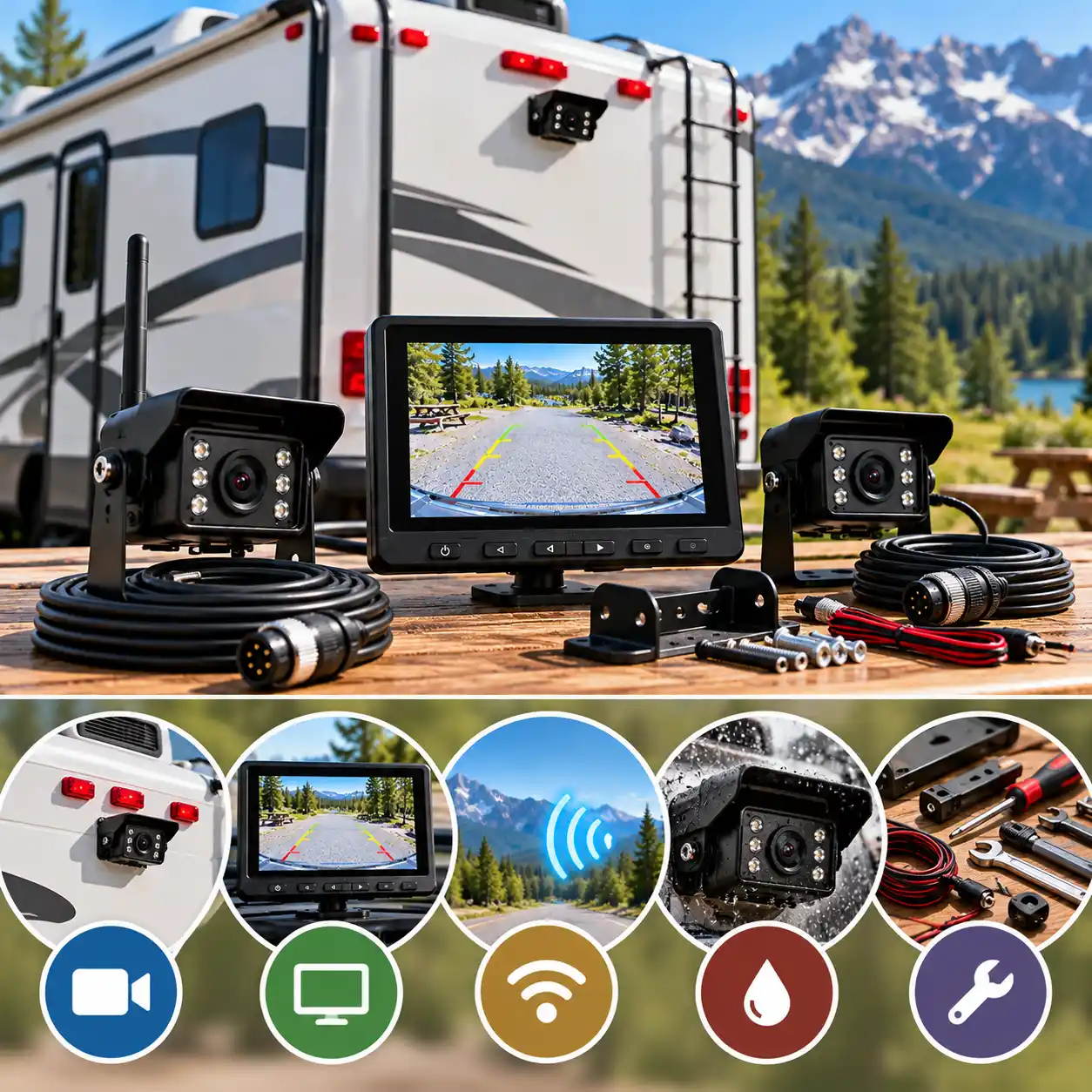
Choosing the right RV backup camera system starts with your vehicle, the type of visibility you need, and the way you use your RV. A system that works well on a short travel trailer may not provide the same results on a long fifth wheel or motorhome. Before comparing prices and features, check compatibility, installation requirements, and whether you need a reversing camera or continuous rear-view monitoring.
1. Match the System to Your RV
Start by identifying your RV type and its existing camera preparation. Travel trailers, fifth wheels, and motorhomes can have different mounting arrangements, cable routes, and distances between the camera and monitor.
If your RV has a factory camera-prep bracket, identify the manufacturer and connector before buying. If it has no preparation, consider how you will mount and power the camera and where the monitor will be installed. A complete kit may simplify installation when you do not already have a compatible display.
2. Decide How Many Cameras You Need
A single rear camera may be sufficient if your main priority is seeing behind the RV while reversing. Larger vehicles may benefit from additional camera views, especially when the rear camera cannot show the areas beside the trailer.
One camera: A practical starting point for basic rear visibility and reversing.
Two cameras: Useful when you want a rear view plus another angle, such as a side or hitch view.
Multi-camera system: Worth considering when you need several views and want to manage them through one monitor.
Check the difference between the number of cameras included in a package and the maximum number the monitor supports. Expansion may require additional cameras, compatible accessories, and extra power connections.
3. Choose Between Wired and Wireless
Wired systems transmit video through a physical cable. They avoid wireless video interference but generally require more installation work, especially when the cable must run along a long trailer.
Wireless systems avoid running a full-length video cable between the camera and monitor, which can simplify retrofits. However, the camera still needs power, and the signal can be affected by distance, metal construction, obstructions, and antenna placement.
Choose based on your installation options and intended use rather than assuming that one connection type is always better. The following section compares both approaches in more detail.
4. Evaluate Wireless Range Realistically
If you choose a wireless system, compare the manufacturer’s stated range with the actual distance between the camera and monitor on your RV. Pay attention to whether the range refers to an open area, a line-of-sight connection, or operation on a vehicle.
Maximum advertised range is not a guarantee of reliable performance while towing. Trailer construction, antenna orientation, interference, and the location of the monitor can all affect the connection. For a long fifth wheel or a metal-bodied trailer, signal performance deserves particular attention.
5. Compare Image Quality and Night Vision
Resolution is one factor in image quality, but it is not the only one. Also consider the camera’s viewing angle, low-light performance, monitor quality, and how clearly you can interpret the image from the driver’s position.
A wider viewing angle can show more of the area behind the RV, but it may make objects appear smaller or farther away. Infrared night vision can help in low-light conditions, although its usefulness depends on the camera, surrounding environment, and specified night-vision range.
If image detail is a priority, verify the exact camera resolution in the manufacturer’s documentation. Do not rely on a product title or a general HD label alone.
6. Select a Monitor You Can Use Comfortably
A dedicated monitor gives you a separate screen for the camera feed. When comparing systems, consider screen size, display layout, mounting options, and whether you can read the image without obstructing your forward view.
A larger display can be useful when viewing two or more camera feeds, but screen size alone does not guarantee a clearer picture. If you plan to use a multi-camera setup, check whether the monitor supports split-screen viewing, camera switching, or automatic scanning.
7. Check Power and Installation Requirements
Wireless video does not mean a wireless power supply. Most permanently installed RV cameras still need an appropriate electrical connection, and the monitor also requires power.
Before buying, confirm:
The required voltage and power source for each component.
Whether your RV’s existing wiring can supply power in the way you intend to use the camera.
Whether the system is designed for reversing only or continuous rear-view monitoring.
Whether the camera bracket, connectors, and supplied cables suit your RV.
Whether the installation requires drilling, cable routing, adapters, or additional sealing.
Follow the installation instructions for the exact camera and RV. If you are unsure about vehicle wiring or weatherproofing, have the installation checked by a qualified RV technician.
8. Verify Furrion and Other Camera-Prep Compatibility
Factory camera preparation can make installation easier, but it does not guarantee that every aftermarket camera will fit or pair with the existing equipment. Different brands and product generations may use different brackets, connectors, power arrangements, and wireless systems.
Before ordering, identify the camera-prep brand, check the exact system generation, and compare the manufacturer’s compatibility information. If replacing an existing camera or monitor, record both model numbers and confirm that the replacement is supported.
Treat phrases such as “Furrion-compatible” or “prewired RV compatible” as claims to verify for your specific setup, not proof of universal compatibility.
9. Set a Realistic Budget
Compare the total cost of getting the system installed and ready to use, not just the advertised price of the camera kit. Depending on the RV and system, you may also need a memory card, additional cameras, mounting accessories, adapters, wiring, or professional installation.
A lower-priced system may be sufficient for basic reversing, while a more expandable system may make sense if you need multiple views or recording. Paying for extra features is worthwhile only when they address a genuine requirement.
Final Buying Checklist
Before placing your order, make sure you can answer these questions:
Does the system fit my RV and its existing camera preparation?
Do I need one camera or multiple views?
Is wired or wireless installation more practical for my vehicle?
Is the stated range suitable for my actual camera-to-monitor distance?
Are the resolution, viewing angle, and night-vision specifications clearly documented?
Can I mount and power the camera and monitor correctly?
Are the required accessories included, and is the total cost within my budget?
Bottom line: Choose an RV backup camera system around your vehicle’s compatibility, the views you need, and the installation you can support. A longer advertised wireless range, larger monitor, or higher resolution does not automatically make a system the right choice for your RV.
Common RV Backup Camera Buying Mistakes to Avoid
Choosing an RV backup camera based only on price, advertised range, or resolution can lead to compatibility problems and disappointing performance. Before ordering a system, consider how it will fit your RV, how you plan to use it, and what is actually included in the package. These are the most common mistakes to avoid.
1. Trusting the Advertised Wireless Range Without Checking the Conditions
Manufacturers may advertise impressive wireless distances, but these figures are often measured in open areas or under line-of-sight conditions. Performance on an actual RV can be affected by trailer length, metal walls, antenna placement, obstructions, and interference.
How to avoid it: Check whether the manufacturer specifies a range for real vehicle use or only an open-area maximum. If you tow a long trailer or fifth wheel, pay particular attention to the distance between the camera and monitor and the recommended antenna placement.
2. Assuming Every Furrion-Prewired RV Uses the Same Camera System
Factory camera preparation can simplify installation, but the presence of a Furrion bracket or wiring does not guarantee that every aftermarket camera will fit or connect correctly. Different models and generations may use different mounting arrangements, connectors, or system requirements.
How to avoid it: Identify the existing camera-prep system and check the exact compatibility information for the camera you plan to buy. Confirm the bracket, wiring, power requirements, and supported system generation before ordering.
3. Confusing a Backup Camera With an Observation Camera
A reversing camera and an observation camera may look similar, but their intended uses can differ. Some systems are designed primarily to assist with reversing, while others are intended to provide a continuous rear view during travel. Not every system supports both uses in the same way.
How to avoid it: Check the manufacturer’s intended use and operating instructions. If you want to monitor traffic behind the RV while driving, confirm that the system supports continuous operation and that the camera, monitor, and power connections are suitable for that purpose.
4. Buying a Higher Resolution Without Checking the Actual Specifications
Product titles and marketing descriptions can use terms such as HD or 1080p inconsistently. Camera resolution, monitor resolution, and the quality of the displayed image are not necessarily the same thing.
How to avoid it: Check the technical specifications for the exact model and package. Look for clearly stated camera resolution, monitor capabilities, viewing angle, and night-vision details. If different listings provide conflicting figures, consult the manufacturer’s documentation rather than assuming the highest number is correct.
5. Forgetting That Wireless Cameras Still Need Power
Wireless describes the video connection, not necessarily how the camera receives electricity. Many RV cameras require a wired power connection, and the monitor also needs a suitable power source.
How to avoid it: Read the installation manual before buying. Confirm how each component is powered, whether your RV has suitable existing wiring, and whether additional adapters or installation work will be needed.
6. Assuming a Multi-Camera System Includes Every Camera
A monitor may support two, three, or four camera views even when the package includes only one camera. Product images can also show optional accessories that are not part of the standard kit.
How to avoid it: Check the package contents and distinguish between the number of cameras included and the maximum number supported. If you want rear and side views, calculate the cost of the additional compatible cameras before deciding.
7. Ignoring Installation and Mounting Requirements
A camera may have suitable specifications but still be inconvenient to install on your particular RV. Wired systems may require long cable runs, while wireless models still need secure mounting, power, and suitable antenna placement. Some factory-prewired installations also require a compatible bracket or adapter.
How to avoid it: Check the mounting method, cable lengths, power connections, and supplied accessories. Consider whether you can complete the installation safely yourself or would prefer a qualified RV technician.
8. Overlooking Recording and Memory-Card Requirements
Some systems include a digital video recorder, but recording may require a separately purchased memory card. Buyers can also overlook supported card capacities or assume that recording works automatically without configuration.
How to avoid it: Verify whether recording is supported by the exact model, whether a card is included, which card capacities are supported, and how loop recording works. If recording is important to you, check the manual before purchasing.
9. Buying an Older Model Without Checking Availability and Support
A product page may remain visible even when a model has been discontinued or is available only from limited sellers. Older systems may also have fewer compatible replacement parts or accessories.
How to avoid it: Confirm that the exact model is currently available, check the seller’s return policy and warranty terms, and verify that compatible cameras and accessories can still be obtained. If the listing’s model number or specifications are unclear, compare it with the manufacturer’s documentation before ordering.
10. Choosing by Price Alone
The lowest-priced camera system may not include the monitor, mounting accessories, memory card, or additional cameras you need. A more expensive system is not automatically better either; its extra features may be unnecessary for your RV.
How to avoid it: Compare the total cost of a complete working setup. Prioritize the features that solve your actual visibility and installation needs, and avoid paying extra for capabilities you are unlikely to use.
Final Checklist Before You Buy
Before choosing an RV backup camera system, confirm these five essentials:
Compatibility: The camera, mount, wiring, and monitor work with your RV.
Connection: The wired or wireless design suits your vehicle and installation.
Coverage: The camera count and viewing angles provide the views you need.
Power and accessories: You understand what is included and what must be purchased separately.
Availability: The exact model, replacement accessories, and seller terms have been checked.
Bottom line: The best way to avoid a disappointing purchase is to verify compatibility, installation requirements, and the exact specifications of the kit before comparing prices. A system that fits your RV and meets your real visibility needs is more useful than one chosen solely for an impressive advertised feature.
Wired vs. Wireless RV Backup Cameras
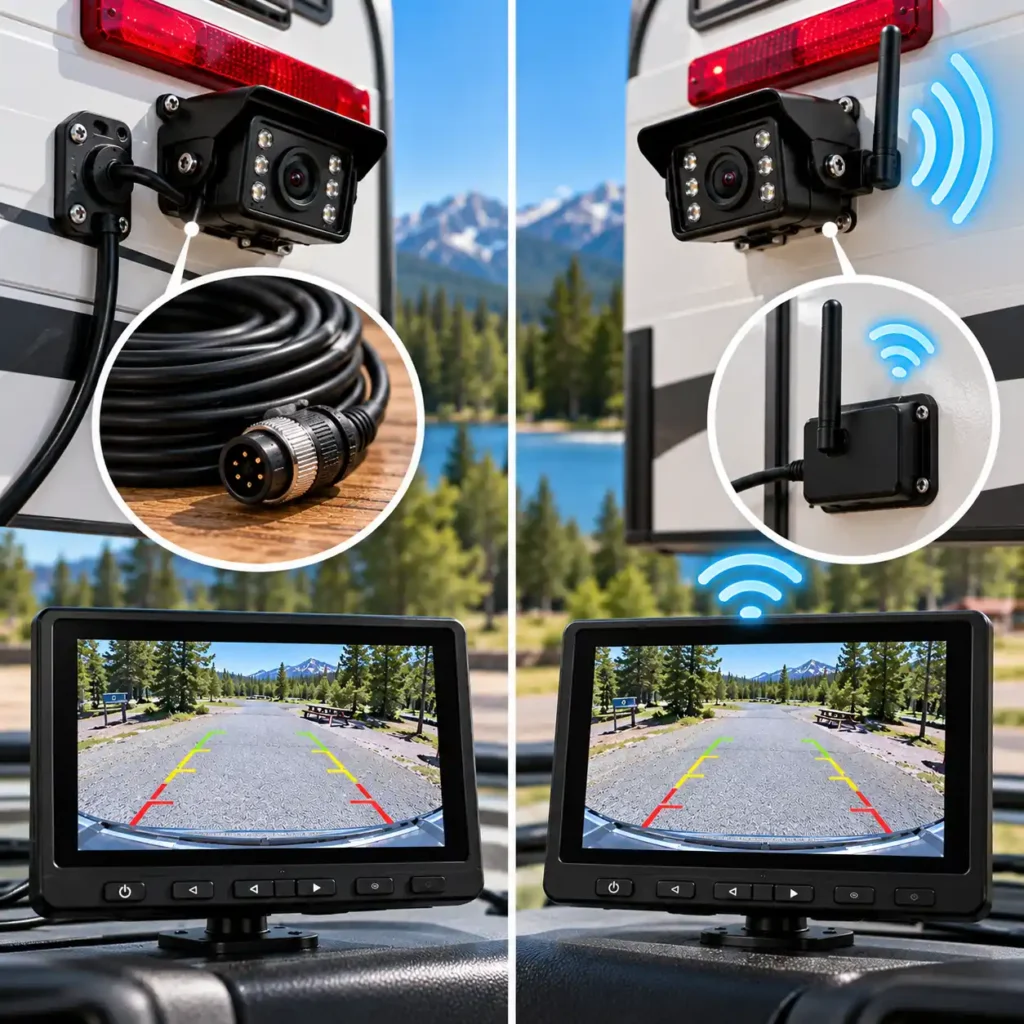
Choosing between a wired and wireless RV backup camera system comes down to installation, signal reliability, and how you plan to use the camera. Both types can help when reversing into a campsite or monitoring the area behind your RV, but they connect the camera to the monitor differently. Understanding that difference makes it easier to choose a system that fits your vehicle and installation preferences.
How Wired RV Backup Cameras Work
A wired system sends video from the camera to the monitor through a physical cable. The cable must be routed between the two components, which can require additional work on a long travel trailer, fifth wheel, or motorhome.
The main advantage is that the video connection does not depend on a wireless signal between the camera and monitor. This removes wireless range and radio interference as potential causes of video dropouts, although cable damage, loose connections, and electrical problems can still affect operation.
Wired systems may be a good fit if you:
Prefer a permanent installation with a physical video connection.
Want to avoid relying on wireless video transmission.
Are replacing an existing wired system or can route the cable conveniently.
Are comfortable with a more involved installation or plan to use a professional installer.
The main trade-off is installation effort. Cable routing needs to be planned carefully, especially where the trailer and tow vehicle move independently or where the cable passes through exposed areas.
How Wireless RV Backup Cameras Work
A wireless system transmits video from the camera to the monitor without requiring a long video cable between them. This can simplify installation, particularly when retrofitting an RV that does not already have camera wiring.
However, wireless systems still require power. The camera and monitor need suitable electrical connections, and the wireless link must remain reliable across the distance between them. Trailer construction, metal surfaces, obstructions, antenna placement, and interference can affect performance.
Wireless systems may be a good fit if you:
Want to avoid routing a long video cable through the RV.
Are installing a camera on a vehicle without existing camera wiring.
Prefer a simpler retrofit, provided mounting and power requirements are manageable.
Want a system that supports additional compatible cameras without running separate video cables.
The important trade-off is that the advertised wireless range is not a guarantee of performance on every RV. Check the manufacturer’s specifications and consider the actual distance and construction of your vehicle.
Wired vs. Wireless: Key Differences
| Factor | Wired System | Wireless System |
|---|---|---|
| Video connection | Physical cable | Wireless transmission |
| Installation | Cable routing can be time-consuming | Often simpler, but mounting and power are still required |
| Wireless interference | Not a factor for the wired video link | Can affect signal quality |
| Range limitations | Depends on cable length and installation | Depends on wireless performance and conditions |
| Power | Camera and monitor require power | Camera and monitor generally still require power |
| Existing RV wiring | Helpful, but not always essential | Can be useful when no video cable is installed |
| Common trade-off | More involved cable installation | Signal reliability depends on conditions |
Which Is More Reliable?
Neither design is automatically the best choice for every RV. A properly installed wired system avoids wireless video signal problems, but its reliability still depends on sound connections, protected cables, and correct installation. A wireless system can work well when the equipment is compatible, antennas are positioned correctly, and the signal remains strong under actual operating conditions.
For a long trailer, do not assume that every wireless model will maintain a reliable picture simply because its advertised range exceeds the distance between the camera and monitor. Check whether the manufacturer provides separate figures for open-area and vehicle use, and treat maximum range as a specification rather than a guarantee.
If you are choosing a wired system, check the cable length and the practical route before buying. A cable that is too short or difficult to install can make an otherwise suitable system inconvenient.
What About Furrion-Prewired RVs?
If your RV has factory camera preparation, check the system before choosing either connection type. A compatible wireless camera may use the existing mounting position and power connection, reducing installation work. However, factory preparation does not guarantee compatibility with every camera, brand, or product generation.
Identify the existing bracket, connector, and camera-prep model, then verify them against the manufacturer’s compatibility information. Do not assume that a camera will fit simply because the listing says it is suitable for prewired RVs.
Which Type Should You Choose?
Choose wired if you prefer a physical video connection, have a practical cable route, or are replacing an existing wired installation.
Choose wireless if avoiding a long video cable is a priority and you can confirm that the camera’s mounting, power supply, and wireless connection are suitable for your RV.
If neither option is clearly better, compare the total installation cost, compatibility, camera coverage, monitor features, and support for additional cameras. The best system is the one that can be installed correctly and provides the view you need in your actual driving and camping conditions.
Bottom line: Wired systems avoid wireless video transmission issues but require careful cable routing. Wireless systems can simplify installation but still need power and a dependable signal. Choose based on your RV’s layout and installation requirements, not on the connection type alone.
What Is RV Camera Prep? Furrion Compatibility and Mounting
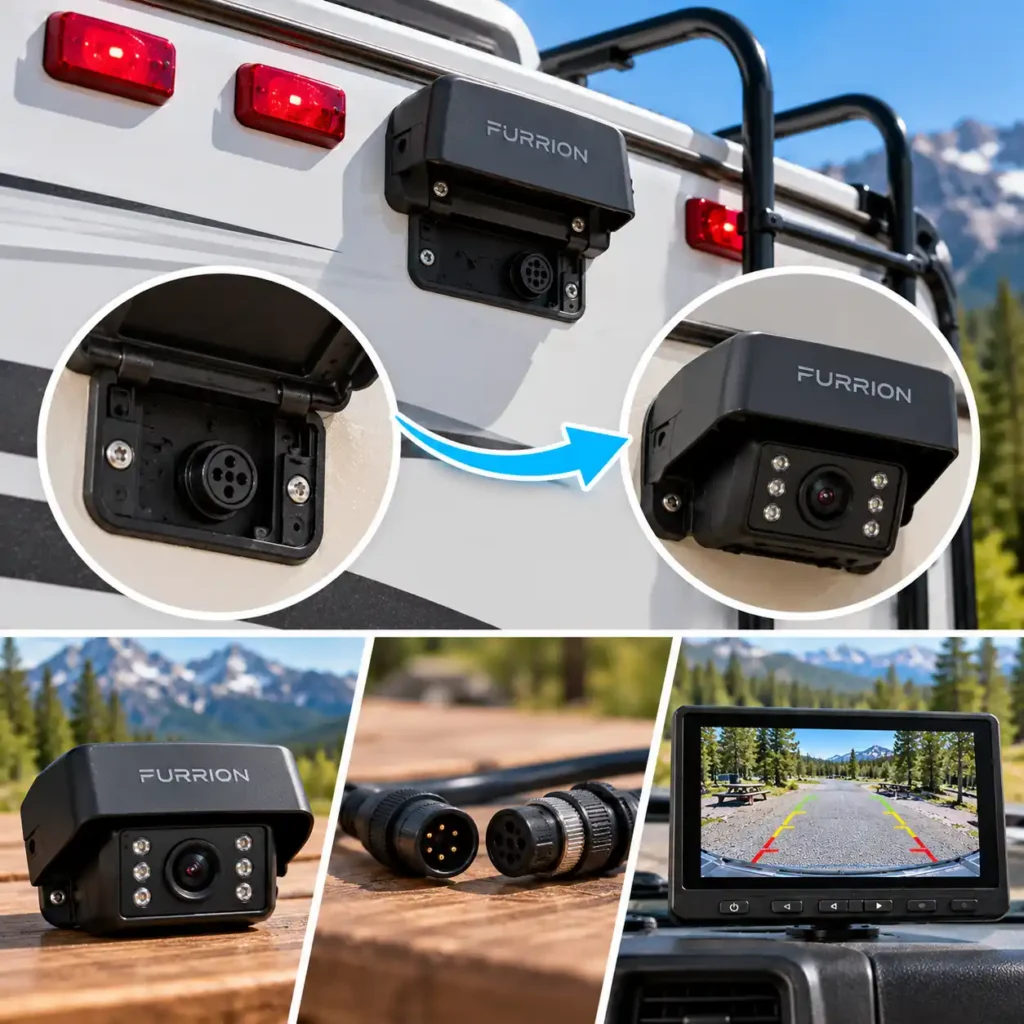
RV camera prep is a factory-installed provision that makes it easier to add a backup or observation camera to a travel trailer, fifth wheel, or motorhome. Depending on the RV, it may include a mounting bracket, a power connection, preinstalled wiring, or a specific camera mounting location. It can reduce installation work, but it does not automatically make every aftermarket camera compatible.
Furrion is a common name associated with RV camera preparation, particularly for wireless systems such as the Vision S. Before choosing a camera, identify the preparation installed on your RV and verify that the camera, bracket, wiring, and monitor are designed to work together.
What Does Factory RV Camera Prep Include?
The exact preparation varies by RV manufacturer and model. Some trailers have a rear mounting location and an electrical connection behind a cover. Others use a specific bracket or marker-light arrangement intended for a compatible camera system.
Camera prep may provide:
A mounting location: A prepared area or bracket for attaching the camera.
Power wiring: An electrical connection intended to supply power to the camera.
A cable or connector: A connection designed for a compatible camera installation.
A designated camera position: A location chosen by the RV manufacturer to provide a useful rear view.
Do not assume that every RV includes all these features. Some may have only a mounting bracket, while others may have a more complete prewired arrangement. Check the owner’s manual or ask the RV manufacturer or dealer what preparation your specific vehicle includes.
How to Check Whether Your RV Is Furrion-Prewired
Start by checking the RV documentation, original equipment list, or manufacturer’s specifications. Look for an explicit reference to Furrion camera preparation or the name of another supported camera system.
If the RV has a covered camera mounting point at the rear, inspect the documentation before removing the cover. The bracket and electrical connection may be behind it, but the presence of a mounting point alone does not confirm that the wiring or connector matches your intended camera.
Use this checklist before buying:
Identify the camera-prep brand and type. Check the RV manual, build sheet, or manufacturer information.
Confirm the mounting arrangement. Compare the existing bracket with the camera’s mounting requirements.
Check the power connection. Verify the required voltage, polarity, and connector arrangement using the applicable documentation.
Confirm system compatibility. Make sure the camera and monitor are designed to work together.
Check what the kit includes. Determine whether you need an adapter, replacement bracket, pigtail wire, or other accessories.
If any part of the setup is unclear, contact the RV manufacturer, camera manufacturer, or a qualified RV technician before modifying the wiring.
Is Every Furrion-Compatible Camera Interchangeable?
No. The phrase Furrion-compatible does not mean that every camera, monitor, or accessory will work with every Furrion system.
Furrion has different camera-system generations and mounting arrangements. For example, Furrion’s official Vision S product information states that its Vision S system is not compatible with Vision 1 or Vision 2 systems. That is why the exact model and system generation matter when selecting a replacement or aftermarket camera. <Cite refs={[“turn166240search0″,”turn166240search8”]}/>
Compatibility can depend on several factors:
Mounting bracket: The camera must fit the existing mount or have a suitable adapter.
Electrical connection: The connector and power supply must match the camera’s requirements.
Wireless pairing: The camera and monitor must support the same system.
Camera generation: Similar product names do not guarantee interchangeable components.
Additional accessories: A replacement bracket or adapter may be necessary even when the camera system is otherwise compatible.
Before purchasing, compare the exact camera model with the manufacturer’s compatibility information. Do not rely solely on a product title or a seller’s general statement that the camera fits prewired RVs.
What If Your RV Is Not Prewired?
You can still install an RV backup camera system, but you may need additional mounting and wiring work. Depending on the camera, this can involve choosing a suitable mounting position, securing a bracket, routing a power cable, and sealing any new openings against water intrusion.
Furrion’s installation instructions describe a separate mounting process for RVs that do not already have a prepared camera bracket. They also advise isolating the vehicle’s 12V or 24V power source before installation and seeking professional assistance if you are unsure about the wiring. <Cite refs={[“turn166240search19″,”turn166240search21”]}/>
Before drilling or connecting wires, check the RV manufacturer’s instructions and confirm that the proposed location will not interfere with existing wiring, structural components, lights, or other equipment. Use the correct weatherproofing materials and follow the camera manufacturer’s installation procedure.
If you are not comfortable working with vehicle wiring or sealing exterior openings, professional installation can help reduce the risk of electrical faults or water intrusion.
Does Camera Prep Mean Installation Is Plug-and-Play?
Not necessarily. Factory preparation can make installation easier, but you may still need to attach the camera, connect power, pair the camera with the monitor, adjust settings, and verify the image.
The amount of work depends on the preparation installed on the RV and the camera kit you choose. A compatible system may use the existing mount and power connection, while another may require adapters or changes to the installation.
After installation, check that the camera image is stable, the viewing angle covers the intended area, the camera and monitor remain powered as expected, and all exterior connections are securely mounted and weather-sealed. Test the system while stationary before relying on it during a trip.
Final Compatibility Checklist
Before ordering a camera for a prewired RV, confirm:
The exact camera-prep system installed on your RV.
The camera model and generation supported by that preparation.
Compatibility of the mounting bracket and electrical connector.
The camera’s voltage and power requirements.
Whether the monitor is included and compatible with the camera.
Whether additional adapters or installation accessories are required.
Bottom line: RV camera prep can make installing a backup camera simpler, but it is not a universal standard. Identify the exact preparation on your RV and verify the camera, mounting hardware, wiring, and monitor before buying. This is especially important when choosing a Furrion-compatible system or replacing an older camera.
Wireless Range, Signal Dropouts, and Trailer Length
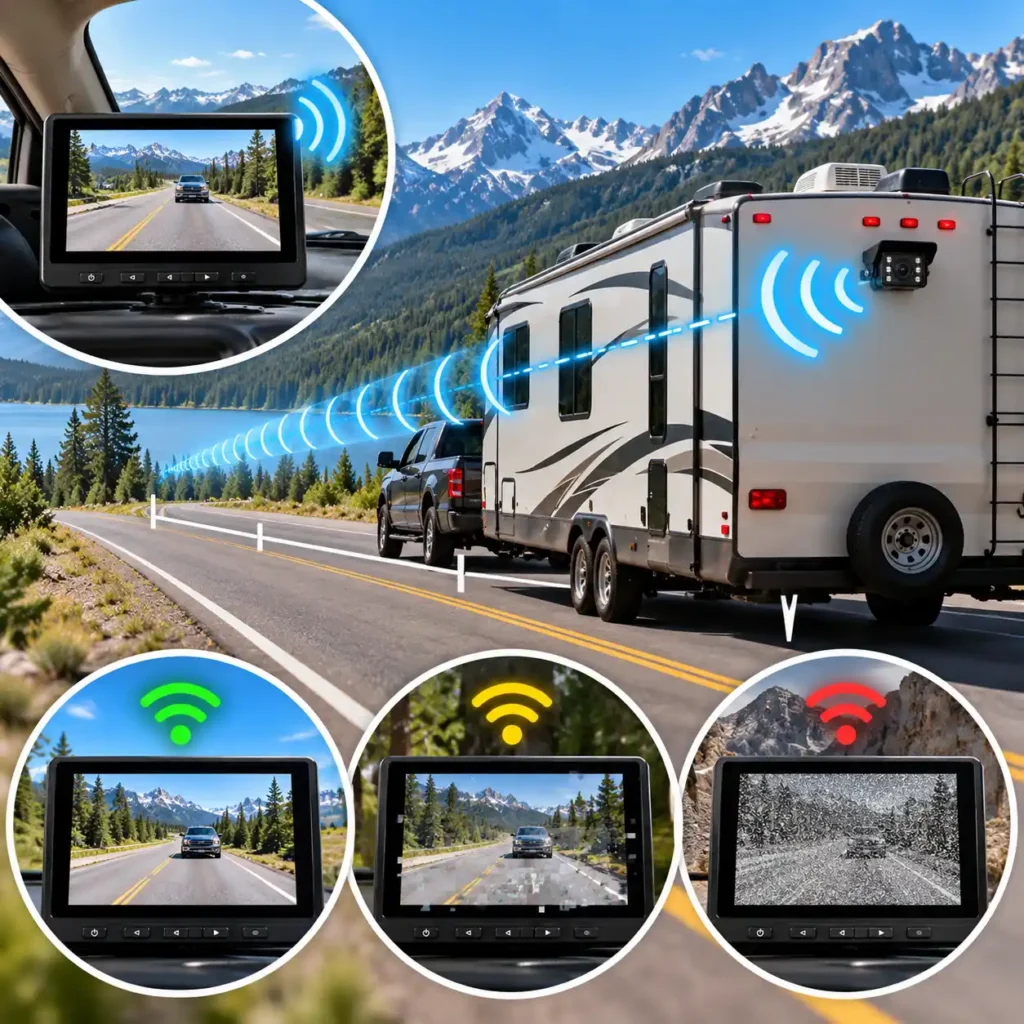
Wireless range is one of the most important specifications to consider when choosing an RV backup camera system, particularly for long travel trailers and fifth wheels. A camera may advertise a transmission distance of several hundred feet, yet still experience an unstable connection when installed on a real RV. The reason is that advertised range and real-world signal performance are not the same thing.
Understanding what affects the wireless connection can help you choose a suitable system, position its components more effectively, and troubleshoot signal dropouts before replacing equipment unnecessarily.
Why Advertised Wireless Range Can Be Misleading
Manufacturers may state a maximum range measured in an open area or under line-of-sight conditions. These figures are useful for comparing systems, but they do not guarantee reliable video transmission in every installation.
On an RV, the wireless signal may have to travel from the rear of a long trailer, across the space between the trailer and tow vehicle, and into the cab where the monitor is mounted. The signal can encounter metal panels, structural components, appliances, and other obstructions along the way.
For example, a system advertised with a maximum range of 800 feet may appear to offer far more distance than a typical trailer requires. However, the number alone does not establish how well that system will work through the construction of a particular fifth wheel.
What to check: Look for the manufacturer’s stated range, the conditions under which it was measured, and any separate figures for open-area and vehicle operation. Choose a system designed for the actual camera-to-monitor distance rather than relying on the largest number on the product page.
How Trailer Length Affects Signal Reliability
The longer the trailer, the greater the potential distance between the rear camera and the monitor in the tow vehicle. This is particularly relevant for long travel trailers and fifth wheels.
Distance is only part of the problem. The path the signal must travel also matters. A camera mounted at the rear may be separated from the monitor by the trailer’s body, the tow vehicle, and other structures. As the signal becomes weaker, the system may be more susceptible to interference or temporary loss of video.
When choosing a wireless camera for a long RV, consider:
The total distance between the proposed camera and monitor positions.
Whether the system is specifically intended for trailers or fifth wheels.
The location and orientation of the camera and monitor antennas.
Whether the manufacturer offers an approved external antenna or signal extender.
Whether the system supports the intended use, such as continuous rear-view monitoring while towing.
Do not assume that every wireless system will perform equally well on a long trailer. A system designed for a passenger car may have different transmission capabilities and installation requirements from one designed for an RV.
Why Metal Construction and Obstructions Matter
Metal can weaken or obstruct radio signals, depending on the material, geometry, and signal path. RVs may contain metal exterior panels, frames, storage compartments, appliances, and other structures that affect wireless transmission.
Other potential obstructions include dense cargo, equipment mounted near the camera, and parts of the tow vehicle between the transmitter and receiver. Wireless interference from nearby electronics can also contribute to unstable video.
The practical effect varies by system and installation. An aluminum-sided trailer, for example, may present different signal challenges depending on where the camera and monitor are positioned.
Ways to improve the signal path:
Mount the camera in the manufacturer’s recommended position.
Keep antennas clear of large metal obstructions where the installation instructions allow.
Position the monitor where it has a more favourable path to the camera.
Use only manufacturer-approved external antennas or signal accessories.
Test reception with the trailer connected before finalizing the installation.
Changing the position of the camera or monitor can sometimes improve reception, but no placement adjustment can guarantee a stable connection in every RV.
Common Signs of a Weak Wireless Signal
Signal problems can appear in several ways. Recognizing the symptoms helps you distinguish a possible wireless issue from a power, pairing, or hardware problem.
| Symptom | Possible Cause | What to Check |
|---|---|---|
| Intermittent picture loss | Weak signal or interference | Antenna placement, distance, and obstructions |
| Delayed or unstable video | Poor connection or system limitation | Signal conditions and manufacturer guidance |
| No image after startup | Power or pairing problem | Camera power, monitor power, and pairing |
| Picture disappears when the vehicle moves | Changing signal path or loose connection | Antennas, wiring, and camera mounting |
| Signal problems after installation changes | New obstruction or antenna position | Restore the recommended setup and retest |
These symptoms are not definitive diagnoses. For example, a blank screen can also result from a camera that is not receiving power or a monitor that has lost its pairing. Check the troubleshooting instructions for your exact model before assuming the wireless range is the problem.
How to Troubleshoot Wireless Signal Dropouts
If your RV camera loses its picture or displays an unstable image, work through the basic checks before buying a replacement system.
1. Check power and pairing. Confirm that the camera and monitor are receiving power and that the camera is correctly paired with the monitor. Some systems obtain camera power from the RV’s running lights or another vehicle circuit, so their behaviour may depend on how they are wired.
2. Inspect the antennas. Make sure removable antennas are attached correctly and undamaged. Position them according to the manufacturer’s instructions rather than assuming that a particular orientation is best for every system.
3. Check the installation position. Look for metal objects, appliances, or other obstructions near the camera, transmitter, or monitor. If the manufacturer permits it, temporarily reposition the monitor to see whether reception improves.
4. Check the electrical connections. Loose connections or an inadequate power supply can interrupt operation and may be mistaken for a wireless fault. Follow the manual’s troubleshooting procedure and avoid modifying vehicle wiring without the appropriate knowledge.
5. Test in the actual towing configuration. If possible, check the camera with the trailer connected and the monitor in its intended position. A test performed with the camera close to the monitor may not represent the conditions encountered on the road.
6. Consult the manufacturer if the problem persists. Check whether the system supports an approved antenna extension, repeater, or other accessory. Do not assume that a generic signal booster will work with your camera system.
Can an External Antenna or Signal Extender Help?
Some wireless RV camera systems support external antennas, extension cables, or repeaters intended to improve reception. These accessories can help when the original installation places the transmitter or receiver in an unfavourable location, but their suitability depends on the system.
Before purchasing an accessory, confirm that the camera manufacturer supports it and follow the recommended installation procedure. An incompatible antenna or extender may not improve reception and could introduce additional installation problems.
If the wireless connection remains unreliable despite correct installation and compatible accessories, compare the cost of further troubleshooting with a wired system. A wired connection avoids wireless video transmission between the camera and monitor, although it requires suitable cable routing and does not eliminate every possible electrical or installation fault.
What to Check Before Buying a Wireless RV Camera
Before choosing a system for your trailer, use this checklist:
Range: Is the advertised figure measured in an open area, under line-of-sight conditions, or on a vehicle?
Compatibility: Is the system intended for your RV type and its camera-prep arrangement?
Antenna design: Are the antennas suitable for the intended installation, and are approved accessories available if needed?
Power: Can the camera and monitor receive power reliably in the way you plan to use them?
Operating mode: Does the system support reversing only, continuous rear-view monitoring, or both?
Installation: Can you position the camera and monitor according to the manufacturer’s recommendations?
Bottom line: Wireless range is more than a number on a product listing. Trailer length, metal construction, obstructions, antenna placement, power, and interference can all affect performance. Choose a system designed for your RV, verify its requirements, and test it in the intended installation before relying on it during a trip.
Backup Camera vs. Observation Camera
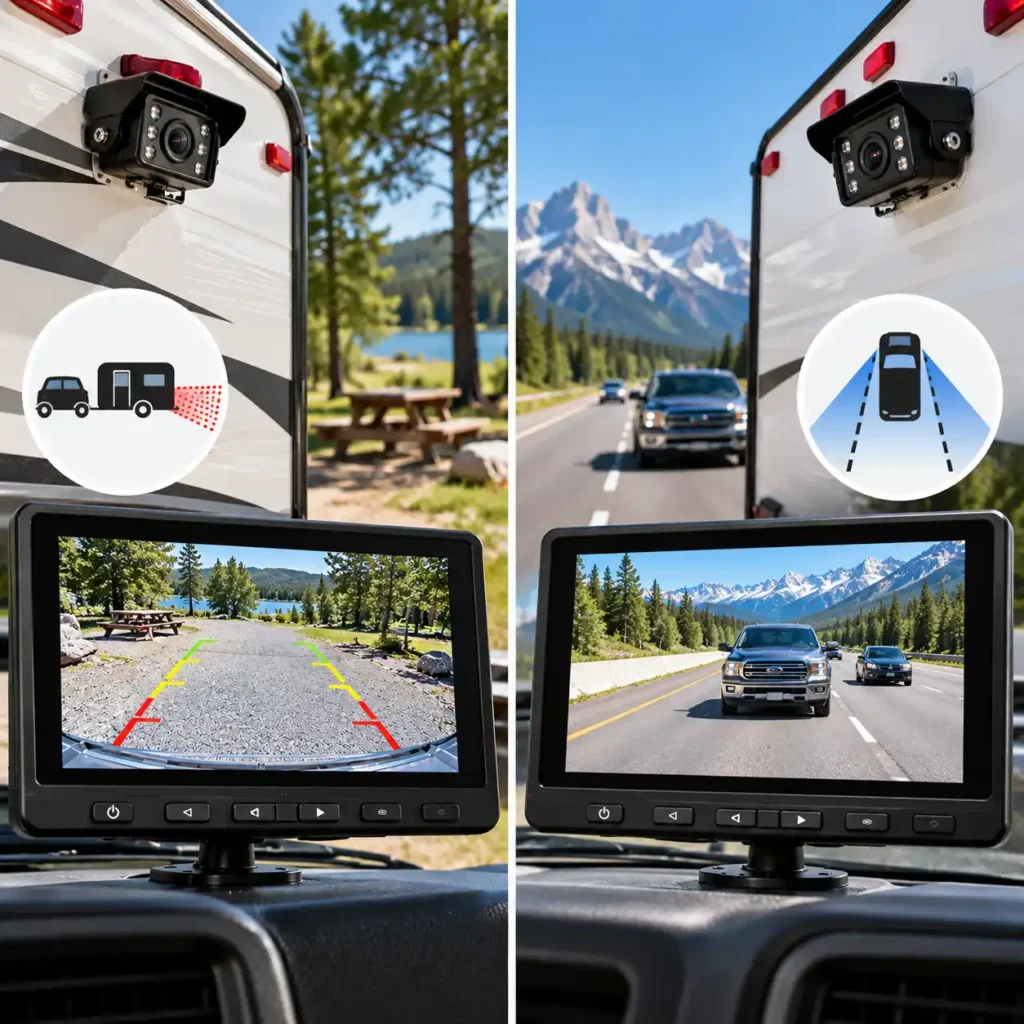
The terms RV backup camera and RV observation camera are sometimes used interchangeably, but they can describe different intended uses. A backup camera primarily helps the driver see behind the RV while reversing. An observation camera is designed to provide a rear view for monitoring the area behind the vehicle, potentially while travelling as well as when maneuvering.
The distinction matters when choosing a system for a travel trailer, fifth wheel, or motorhome. A camera that works well for occasional reversing may not offer the continuous operation, display behaviour, or installation features you want for monitoring traffic behind a moving RV.
What Is an RV Backup Camera?
A backup camera is intended mainly to help the driver see obstacles and the area immediately behind the vehicle while reversing. It can be particularly useful when backing into a campsite, positioning a trailer, or maneuvering in a confined parking area.
Depending on the system, the camera may activate when the vehicle is placed in reverse, or the driver may be able to activate its view through the monitor. Features vary by model, so the product’s intended operating mode should always be checked.
A backup camera can help reveal objects that are difficult to see through mirrors alone, but it does not eliminate blind spots. The driver should still check mirrors, look around the vehicle where safe, and use a spotter when visibility is limited.
A backup camera is a good fit if you primarily need:
Help reversing into campsites and parking spaces.
A clearer view of obstacles directly behind the RV.
Assistance when aligning a trailer or maneuvering at low speed.
A camera system focused on reversing rather than continuous rear-view monitoring.
What Is an RV Observation Camera?
An observation camera is intended to provide a view of the area behind the RV for ongoing monitoring. Depending on the system, it may be used while driving as well as when reversing or parking.
For a long travel trailer or fifth wheel, an observation camera can help the driver monitor traffic behind the rig when the vehicle’s length makes a direct rear view difficult. Some systems support continuous viewing, while others offer multiple cameras or different display modes.
However, the term observation camera does not guarantee that every system is designed for continuous use at road speed. Check the manufacturer’s instructions, operating modes, and power requirements before choosing a model for this purpose.
An observation camera is worth considering if you want to:
Monitor the area behind the RV while travelling.
Improve rear visibility when towing a long trailer.
Keep a rear-camera image available without relying only on a reversing trigger.
Add compatible side cameras for broader awareness around the vehicle.
Key Differences at a Glance
| Feature | Backup Camera | Observation Camera |
|---|---|---|
| Primary purpose | Reversing and low-speed maneuvering | Monitoring the rear area, potentially while travelling |
| Typical use | Backing into a campsite or parking space | Rear-view monitoring while towing or driving |
| Activation | May be triggered by reverse gear or operated manually | May support continuous viewing; check the model |
| Obstacle awareness | Helps reveal objects behind the vehicle | Helps monitor traffic and the area behind the RV |
| Continuous operation | Depends on the system | Often a key intended use, but must be verified |
| Multi-camera support | Varies by model | Some systems support rear and side camera views |
| Main buying priority | A useful reversing view | Reliable rear monitoring in the intended driving conditions |
These are general distinctions, not universal technical rules. Some systems combine both functions, so the manufacturer’s specifications are more important than the name used in the product listing.
Can One Camera System Do Both Jobs?
Yes. Some RV camera systems can provide both a reversing view and continuous observation, depending on how they are designed, installed, and powered. A single camera may be sufficient if it provides the view you need and supports the operating mode you intend to use.
Before buying, verify three things:
Operating mode: Can the camera display remain active while the RV is moving, or is it intended primarily for reversing?
Power supply: Can the camera and monitor receive power for the entire period you want to use them?
Display controls: Can you select the camera view easily, and does the monitor support continuous viewing or the required camera layout?
If you want both functions, do not assume that a system marketed as a backup camera will automatically provide continuous rear-view monitoring.
Which Type Is Better for a Travel Trailer or Fifth Wheel?
For a trailer that is difficult to reverse into tight campsites, a backup camera can provide useful assistance when positioning the rig. For drivers who also want to monitor traffic behind a long trailer while travelling, an observation system may be more suitable.
Some owners may benefit from a system that supports both purposes. Others may need additional side cameras to improve visibility when turning or maneuvering. The right setup depends on the trailer’s length, camera placement, driving habits, and the areas that remain difficult to see.
Before purchasing, confirm that the system is suitable for your vehicle, supports the required operating mode, and provides a usable image from the driver’s position.
What Neither Camera Type Can Replace
Neither a backup camera nor an observation camera replaces mirrors, direct observation, or safe driving practices. Camera images cover only the areas visible to their lenses, and objects can appear farther away or smaller than they are. Poor lighting, dirt on the lens, weather, and signal interruptions can further reduce visibility.
Use the camera as an additional source of information, not as the sole basis for reversing, changing lanes, or judging whether an area is clear.
Bottom line: Choose a backup camera if your main priority is reversing and campsite maneuvering. Choose an observation camera if you want to monitor the area behind your RV while travelling. If you need both, verify that the exact system supports both operating modes and can be powered and installed accordingly.
RV Backup Camera Installation, Power, and Maintenance
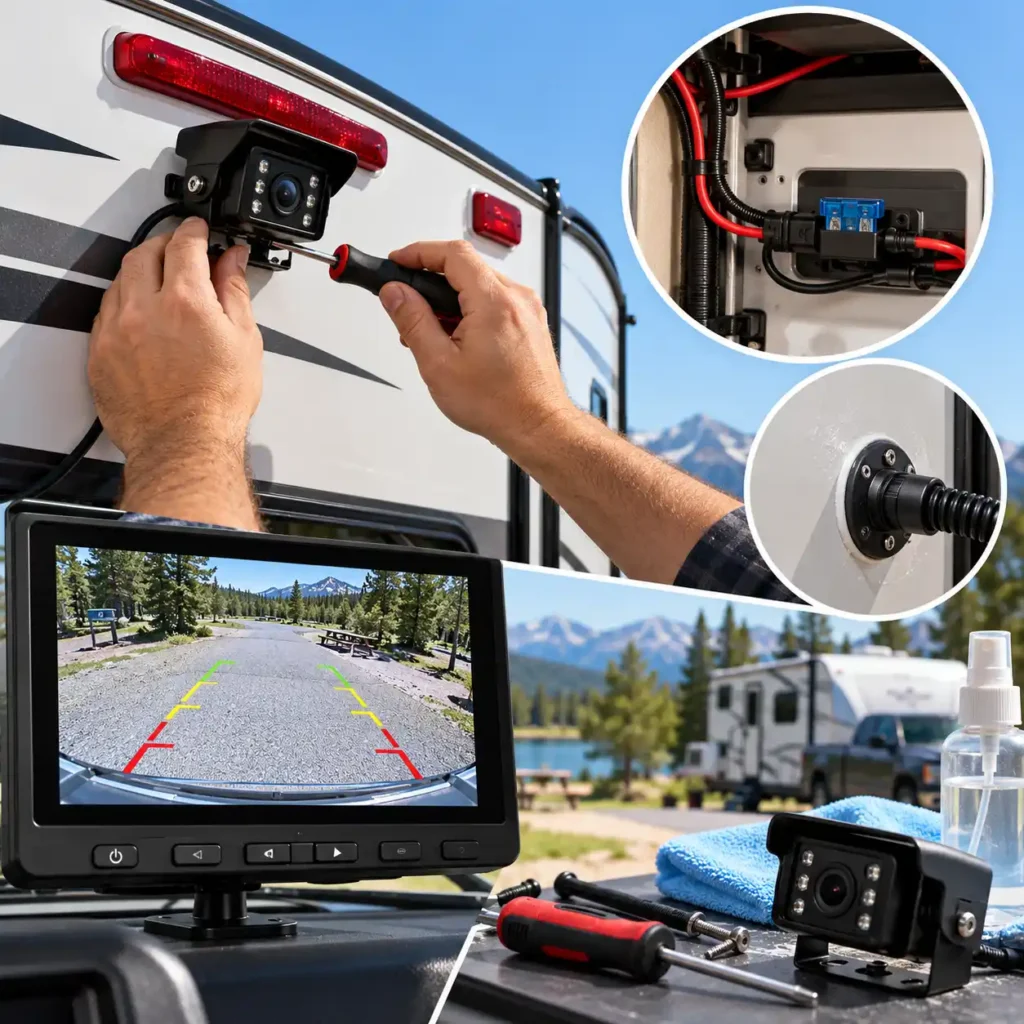
Installing an RV backup camera system involves more than mounting a camera and turning on the monitor. The setup must provide a reliable power supply, a suitable mounting position, weather protection, and a practical way to route cables or position wireless components. The exact process depends on whether your RV is factory-prewired and whether you choose a wired or wireless system.
Before You Begin: Check Your RV’s Setup
Before purchasing installation accessories or removing any panels, identify the wiring and mounting provisions already available on your RV.
Check for factory camera prep. Some RVs have a dedicated camera mounting point, a power connection, or a preinstalled wiring harness. The type of preparation varies by manufacturer and model year.
Confirm the camera’s mounting dimensions. A camera designed for a particular bracket or factory housing may not fit another mounting point without an adapter.
Identify the power source. Determine whether the camera receives power from the RV’s running lights, a dedicated circuit, or another manufacturer-specified connection.
Plan the monitor location. The display should be easy to see without obstructing the driver’s view or interfering with controls.
Read the installation manual. Check the required voltage, wiring diagram, fuse recommendations, weatherproofing instructions, and any model-specific compatibility requirements.
Do not assume that two RVs with similar-looking camera mounts use the same wiring or camera connector. Confirm compatibility before connecting equipment.
Installing a Wireless RV Backup Camera
Wireless systems can reduce the need to run a long video cable between the camera and the monitor. However, wireless does not necessarily mean wire-free: the camera and monitor still need power, and some systems require additional wiring or adapters.
A typical installation involves these steps:
Mount the camera. Attach it to the designated bracket or another manufacturer-approved location with a clear view behind the RV.
Connect the camera’s power supply. Follow the system’s wiring diagram and use the specified circuit. Some cameras are powered only when the running lights or ignition are on; others use a different arrangement.
Install the monitor. Secure the display in a suitable position using the supplied mount, keeping the driver’s sightlines clear.
Pair the camera and monitor. Follow the manufacturer’s pairing procedure. If the kit includes multiple cameras, assign or label each camera view as instructed.
Test the complete system. Check the image with the RV stationary before moving. Test the system again with the trailer connected and the vehicle in its normal operating configuration.
A wireless camera may still experience interference, obstructions, or signal loss. Confirm that the image remains stable in the configuration in which you intend to use the system.
Installing a Wired RV Backup Camera
Wired systems require a physical connection between the camera and monitor, usually through a video cable routed along or through the RV. This can involve more installation work, particularly on a long travel trailer or fifth wheel, but the connection does not depend on the same wireless transmission link used by wireless systems.
Before routing the cable, plan a protected path that avoids sharp edges, moving components, excessive heat, and areas where the cable could be crushed. Use appropriate grommets or cable protection where wiring passes through openings, and seal exterior penetrations with materials suitable for the RV’s construction.
Secure the cable so that it cannot rub against the frame or become loose during travel. Keep connections accessible where practical, and follow the manufacturer’s instructions for connectors, cable extensions, and maximum supported cable length.
If installation requires drilling into the RV body, cutting structural materials, or modifying factory wiring, consider using a qualified RV technician. An incorrectly sealed opening can allow water intrusion, while an unsuitable electrical connection can damage equipment or create a safety hazard.
Power Requirements: What RV Owners Need to Know
Power requirements differ between camera systems. Some cameras connect to a vehicle or trailer lighting circuit, while others use a dedicated power connection. Monitors may draw power from a 12-volt outlet, a hardwired circuit, or another specified source.
Before connecting a system, verify the following:
Operating voltage: Confirm that the supply matches the camera and monitor specifications.
Circuit protection: Use the fuse rating and protection method specified by the manufacturer.
Power behavior: Establish whether the camera operates continuously, only when the ignition is on, or when the running or reverse lights are activated.
Ground connection: Ensure that any required ground is secure and correctly installed.
Battery impact: If the camera remains powered while the RV is parked, check its power draw and the potential effect on the battery during extended stops.
Do not select a power source solely because it is nearby or convenient. An unsuitable circuit may not provide the intended operating behavior, and incorrect wiring can damage the equipment or the RV’s electrical system.
If you want to use a camera for continuous rear observation while driving, verify that the model supports that operating mode and that its power connection keeps the camera active as intended. A system designed primarily for reverse assistance may behave differently.
Camera Positioning and Initial Setup
The camera’s mounting position affects how useful the image will be. A wide viewing angle can show more of the area behind the RV, but it does not eliminate blind spots or replace the use of mirrors.
When positioning the camera, consider:
Viewing angle: Aim to show the area most relevant to reversing or rear observation without excessively sacrificing useful detail.
Mounting height: Follow the manufacturer’s recommendations and ensure that the bracket is secure.
Image alignment: Adjust the camera so that the displayed view is useful and consistent with the driver’s expectations.
Night visibility: Check the image in low light and confirm that the camera’s night-vision features operate as described.
Lens cleanliness: Position the camera where the lens can be inspected and cleaned without difficulty.
After installation, test the image in daylight and darkness when it is safe to do so. Check each camera individually on multi-camera systems, confirm the correct view is displayed, and verify that the monitor remains secure on rough or uneven roads.
Routine Maintenance for RV Backup Cameras
RV camera systems are exposed to rain, dust, road spray, vibration, temperature changes, and occasional impacts. A short inspection before trips can help identify problems before they affect visibility.
| Maintenance task | What to check |
|---|---|
| Clean the lens | Remove dust, water spots, road film, and other residue with a suitable soft cloth and approved cleaning method. |
| Inspect the mount | Look for looseness, cracks, corrosion, or movement that could change the camera angle. |
| Check wiring | Look for damaged insulation, loose connectors, abrasion, and signs of water intrusion. |
| Test the image | Confirm that the picture is clear, correctly oriented, and free of recurring dropouts or flickering. |
| Check night vision | Verify that the image remains usable in low light and that the lens is not obstructed. |
| Inspect the monitor | Confirm that the mount is secure and that the screen, controls, and power connection work properly. |
| Review multi-camera views | Make sure each camera is paired correctly and that the intended views appear on the monitor. |
Use only cleaning products and methods compatible with the camera’s lens, housing, and seals. Even if a camera has a water-resistance rating, avoid assuming that every component or connector can withstand high-pressure washing or prolonged water exposure.
Troubleshooting Common Installation Problems
If the system does not work as expected, start with basic checks before replacing components.
The monitor turns on, but there is no camera image. Confirm that the camera has power, check the pairing procedure for wireless systems, and inspect connectors and cable routing on wired systems. If the camera receives power from the running lights, confirm that the relevant circuit is active.
The image drops out intermittently. On a wireless system, check antenna placement, obstructions, and whether the issue occurs only in a particular vehicle configuration. On a wired system, inspect connectors and the cable for damage or loose connections.
The picture is dark or unclear. Clean the lens, check the camera angle, and review the manufacturer’s low-light limitations. Dirt, glare, weather, and poor lighting can reduce image quality even when the camera is functioning normally.
The camera works only when certain lights are on. This may reflect the circuit used to power the camera rather than a camera fault. Check the wiring plan and confirm whether the chosen connection supports the operating mode you want.
The system stops working after rain or washing. Inspect accessible connections and look for signs of moisture. Do not continue using damaged wiring or open electrical connections. If water has entered the housing or wiring, follow the manufacturer’s service guidance or consult an RV technician.
Avoid repeatedly disconnecting wires or changing circuits without a clear diagnosis. If the problem involves the RV’s electrical system, damaged wiring, or water intrusion, professional inspection may be the safer option.
Installation and Maintenance Checklist
Before your next trip, confirm that:
The camera and monitor are compatible with your RV and its electrical system.
The camera mount is secure and the view is correctly aligned.
Wiring is protected, connectors are secure, and exterior openings are properly sealed.
The monitor is mounted safely and does not obstruct the driver’s view.
Every camera and monitor function has been checked with the RV configured for travel.
The image is usable in both daylight and low-light conditions.
The lens is clean and the system shows no signs of moisture damage or loose components.
Bottom line: A correctly installed and maintained RV backup camera can make reversing and rear observation easier, but reliability depends on proper power, secure mounting, protected wiring, and regular checks. Test the system before relying on it at a campsite, and remember that a camera supplements—not replaces—mirrors, direct observation, and a spotter when needed.
Frequently Asked Questions About RV Backup Cameras
What is the best backup camera for an RV or travel trailer?
The best RV backup camera depends on your trailer length, existing camera preparation, installation preferences, and intended use. A Furrion-compatible system can simplify installation on a prewired RV, while a wired system may suit drivers who prioritize a consistent video connection. For longer trailers or additional viewing angles, consider a system with a suitable wireless range and support for multiple cameras.
Before buying, confirm compatibility, power requirements, monitor size, and the camera’s intended operating mode.
How do I know if my RV is prewired for a backup camera?
Look for a factory camera mounting plate or cover near the upper rear of the RV. Some models have a power connector and wiring harness behind the cover, but the appearance of the mounting plate alone does not guarantee that the RV is fully prewired.
Check your RV’s manual or contact the manufacturer with the model and model year. If possible, identify the existing bracket, connector, and power supply before choosing a replacement camera. Factory preparation can simplify installation, but compatibility still depends on the camera system and its generation.
Are wireless RV backup cameras reliable while driving?
Wireless RV backup cameras can provide a useful rear view while driving, but reliability varies by system and installation. Trailer length, metal construction, antenna placement, electrical supply, and radio interference can affect the connection.
Compare the manufacturer’s stated range under realistic operating conditions rather than relying exclusively on its maximum open-area figure. If the image repeatedly freezes or drops out, check the camera’s power supply, antenna position, and compatibility before assuming the camera itself is defective.
How far should a wireless RV backup camera reach?
Choose a system whose stated operating range comfortably exceeds the distance between the camera and monitor in your actual setup. A long travel trailer, fifth wheel, or motorhome towing another vehicle may require more range than a short trailer.
Pay particular attention to the difference between advertised line-of-sight range and range specified for use on a vehicle. These figures are not interchangeable, and no advertised maximum guarantees uninterrupted video in every RV configuration.
Can I install an RV backup camera myself?
Yes. Many wireless RV camera kits are designed for DIY installation, particularly when the RV already has a compatible camera mount and power connection. The usual tasks include mounting the camera, connecting its power supply, installing the monitor, pairing the devices, and testing the image.
A system that requires drilling, routing long cables, sealing exterior openings, or modifying factory wiring can be more complicated. Follow the manufacturer’s installation instructions and consider professional installation if you are unfamiliar with automotive electrical systems or weatherproofing.
Does a wireless RV backup camera still need power?
Yes. In most wireless RV camera systems, wireless describes the video connection between the camera and monitor, not the camera’s power supply. The camera commonly requires a suitable 12-volt DC connection, although exact voltage requirements vary by model.
Depending on the RV’s wiring, the camera may receive power from running lights, a reverse-light circuit, or a dedicated supply. Check which circuit is used before buying: a camera powered only when the running lights are on may not operate continuously when those lights are off.
Can I use an RV backup camera as a rear-view camera while towing?
Some RV backup camera systems can provide a continuous rear view while towing, but not all models are designed or configured for this purpose. A reverse-triggered camera may activate only when the vehicle is in reverse, while an observation system may support viewing during travel.
Check the manufacturer’s stated operating modes and determine whether the camera can remain powered for the duration of your trip. Also consider whether the monitor can display the rear view continuously and whether the system’s connection remains stable while the RV is moving.
Can I use a non-Furrion camera on a Furrion-prewired RV?
Sometimes. Certain third-party RV camera systems are designed to work with specific Furrion-prewired mounting arrangements, but compatibility is not universal. The bracket, power connector, adapter harness, camera, and monitor may all affect whether the installation works.
Check the exact camera model and your RV’s existing preparation before ordering. Also verify compatibility with the particular Furrion system generation if you plan to reuse an existing monitor. A camera advertised as Furrion-compatible should not automatically be assumed to support every Furrion setup.
Do I need side cameras on my RV, or is one rear camera enough?
A single rear camera may be sufficient if your main priority is reversing into campsites and checking the area directly behind a short trailer. Side cameras can provide additional views along the RV’s sides, which may be useful when changing lanes, navigating tight turns, or monitoring a large motorhome.
The right configuration depends on your vehicle’s dimensions, existing mirrors, and visibility limitations. Before paying for extra cameras, check how many feeds the monitor supports and whether the system can display the views you need.
Do RV backup cameras work at night and in bad weather?
Many RV backup cameras include infrared night vision or other low-light features, but image quality varies with the camera, available light, lens condition, and surrounding environment. Night-vision specifications do not guarantee a clear image in every situation.
Rain, road spray, dirt, glare, and condensation can also reduce visibility. Choose a camera with suitable weather-protection specifications, keep the lens clean, and inspect the housing and connections regularly. Even a weather-resistant camera cannot eliminate the effects of poor visibility or replace mirrors and direct observation when maneuvering.
Final Verdict: Which RV Backup Camera Should You Choose?
Choosing an RV backup camera system is ultimately about finding the right balance between installation complexity, visibility, signal reliability, and long-term usability. The highest advertised range or the largest number of features does not automatically make a system the best choice for every RV.
Before making a final decision, consider the compromises that matter most for your particular setup.
Prioritize Compatibility Before Features
A camera system that works with your RV’s existing mounting point and wiring can save time and reduce installation complexity. However, factory camera preparation does not guarantee compatibility with every replacement system, even when the products use similar-looking brackets.
Confirm the exact camera and monitor compatibility, connector type, power requirements, and any necessary adapter before ordering. This is particularly important if you intend to reuse factory-installed equipment.
Decide Which Trade-Offs You Can Accept
Every system involves compromises. A wireless kit can avoid routing a long video cable, but its signal may be affected by distance, obstructions, and installation conditions. A wired system avoids the wireless video link but can require more work to route and protect the cable.
Likewise, a larger monitor can make the image easier to view, while a multi-camera setup can expand coverage at the cost of additional equipment, installation work, and configuration. Higher advertised resolution is worth considering, but it should not be the only factor: camera placement, lighting, display quality, and actual system specifications also affect the usefulness of the image.
Check the Complete Cost of Ownership
Compare the complete installation cost rather than the camera kit price alone. Depending on the RV and selected system, you may need an adapter, mounting hardware, wiring accessories, a compatible memory card, additional cameras, or professional installation.
Also check product availability and warranty terms before committing to a system. If you are considering an older model, verify that the exact kit is still available and that replacement components or technical support can be obtained if needed.
Make the Final Decision Based on Your RV
Use these final checks before purchasing:
Confirm that the system is compatible with your RV’s make, model year, mounting arrangement, and power supply.
Decide whether you need a camera for reversing only or continuous rear observation while driving.
Check whether the monitor and camera support the number of views you actually need.
Evaluate the stated wireless range in the context of your trailer length and expected operating conditions.
Verify the exact specifications of the camera and monitor rather than relying on broad marketing descriptions.
Account for installation accessories, storage requirements, and any additional equipment.
A good RV camera system should fit your vehicle, operate in the way you expect, and provide a useful view without adding unnecessary installation complexity. Make compatibility and intended use the deciding factors, then compare image quality, range, and extra features among the systems that meet those requirements.
Finally, remember that an RV backup camera is an aid to visibility, not a replacement for mirrors, direct observation, or a spotter when maneuvering in a confined campsite.
About the Author
The CampComfortGuide editorial team researches camping gear, RV accessories, and practical outdoor equipment to help readers make informed buying decisions. Our guides focus on product specifications, compatibility, installation requirements, everyday usability, and the features that matter most when choosing equipment for camping and road travel.
For RV backup camera systems, we compare manufacturer specifications and available product information to explain the differences between wired and wireless setups, camera configurations, viewing features, and installation requirements. Our goal is to help RV owners understand their options, identify potential compatibility issues, and choose equipment suited to their vehicle and travel needs.
CampComfortGuide aims to provide clear, practical guidance so readers can evaluate camping equipment with greater confidence before making a purchase.